These instructions apply to the Jeep Grand Cherokee Mk4 (WK2) 2011-2022.
For other models, please choose your vehicle here.
Disconnecting the 12 V battery on your Jeep Grand Cherokee (2011–2022) is a job most owners can handle at home to fit a new battery, isolate the electrics before winter storage, or make it safe to work near the airbags and pretensioners. On this Mk4 (WK2) the battery sits in the engine bay, so nothing inside the cabin needs stripping out. Take the terminals off in the right order — negative first, positive last on reconnection — and the Grand Cherokee relearns its settings cleanly, needing only a few items reset once power is restored.
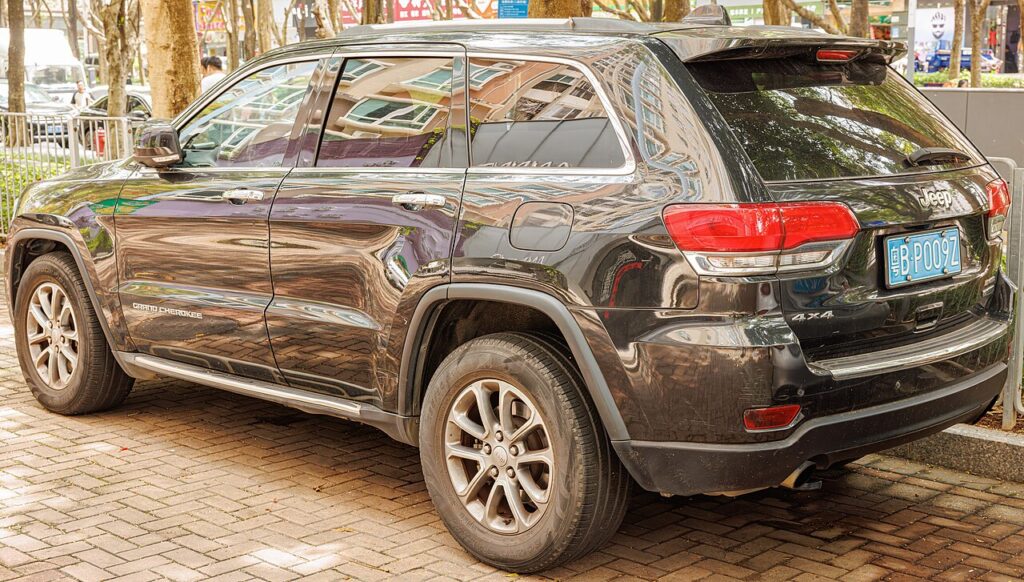
Where the 12 V Battery Is
The 12 V battery on the Grand Cherokee is in the engine compartment, usually in the front driver’s-side corner under a plastic cover. Open the bonnet, prop it securely and lift or unclip the cover to expose the top of the battery. You will find two posts: the negative (−) terminal is the earth, normally capped black, and the positive (+) terminal wears a red cover over the main supply lead. Identify both before you reach for a spanner — that check is what keeps the disconnect safe.
Note your audio presets and personal settings first, since the clock, date and radio memory are wiped the moment the battery is disconnected.
Getting Ready
- Switch the ignition fully off and take the key well away from the vehicle.
- Turn off the lights, climate fan, radio and any other consumers so nothing is drawing current.
- Note the clock, date and audio presets so you can restore them afterwards.
- If you will be working near the airbags or pretensioners, wait a couple of minutes after disconnecting for those systems to power down.
- Have a 10 mm spanner, gloves and eye protection ready, and keep the loose leads clear of the bodywork.
Disconnecting the Battery
- Switch everything off and make sure all consumers are off.
- Disconnect the negative (−) terminal first, lift the lead clear and tuck it aside so it cannot spring back onto the post.
- Now loosen and remove the positive (+) lead.
- Working near airbags or seat-belt pretensioners? Wait 2 minutes after disconnecting before such work.
Reconnecting the Battery
- Refit the positive (+) lead first and tighten its clamp.
- Refit the negative (−) lead last and tighten it firmly — a loose earth causes flickering lights and phantom faults.
- Replace the plastic cover you lifted.
What You’ll Need to Reset Afterwards
With the memory cleared, the Grand Cherokee needs a few items re-initialised once power is back:
- Clock, date and audio presets — re-enter the time and your radio stations.
- Power windows — re-initialise one-touch by holding the switch fully up at the limit, then fully down; for the full method see our Grand Cherokee power-window reset guide.
- Air suspension (Quadra-Lift) — the ride height settles again after a short drive.
- Start-stop / battery management — cars with stop/start may want a short period to recalibrate their charge learning; fit the correct battery type.
- Some warning lights self-clear after a short drive once the modules see normal running.
If a Warning Light Stays On or the Car Feels Off
- Recheck that both terminal clamps are tight — a poor earth is the most common cause of after-disconnect gremlins.
- Take a short drive so the air suspension and other systems can relearn before you assume there is a real fault.
- If the windows still auto-drop or won’t one-touch, repeat the re-initialisation.
- If a light won’t clear, the battery may be flat or worn out — have it load-tested and fit a like-for-like replacement.
- A persistent light stores a fault code — look it up on autodtcs.com.
Frequently Asked Questions
Where is the battery on a Jeep Grand Cherokee (WK2)?
It is in the engine compartment, usually in the front driver’s-side corner under a plastic cover. Lift the bonnet, unclip the cover and you will see the negative and positive terminals on top of the battery.
Which terminal do I disconnect first?
Take off the negative (−) terminal first and reconnect it last. On the way back, positive (+) goes on first, then negative. This keeps the earth broken while a live lead is exposed and avoids sparks.
What needs resetting afterwards?
The power windows need re-initialising and you re-enter the clock, date and audio presets. On Quadra-Lift models the air suspension ride height settles after a short drive, and minor warning lights usually clear once the car has been driven.
Does a new battery need coding on the Grand Cherokee?
A like-for-like battery of the correct type does not need dealer coding to run. On stop/start models fit the specified battery so the charging system can manage it properly; a straightforward swap needs no special programming.
Will disconnecting the battery reset the service light or clear codes?
Not reliably. It can clear some temporary codes and adaptations, but a service reminder or a hard-stored fault normally needs the proper reset or repair. A code that returns straight away points to something that still needs attention.
Can I jump-start it instead of disconnecting?
If the battery is simply flat, jump-starting leaves it connected and keeps all the memory intact, so nothing needs re-initialising. Only disconnect the battery when you are renewing it, storing the vehicle, or working near the airbags.
If the windows lost one-touch after the job, see our Grand Cherokee power-window reset guide, and look up any stubborn warning light on autodtcs.com.
Independent guide — not affiliated with Jeep. Always follow your official service manual and safety precautions. Read our full disclaimer.