These instructions apply to the Porsche Cayenne Mk3 (9YA) 2018-Present.
For other models, please choose your vehicle here.
If the tyre-pressure warning has come on in your Porsche Cayenne (2018–present) — the 9YA — after you’ve adjusted the pressures or changed a wheel, you handle it through the central display (PCM). The Cayenne uses sensors in the wheels. This warning is a normal part of the monitoring system, not a sign that anything is broken: it simply means the pressures the car last confirmed no longer match what the wheels are reporting. Once you set the tyres correctly and let the system re-read them, the light goes out on its own.
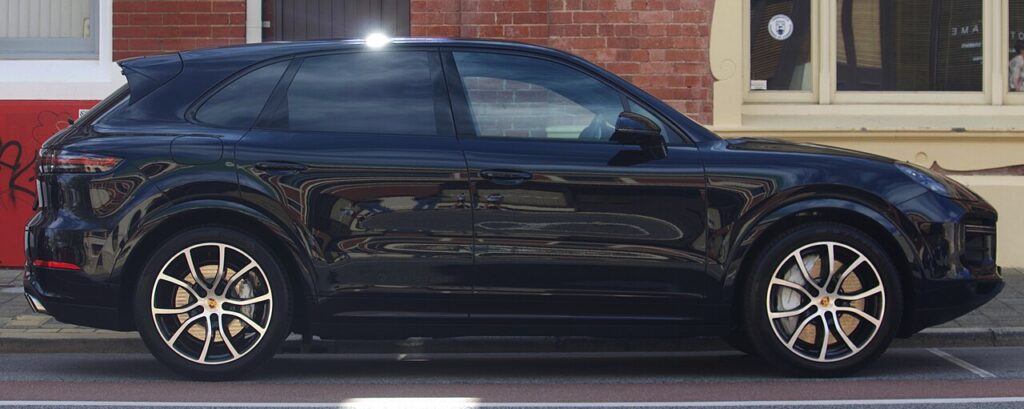
How the Cayenne’s System Works
This is a direct system: each wheel has its own sensor that measures the actual air pressure and radios it to the car, so the PCM can show you a live figure for every corner. Because the readings come from inside the wheels, the display can tell you exactly which tyre is low rather than just flagging a general fault. That also means the reset behaves differently depending on what you did — a simple top-up needs nothing more than a short drive, while a wheel swap needs you to confirm the correct wheel/tyre profile so the system knows what target pressures to compare against.
First, a Few Checks
- Set all four tyres cold — parked for a couple of hours or driven less than about a mile — to the figure on the driver’s door-pillar label.
- Use the pressure column that matches your load (heavier loads and full seats often call for higher pressures).
- Don’t forget the spare or space-saver if your car carries a monitored one.
- Have the ignition on and the car stationary before you open the tyre-pressure page.
- Refit the valve caps — on a direct system the valve is part of the sensor and grit can damage it.
After Adjusting Pressures
For a simple pressure top-up, no manual reset is needed — just drive the car and the system re-reads the corrected pressures.
After Changing Wheels or Tyres
- Set all four tyres to the correct cold pressures.
- On the multifunction / PCM display, open the tyre-pressure page.
- Select the correct wheel/tyre setting (e.g. summer/winter, or the size fitted) so the system uses the right target pressures.
- Drive the vehicle to complete the procedure — the warning clears once it confirms.
If the Warning Stays On
- Recheck every tyre — one corner even a few psi below spec keeps the warning on, and it’s easy to miss the lowest one.
- Pick the matching wheel/tyre profile on the display after a seasonal wheel swap; the wrong profile compares against the wrong target.
- Drive a few minutes above walking pace so every sensor wakes and reports.
- Watch for a cold morning — pressures fall with temperature, so a tyre set on a warm afternoon can read low overnight and trigger the light.
- Suspect a slow puncture if one corner keeps dropping after you’ve set it; have that tyre checked for a nail or a leaking valve.
- Still showing with correct pressures? A sensor may have a flat battery — these are sealed units that last several years and are renewed with the tyre. Look up any stored code on autodtcs.com.
Once It’s Done
Once the pressures are right and the system has re-read them, the warning clears and stays off for the rest of the journey and beyond — it only returns if a tyre genuinely drops again. On the PCM tyre-pressure page you should see all four corners reading close to the same target figure. There’s no need to repeat the drive; the Cayenne keeps monitoring in the background every time you drive.
Frequently Asked Questions
How do I reset the tyre pressure warning on a Porsche Cayenne?
After a pressure top-up just drive and the system re-reads the corrected values on its own. After a wheel or tyre change, set the cold pressures, open the tyre-pressure page on the PCM, select the correct wheel/tyre profile so the right targets are used, then drive a few minutes to confirm. The warning clears once the sensors agree with the stored targets.
Does the Cayenne have sensors in the wheels?
Yes — it’s a direct system, so every wheel carries its own pressure sensor and the display can show a live figure for each corner. The upside is that it pinpoints the low tyre; the trade-off is that a sensor with a flat battery can keep the warning on even when all four pressures are correct.
Why won’t it clear?
Usually a tyre is still below spec, or the wrong wheel/tyre profile was selected after a wheel change. Recheck all four corners against the door-pillar figure, confirm the profile matches the wheels fitted, and drive a few minutes. If it persists with everything correct, suspect a slow puncture or an ageing sensor battery.
Does cold weather set off the warning?
Yes. Air contracts as it cools, so a tyre set correctly on a warm day can read a few psi low on a cold morning and trip the light. Top the tyres back up to the label figure when they’re cold and drive on — the reading will settle. If it keeps happening on just one corner, have that tyre checked for a slow leak.
Do I need to reset it after rotating the tyres?
Rotating the wheels moves the sensors between corners, but the Cayenne re-learns their positions as you drive, so you don’t normally need a tool. Just make sure every tyre is at its correct pressure for its new position and drive for a few minutes so each sensor reports from its new location.
Do I need a tool?
No for a normal reset; a tool is only needed if a sensor is replaced. Setting the correct cold pressures, choosing the right wheel/tyre profile and driving is enough for an everyday reset. A workshop tool comes into play only when a new sensor has to be registered to the car after a tyre change or a sensor failure.

If the warning came on with other lights, decode the code on autodtcs.com.
Independent guide — not affiliated with Porsche. Always follow your official service manual and safety precautions. Read our full disclaimer.