These instructions apply to the Maxus Euniq 5 (2020-2024).
For other models, please choose your vehicle here.
The Maxus Euniq 5 (2020–2024) is SAIC Maxus’ battery-electric people carrier, and like the rest of the Maxus range it ships with a single keyless smart fob — the “Keyless Go” type that lets you unlock and start the van without pressing a button, with a slim pop-out mechanical key portion tucked inside the body for the door lock. When that fob starts working only from up close, drops out in the cold, or dies altogether, the cause is nearly always the little coin cell inside it rather than anything wrong with the Euniq 5 itself. This guide covers how to spot a dying cell, the exact battery Maxus specifies, and the careful way to open this particular fob without cracking the case or dislodging its circuit board.
How to Tell the Fob Battery Is Dying
- Shrinking range. You have to stand right beside the Euniq 5 — or almost touch the fob to the door handle — before it locks or unlocks. This is the classic first warning that the cell is fading.
- Keyless entry gets unreliable. The Euniq 5’s own handbook notes that when the remote battery is low the keyless (passive) entry function can stop responding, so you find yourself reaching for the button or the mechanical blade more often.
- Buttons work only sometimes. Intermittent response, especially on a cold morning, is a near-flat lithium cell struggling to deliver the brief burst of current the transmitter needs.
- You have to press right up against the van. Passive start may hesitate — the dash may prompt you to hold the fob against the start button to read it, which is the system’s low-battery fallback.
A coin cell in a smart fob that is woken constantly — as a keyless key is, every time it senses the car — typically lasts two to three years, sometimes a little more. If yours is around that age and showing any of the above, fit a fresh cell before suspecting the receiver or the immobiliser.
The Battery You Need
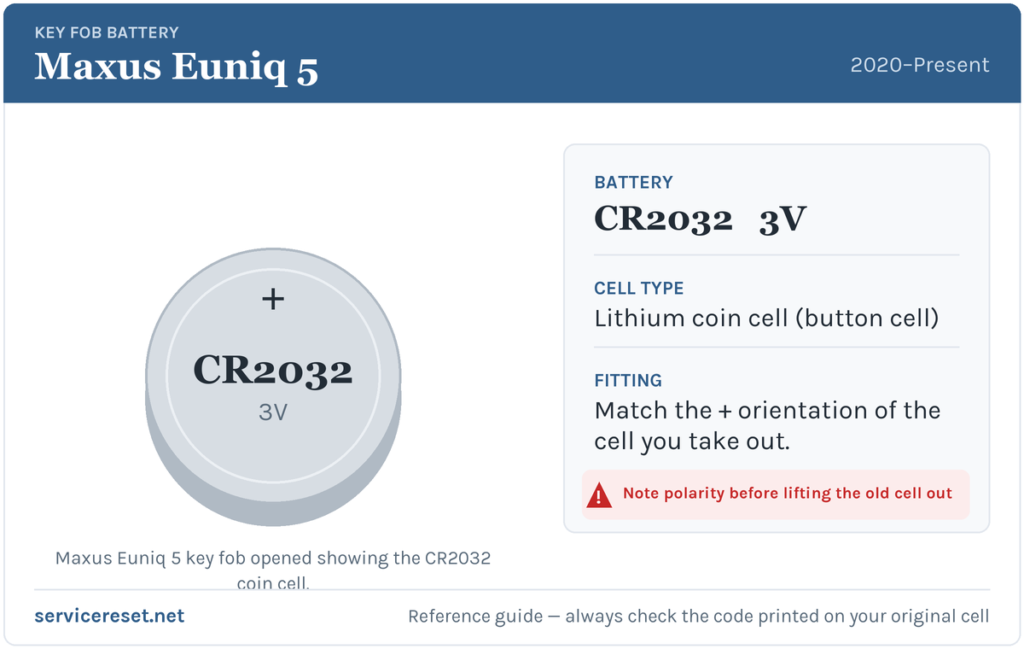
The Maxus Euniq 5 smart fob takes a single CR2032 3-volt lithium coin cell — the value SAIC Maxus recommends in the vehicle handbook, and the most common fob battery there is, sold in any supermarket, hardware shop or phone-repair counter. Buy a good-quality branded cell: cheap coin cells sag under the short high-current pulse the transmitter draws and can give poor range even when they read as “new” on a meter. One CR2032 is all you need; there is no separate battery for the mechanical blade.
Method — Opening the Euniq 5 Smart Fob
The Maxus handbook is candid that this fob is fiddlier than most, because the circuit board sits loose in the upper half and can drop out when you split the case. Work over a table, take it slowly, and keep the two halves the right way up.
- Release and remove the mechanical key portion. Press the release button on the side of the fob and pull the flat metal key blade straight out of the body. This exposes the seam you need to open.
- Pry the upper and lower panels apart. Work a fine flat plastic tool (a guitar pick or a trim tool is ideal) into the seam left by the blade and gently ease the two halves of the case apart. Take your time — do not force a metal screwdriver in, which is the quickest way to scar the case or crack a clip.
- Mind the circuit board. As the halves separate, the circuit board can fall away from the upper panel — catch it, and note how it and any waterproof shim (rubber gasket) sit, so you can seat them back exactly. Avoid touching the board’s contacts more than you have to.
- Swap the cell. The coin cell lives in the lower panel assembly. Before you lift the old one out, photograph or note which face — positive or negative — is visible, then drop the new CR2032 in the same way round.
- Reassemble. Refit the circuit board and the waterproof shim onto the upper panel, clip the two halves back together, and press firmly all the way round the edge so they latch evenly with no gap. Finally push the mechanical key portion back into the body until it clicks home.
⚠️ Get the polarity right. Maxus’ own instruction is simply to “pay attention to the positive and negative electrodes” — it does not state which way up the cell faces, and that can differ between fob production batches, so always copy the orientation of the cell you removed rather than assuming. A cell fitted upside down will not power the fob and can discharge itself.
Check It Worked
Stand back a few metres and lock, then unlock, the Euniq 5 with the buttons; full range should return at once. Then test the keyless side: with the fob in your pocket, try the passive door handle and the push-button start. If any low-key-battery prompt was showing, it should clear the next time the van reads a healthy fob — occasionally after one drive rather than instantly.
If a Fresh Cell Doesn’t Fix It
- Re-check polarity and seating. A cell in the wrong way up, or not sitting firmly under its clip, is by far the most common reason a “new” battery does nothing. Reopen and compare against your photo.
- Look for a dislodged board or shim. On this fob it is easy to trap the waterproof shim or leave the circuit board slightly proud when clipping the halves together — open it again and make sure everything is flush.
- Wipe the contacts. Finger grease or a trace of corrosion on the battery terminals is enough to cause dropouts; clean them with a dry cloth.
- Confirm the cell is genuinely fresh. A CR2032 that has sat in a drawer for years, or a bargain no-name cell, can measure 3 V yet collapse under load — try a known-good branded one.
- Still nothing? If the fob stays dead with a proven cell, the transmitter or its antenna may have failed, which is rare but does happen. That is a replacement-key issue, not a battery one.
New Key or Spare — Why It’s a Dealer Job
Changing the coin cell keeps the fob’s existing coding, so nothing needs reprogramming afterwards. A new key is a different matter: every Euniq 5 key is electronically coded to the van’s immobiliser, and the handbook is explicit that only a coded key will start the vehicle — an uncoded blank can turn the door lock but nothing more. The system accepts up to four coded keys, and adding or replacing one has to be done against the vehicle’s VIN with the right diagnostic procedure. That makes a spare or a lost-key replacement a job for a Maxus service dealer or a specialist auto-locksmith — so it is worth keeping your second key’s battery fresh too, and never running down to a single working fob.
Frequently Asked Questions
What battery does a Maxus Euniq 5 key fob take?
A single CR2032 3-volt lithium coin cell, which is the value SAIC Maxus recommends in the Euniq 5 handbook. It is the same cell used across most of the Maxus range and is stocked everywhere.
Which way up does the cell go?
Maxus only says to observe the positive and negative electrodes and does not publish a fixed orientation, so match the way the old cell was sitting. Note or photograph it before you lift it out, and fit the new one the same way round.
Do I need to reprogram the fob after changing the battery?
No. A battery swap leaves the coding untouched, so the fob and keyless start work straight away. Only a brand-new key needs coding to the immobiliser.
How long should a Euniq 5 key battery last?
Usually two to three years. A keyless fob is woken every time it senses the van, so leaving it right next to the car all day — on a hallway hook by the driveway, for instance — makes it work harder and drains the cell faster.
My key still won’t work after a new battery — is the van broken?
Almost never. Re-check the cell’s polarity and seating first, make sure the loose circuit board and waterproof shim went back correctly, then clean the contacts. Only if a known-good cell still does nothing is the fob’s transmitter likely at fault.
Can I drive the Euniq 5 if the fob battery is completely dead?
Yes. Pull the mechanical key portion out of the fob to unlock the driver’s door, then hold the fob against the push-button start as the dash prompts — the keyless system is designed to still read the key at close range with a flat battery, so a dead cell will not strand you.
If the fob started misbehaving suddenly after work on the 12 V system rather than fading gradually, the immobiliser may have logged a stored fault worth reading before you blame the cell — you can look up what such a code means on autodtcs.com.
Independent guide — not affiliated with Maxus. Always follow your official service manual and safety precautions. Read our full disclaimer.