These instructions apply to the Porsche Cayenne Mk3 (9YA) 2018-Present.
For other models, please choose your vehicle here.
If the PCM touchscreen in your Porsche Cayenne (E3/9YA, 2018–Present) has frozen, gone black, or stopped answering taps, you can force it to restart yourself in under a minute — no dealer visit, no tools, and without losing a single setting.
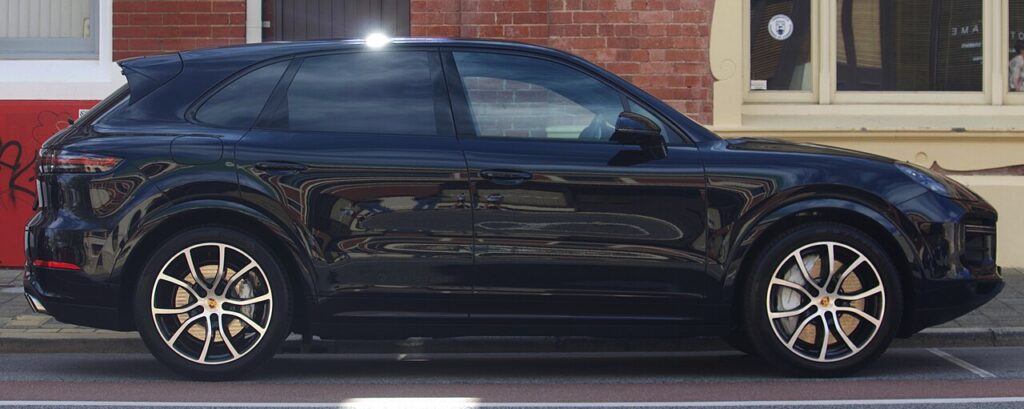
Which PCM is in your third-gen Cayenne
The third-generation Cayenne (E3, model code 9YA, launched for 2018) runs PCM 6.0 — Porsche’s Android-based 12.3-inch central touchscreen, paired on most cars with the optional passenger display and the digital instrument panels flanking the central rev counter. It is far quicker than the PCM 4.0 in the previous Cayenne, but it can still lock up: a stalled CarPlay session, a Bluetooth glitch, or a software hiccup can leave the screen frozen or stuck on the Porsche crest. In nearly every case it is a software lock, not dead hardware, and a forced reboot clears it.
Soft reset (reboot) the PCM
Do this parked, with the ignition on so the unit keeps its power.
- Find the volume knob below the centre touchscreen (it doubles as the on/off control).
- Press and hold the knob — keep pressing straight through the point where the audio mutes.
- After about 10–15 seconds the screen goes black.
- When the Porsche crest appears, release. The system is rebooting.
- Wait 45–90 seconds for the home screen to reload; audio, navigation and paired phones return on their own.
If the touchscreen still responds but the rest of the system is hung, you can reach a service menu: press and hold two fingers in the top-right corner of the screen for a few seconds until the display switches to an engineering menu, then tap Reboot to normal mode. On PCM 6.0 you confirm with a finger tap.
Will this erase anything? No
The reboot is completely safe. It does not wipe your radio presets, navigation favourites, driver profiles, or paired phones — it simply restarts the head unit’s software, exactly like restarting a phone. Use it whenever the PCM misbehaves.
If the PCM stays frozen
- Hold longer. If 15 seconds did nothing, try again and hold a full 20 seconds before releasing at the crest.
- Don’t engage reverse during the reboot. On the Cayenne, selecting R throws the reversing or surround-view camera onto the screen, which can interrupt the restart and re-freeze the unit — let it boot fully before moving.
- Let the car sleep. Switch off, lock it, and walk away for 15 minutes so the electronics fully power down; then unlock and restart.
- Check for a software update. Porsche has issued several PCM 6.0 builds; a dealer or over-the-air update can flash the latest if yours freezes repeatedly.
Factory reset (erases data — rarely needed)
A factory reset is separate from the reboot and only worth doing if you are selling the car or chasing a deep, persistent glitch. Tap the Settings (gear) icon, scroll to the bottom and choose Factory reset / Reset to delivery state, then confirm the “erase all personal content” prompt. It erases presets, profiles, paired phones and navigation history, so only do it deliberately.
Frequently Asked Questions
Does the 9YA Cayenne use PCM 6.0?
Yes. The third-generation Cayenne (2018-on, E3/9YA) uses PCM 6.0 with the 12.3-inch touchscreen. The second-generation Cayenne (92A) before it used PCM 3.1 and later PCM 4.0, which reboot the same way via the volume knob but lack the two-finger engineering menu.
Why does my Cayenne freeze when I select reverse during a reboot?
Engaging R during the restart forces the rear or surround-view camera feed onto the screen, which interrupts the boot sequence and can leave it hung. Always let the PCM finish rebooting before putting the car in reverse.
Will I lose my radio presets or CarPlay pairing?
No. The volume-knob reboot keeps every preset, navigation favourite, driver profile and paired phone. Only the menu-driven factory reset clears them.
Is it safe to drive with the PCM frozen?
Yes. The PCM is separate from the engine and driving systems — you only lose audio, navigation and CarPlay. Reboot once you are safely parked.
My Cayenne’s CarPlay keeps dropping — same fix?
Reboot the PCM first, as a hung CarPlay session is a common cause of freezes. If it keeps dropping, delete the phone under Settings → Devices and re-pair it, and make sure the PCM software is on the latest build.
If a warning light or fault message stays on the dash after the reboot, it may have stored a diagnostic trouble code — you can look it up on autodtcs.com.
Independent guide — not affiliated with Porsche. Always follow your official service manual and safety precautions. Read our full disclaimer.