• Home
  • Guides
  • Tools
    • Tire Pressure Calculator
    • Check DTC Codes
    • Request a Guide
  • Blog
  • About
  • FAQ
  • Contact Us
  • Home
  • Guides
  • Tools
    • Tire Pressure Calculator
    • Check DTC Codes
    • Request a Guide
  • Blog
  • About
  • FAQ
  • Contact Us
Home/Maserati/Ghibli/(M157) 2013-2021/Reset a Frozen Infotainment Screen

Reset a Frozen Infotainment Screen

Reviewed by the Service Reset editor · Updated August 9, 2026 · How we verify
Quick referenceToolsNoneTime~2 minMethodPower-button hold or battery reset

These instructions apply to the Maserati Ghibli (M157) 2013-2021.
For other models, please choose your vehicle here.

When the touchscreen on your Maserati Ghibli (M157, 2013–2021) locks up — the map frozen, the Maserati Touch Control unresponsive, or the screen stuck on the logo — you can reboot it yourself in well under a minute. The Ghibli’s MTC and later MTC+ systems are built on the FCA Uconnect platform, so the reset combinations are the same ones used across Fiat-Chrysler vehicles of the period. The original MTC unit in early cars is well documented as prone to freezing, so knowing the reboot is worth having.

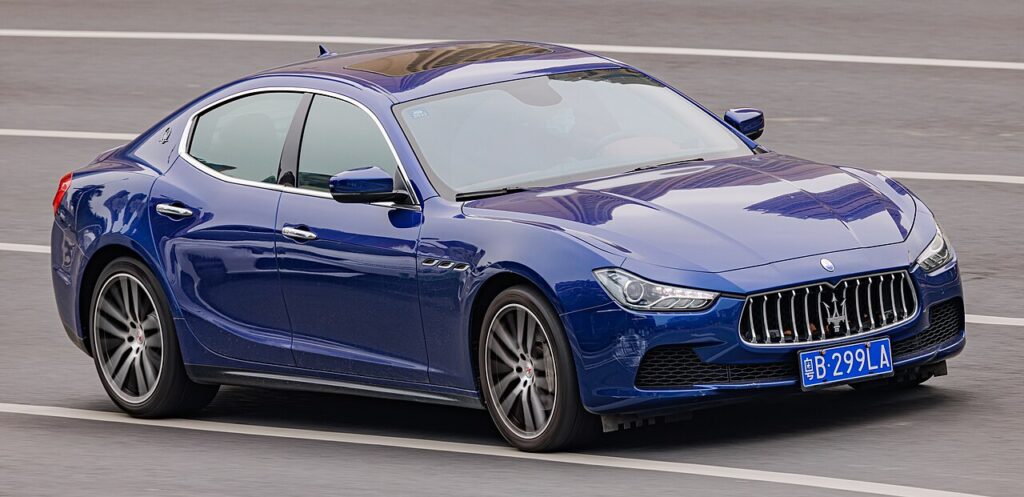
Maserati Ghibli — the vehicle covered in this reset guide.
Maserati Ghibli. Photo by Dinkun Chen via Wikimedia Commons, licensed CC BY-SA 4.0.

What system you are dealing with

Early Ghibli cars (roughly 2014–2016) use the 8.4-inch Maserati Touch Control (MTC), which is FCA’s Uconnect 8.4 head unit under a Maserati skin. From the 2017 facelift onward the car carries MTC+ — a faster Uconnect-based unit with a sharper screen and revised graphics. Both respond to the standard Uconnect reset combinations. A frozen image is almost always a software hang in the head unit, so a reboot clears it without a dealer or diagnostic tool.

Maserati Ghibli infotainment screen soft-reset reference card.
How to force a soft reset of the Maserati Ghibli infotainment screen without losing your saved settings.

Soft reset: reboot the touchscreen

This is the first thing to try and it loses no data.

  1. Turn the ignition to Run (engine running is best, so battery voltage stays steady) and leave the car in Park.
  2. Press and hold the volume knob and the tuner/menu knob at the same time.
  3. Keep both held for 10–20 seconds.
  4. The screen flashes the Maserati logo, then goes dark.
  5. Wait for the logo to reappear — the system has rebooted and reloads your settings automatically.

If your car has a single volume control rather than two knobs, press and hold the volume knob alone for more than 20 seconds until the screen blacks out and restarts.

Is this safe? Will I lose anything?

Yes, it is safe and erases nothing. Paired phones, navigation favourites, radio presets, and your audio and comfort settings all survive a reboot — the reset only restarts the infotainment software, it does not wipe stored data. It does not touch the engine, gearbox, or any safety system; you can do it parked with the engine running.

If it stays frozen

  • Use the engineering-menu route: with the car in Run, press and hold the red (temperature up) and blue (temperature down) climate buttons together for about 8 seconds until a service/engineering menu appears, then select Reset Radio or the equivalent reset entry.
  • Switch the ignition fully off, open the driver’s door, and let the car sleep for 10–15 minutes so the head unit powers down, then restart.
  • Check the 12 V battery — a weak battery dipping voltage at start-up is a frequent cause of repeated MTC freezes and reboot loops on the Ghibli.
  • If the picture is stuck but the audio still plays, the fault may be in the display rather than the processor.

Factory reset (erases data)

If the unit is corrupted rather than simply hung, a full power-down clears its volatile memory: disconnect the 12 V battery (the Ghibli’s battery is in the boot), wait 10–15 minutes, then reconnect. This forces a cold rebuild of the Uconnect software. Expect the clock and some presets to reset afterwards, and the windows may need a one-touch re-initialisation. A menu-driven restore that wipes paired phones and personal data — returning the head unit to factory state — is done from the Settings menu where the option is present, or by a Maserati dealer using the FCA diagnostic system if the menu cannot be reached.

Frequently Asked Questions

Why does my Ghibli MTC keep freezing? The early 8.4-inch MTC is known to hang, and a tired 12 V battery makes it worse by dropping voltage at start-up. Test the battery first, and keep the head-unit software updated at service.

Will the reset delete my paired phone? No. The volume-and-tuner reboot keeps all Bluetooth pairings and presets. Only a full factory restore removes them.

What’s the difference between MTC and MTC+? MTC is the original 8.4-inch Uconnect-based unit; MTC+ is the faster post-2017 version with revised graphics. Both use the same Uconnect reset combinations.

Do I need to be moving or stopped to reset? Always stopped and in Park, ignition in Run. Never attempt a reset while driving.

The screen reboots but freezes again straight away — what now? Repeated freezing usually means low battery voltage or a head unit that needs a software update or repair. Have the battery tested, then see a dealer if it persists.

If a dashboard warning light appeared along with the screen freeze, look the code up first on autodtcs.com to see whether the two are related before booking any work.

Independent guide — not affiliated with Maserati. Always follow your official service manual and safety precautions. Read our full disclaimer.

Related Articles
  • Put the Electronic Parking Brake into Service Mode
  • Start the Car With a Dead Key Fob Battery
  • Release the Transmission from Park (Emergency)
  • Put the Wipers in Service Position
  • Replace the Key Fob Battery
  • Disconnect and Reconnect the Battery

Service Reset

Step-by-step reset and maintenance guides for all major car brands. Independent resource – not affiliated with any car manufacturer. All trademarks and logos are the property of their respective owners and are used for identification purposes only.

© 2026 ServiceReset.net. All rights reserved.

POPULAR BRANDS
Toyota · Volkswagen · BMW · Ford · Audi · Mercedes · Nissan · Peugeot · Vauxhall · Kia
NAVIGATION
  • Home
  • Guides
  • Tools
  • Tire Pressure Calculator
  • Blog
  • About
  • FAQ
  • Request a Guide
  • Contact
LEGAL
  • Privacy Policy
  • Terms of Use
  • Disclaimer
SOCIAL
  • YouTube