These instructions apply to the Skoda Kamiq Mk1 (NW4) 2019-Present.
For other models, please choose your vehicle here.
The Škoda Kamiq (2019–Present) is Škoda’s compact city SUV, sharing the MQB-A0 platform with the Fabia and Scala. KESSY keyless entry is widely fitted, so when the fob battery dies the doors and the START/STOP button stop responding and many owners assume the car is dead. It is not: the immobiliser can still read the chip inside the fob if you hold it to the start button, and the emergency blade hidden in the fob gets you into the cabin.
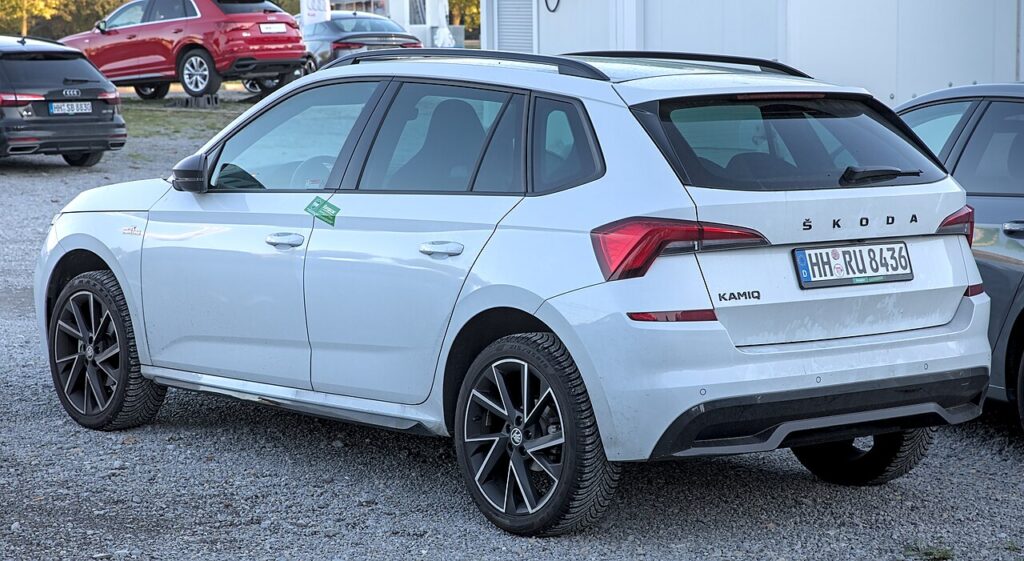
The Kamiq has been a single generation since launch. The procedure below applies to the whole range; only lower trims without KESSY use a turn-key ignition instead of the button.
Start the Kamiq With a Dead Fob
KESSY (button-start) Kamiq:
- Get into the car with the emergency blade first (next section).
- Press and hold the brake pedal.
- Hold the fob flat against the START/STOP button so its back touches the button and the transponder sits over the reader behind it.
- Press the button through the fob. The immobiliser powers the chip by induction, confirms the key, and starts the engine.
- No luck first time? Reposition the fob a few millimetres and press again.
Turn-key Kamiq:
- Open the driver’s door with the emergency blade.
- Insert the blade into the ignition barrel and turn to start — the dead fob does not affect a blade-ignition start.
Unlock the Kamiq With the Emergency Key Blade
- Slide the release catch on the fob and pull out the metal emergency blade.
- The lock barrel hides behind a plastic cap on the driver’s door handle. Lever the cap off using the slot at its rear edge.
- Insert the blade and turn to unlock. Manual entry can trigger the alarm; pressing START with the fob inside silences it.
- Continue with the contact-start method (KESSY) or the ignition barrel (turn-key).
Why a Flat Battery Doesn’t Lock You Out
The Kamiq’s fob carries a passive immobiliser transponder that the car powers wirelessly through its reader coil — the coin cell is not part of that handshake. The battery only runs the long-range radio for remote locking and keyless approach. Press the fob to the START button and the short-range coil energises the chip directly, so the immobiliser still recognises it as your key. That is exactly why a battery-free valet blade key would also start the car.
Replace the Key Fob Battery
- Remove the emergency blade to free the case.
- Split the two halves of the fob with a plastic pry tool along the seam.
- Lift out the spent cell — the Kamiq fob uses a CR2032 3V coin cell.
- Fit the new battery + side facing the same way as the old one, touching only the edges.
- Close the case, refit the blade, and test the buttons. Expect 2–3 years from a fresh cell.
Frequently Asked Questions
Does my Kamiq have keyless start? Many do, especially mid and high trims with KESSY. If you have a START/STOP button rather than a twist key, you have keyless go.
Where is the emergency reader on the Kamiq? Behind the START/STOP button. Hold the flat back of the fob directly against it.
How do I unlock the Kamiq with a dead fob? Use the emergency blade in the hidden driver’s-door lock, beneath the clip-off cap on the handle.
What battery does the Kamiq fob take? A single CR2032 coin cell.
The alarm sounded when I opened the door — is that a fault? No. Opening manually arms the alarm; authenticating the key by pressing START inside the car turns it off.
If a dashboard warning light is still showing once you are running, decode it on our sister site autodtcs.com.
Independent guide — not affiliated with Skoda. Always follow your official service manual and safety precautions. Read our full disclaimer.