These instructions apply to the Alfa Romeo 4C Mk1 (960) 2014-2018.
For other models, please choose your vehicle here.
The Alfa Romeo 4C (2014–2018) is a low-volume, carbon-tubbed sports car, but its key is pure FCA parts-bin: the same folding “flip” remote that Alfa fitted to the MiTo and Giulietta of the same era, with the shield badge on the fob and a spring-out metal blade. Unlike the later Giulia and Stelvio, the 4C is not a keyless-entry car — you unlock with the remote buttons and start it with the blade in a conventional ignition, so a flat fob battery only costs you the remote locking, never the ability to drive. When the remote starts working only from arm’s length, the coin cell inside is almost always the culprit. Here is how to confirm it, the exact battery, and how to change it without cracking the case.
How to Tell the Fob Battery Is Dying
- Shrinking range. You have to stand right beside the 4C — or almost touch the fob to the door — before it locks or unlocks. This gradual loss of range is the classic first sign.
- Weak or dead button LED. The little indicator on the fob dims or stops flashing when you press a button. If it will not light at all with the cell you have, that points squarely at a flat battery rather than a car fault.
- Intermittent response. The lock or unlock works one press and ignores the next, especially first thing on a cold morning — a near-flat lithium cell sags under load and struggles in low temperatures.
- You find yourself using the blade. If you have started unlocking the door manually with the emergency key because the buttons are unreliable, the cell is overdue.
A coin cell in an Alfa flip remote typically lasts three to four years. If yours is around that age and showing any of the above, fit a fresh one before you suspect anything more serious.
The Battery You Need
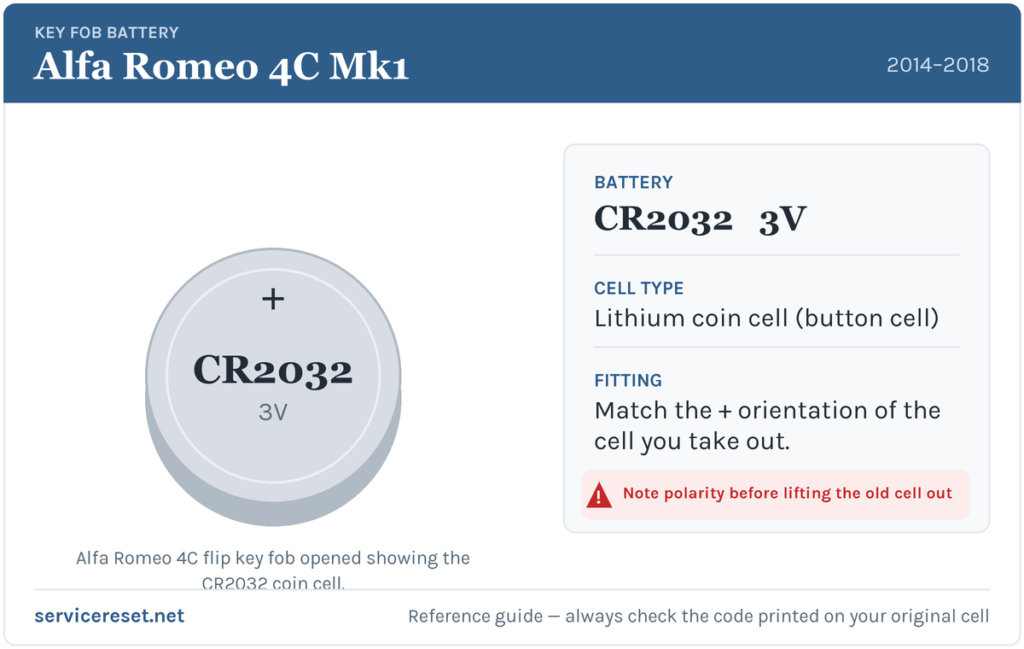
The 4C’s flip remote takes a single CR2032 — a 3-volt lithium coin cell, 20 mm across and 3.2 mm thick. It is the most common fob battery made, sold in any supermarket, hardware shop or phone stall. Buy a good-quality branded cell rather than the cheapest multipack: budget cells sag under the short, sharp current the transmitter draws and can give poor range even when they read as “new”. As always, the safest confirmation is the number printed on the cell you take out — match that exactly when you buy the replacement.
How to Change the Alfa Romeo 4C Key Battery
- Release and fold out the emergency blade. Press the small catch and let the metal key spring out (or pull it free from its slot). It is easier to hold the fob — and it exposes the seam you need — with the blade out of the way.
- Open the case. Alfa’s flip keys open in one of two ways depending on the exact shell: some have a small cross-head (Phillips) screw on the back to undo first, while others simply split at the seam. Look for a screw; if there is none, slide a thin flat plastic tool (or the emergency blade itself) into the seam between the two halves and gently twist to part them. Work slowly — the shell is plastic and the clips are easy to snap if you force it.
- Note the orientation, then lift the old cell out. Before you touch it, look at which face of the CR2032 is showing — the writing (positive, +) side is normally upward. Ease the cell out from under its retaining clip with a fingernail or the tip of the flat tool.
- Fit the new CR2032 the same way round. Slide it back under the clip with the marked (+) face oriented exactly as the old one sat. Handle it by the edges — finger grease on the flat faces can cause poor contact.
- Close it back up. Press the halves together until the clips click (and refit the screw if yours had one), then fold or slide the blade home until it latches. Test every button and check the LED flashes cleanly.
⚠️ Match the polarity you removed. The written (+) face normally sits upward in these Alfa flip keys, but shells vary — so always copy the exact orientation of the cell you took out. A coin cell fitted upside down will not power the transmitter and, left in place, can slowly discharge.
Make Sure It Took
Step back a few metres and lock, then unlock, the 4C. Full range should return the moment the fresh cell is seated, and the button LED should flash briskly again. If range is still short, open the fob back up and re-check that the cell is sitting flat under its clip against clean contacts — a cell that is slightly proud or greasy is the usual reason a “new” battery seems not to help.
If a Fresh Cell Doesn’t Fix It
- Re-check orientation and seating. Confirm the (+) face matches how the original sat, and that the cell clicks firmly under its clip. A loose or upside-down cell is by far the most common cause of “it still doesn’t work.”
- Clean the contacts. Wipe the metal terminals and both faces of the cell with a dry cloth; a smear of corrosion or grease is enough to cause dropouts.
- Try it right next to the car. If the buttons work with the fob touching the door but not from a distance, the cell or the transmitter is weak — swap in another known-good CR2032 to rule the battery out.
- Still nothing with a known-good cell? The remote board or the car’s receiver may be at fault, which is rare on these keys — an Alfa specialist or auto-locksmith can test the fob against the car.
New Key or Spare — Why It’s a Dealer Job
Changing the battery does not touch the fob’s coding, so the remote keeps working straight away with no reprogramming. Adding a spare or replacing a lost key is a different matter: a blank 4C key has to be cut to the car and its transponder married to the immobiliser with dealer-level diagnostic equipment, and because the 4C was built in small numbers, blanks are ordered against the VIN rather than pulled off a shelf. That makes a replacement key a job for an Alfa Romeo dealer or a properly equipped auto-locksmith — so keep the battery in your spare fresh too, and you are never down to a single working remote.
Frequently Asked Questions
What battery does an Alfa Romeo 4C key fob take?
A single CR2032 3-volt lithium coin cell — the same common 20 mm coin cell used across the MiTo and Giulietta flip keys of the same period.
Which way up does the battery go?
In these Alfa flip keys the marked positive (+) face normally sits upward, but shells differ — so note how the old cell sat and fit the new one the same way. An upside-down cell simply will not power the remote.
Do I need to reprogram the key after a battery change?
No. Swapping the coin cell leaves the fob’s coding untouched, so it works immediately. Only a brand-new or replacement key needs programming to the car.
How long should a 4C key battery last?
Usually three to four years. Frequent locking and unlocking, or leaving the fob somewhere it gets knocked and presses its own buttons, will shorten that.
My 4C remote still won’t work after a new battery — what now?
Re-check the cell’s orientation and that it is seated firmly, then clean the contacts. If a second known-good CR2032 still gives no response and the LED won’t light, the fob’s transmitter may have failed — have it tested before assuming the car is at fault.
Can I still drive the 4C if the fob battery is dead?
Yes. The 4C uses a conventional ignition, so you unlock with the emergency blade and start the car normally — a flat remote battery only stops the buttons working, it will not strand you.
If the remote stopped responding suddenly — for example right after the car battery was disconnected — rather than fading over weeks, the cause is more likely the immobiliser or a stored fault than the coin cell. You can look up what a logged code means on autodtcs.com before booking any diagnostic work.
Independent guide — not affiliated with Alfa Romeo. Always follow your official service manual and safety precautions. Read our full disclaimer.