These instructions apply to the DS 7 Crossback Mk1 (X74) 2017-Present.
For other models, please choose your vehicle here.
The DS 7 Crossback (2017–present) — DS Automobiles’ flagship SUV, built on the PSA/Stellantis EMP2 platform — comes with a chunky keyless smart fob that unlocks and starts the car without leaving your pocket. When that stops behaving — the doors ignore you until you are right on top of them, or a key-battery warning appears on the driver display — the coin cell inside is almost always the reason. One thing worth flagging up front: the DS 7 fob does not use the thin CR1620 cell found in the smaller DS 3 remote, so do not buy that on the assumption that all DS keys are the same. The DS 7 takes the fatter, more common cell, and getting into the fob is a slightly unusual little trick.
How to Tell the Fob Battery Is Dying
- Keyless entry range shrinks. You have to stand right beside the car, or brush the fob against the handle, before it will unlock — the earliest and clearest warning.
- A low-key message on the display. The DS 7 shows a key-battery warning in the instrument cluster when the fob voltage falls; take it as a couple of weeks’ notice, not a breakdown.
- Push-button start turns fussy. If the engine only fires when you hold the fob against the start button or the steering column, the car is reading the transponder by backup induction because the radio side has weakened.
- Cold mornings make it worse. A near-flat lithium cell struggles in the cold, so intermittent frosty-morning failures that clear later in the day point at the battery.
A DS 7 fob cell typically lasts two to four years. Within that age and showing any of the above, fit a fresh one before you start suspecting the receiver or the immobiliser.
The Battery You Need
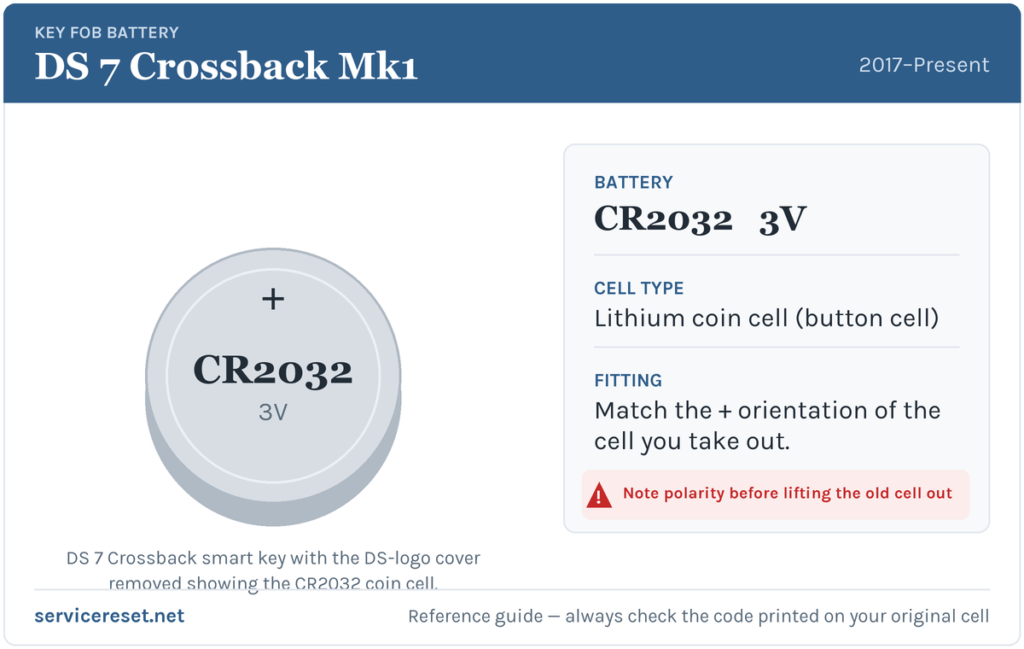
The DS 7 Crossback smart fob uses a CR2032 — the common 3-volt lithium coin cell, about 20 mm across — and not the thinner CR1620 that some smaller PSA/DS remotes take. It is sold in every supermarket, chemist and hardware shop. Choose a decent branded cell over a bargain pack; cheap ones sag under the brief current pulse the transmitter draws and can give poor range even when new. If in any doubt, read the code printed on the old cell as you remove it and match it exactly.
How to Replace the DS 7 Fob Battery
- Pull the emergency blade first. Slide the release on the fob and draw the mechanical key blade out — it is easier to work on the fob without it in the way, and on some cars it exposes the seam.
- Lift the DS-badge cover. The battery hides behind the panel carrying the DS logo on the back of the fob. Slip the tip of a small flat screwdriver under the edge of that cover and gently lever it up and off. It is a press-fit panel, not a screw.
- Note the orientation, then swap the cell. With the cover off the CR2032 is exposed. Look at which face is showing, ease the old cell out and set the new one in exactly the same way round.
- Refit the cover. Line the badge panel back up over its housing and press it home firmly with your fingers until it clicks flush all the way round, then slide the emergency blade back in.
⚠️ Copy the polarity. A CR2032 fitted the wrong way up will not power the fob, and if it is left reversed it can slowly discharge against the contacts — so match the orientation of the cell you removed rather than guessing which face goes down.
Did It Work?
Step back a few metres and test lock, then unlock, then walk up to confirm the keyless entry reads the fob on approach again. The low-key warning clears the next time the car reads a healthy fob, sometimes only after one drive cycle. Finally, check the engine now starts with the fob simply in your pocket rather than pressed against the button.
If a Fresh Cell Doesn’t Fix It
- Re-seat the cell and re-check the face. A battery that is the wrong way up, or not sitting flat against both contacts, is the commonest reason a “new” cell does nothing.
- Clean the contacts. A film of finger grease or a little corrosion on the terminals produces the same intermittent behaviour as a flat cell — wipe the faces and contacts with a dry cloth.
- Use the induction start. Hold the fob against the start button and press; if the engine fires, the transponder is fine and only the radio side or a contact is at fault.
- Check the car’s 12 V battery. A weak vehicle battery can throw erratic locking and no-start faults that look like a dead fob, so have it tested if the fob itself checks out.
New Key or Spare — Why It’s a Dealer Job
A battery change never disturbs the fob’s coding, so it works the instant you close it up. A replacement key is far more involved: the DS 7’s immobiliser has to enrol the new transponder through the car’s security system, the emergency blade has to be cut to the lock, and blank smart fobs are supplied against the VIN. That makes a spare or a lost-key replacement a job for a DS/Stellantis dealer or a properly equipped auto-locksmith — so keep the cell in your second fob fresh and you are never down to one working key.
Frequently Asked Questions
What battery does the DS 7 Crossback key fob take?
A single CR2032 3-volt lithium coin cell — the fatter common size, not the thin CR1620 used in some smaller DS remotes.
How do I open the DS 7 fob?
You do not split the whole case — you lever off the small panel carrying the DS badge on the back of the fob with a flat screwdriver, which exposes the battery directly.
Which way round does the battery go?
Match the cell you removed. Fitting a CR2032 the wrong way up leaves the fob dead, so note the orientation before you lift the old one out.
Do I need to reprogram the fob after changing the battery?
No. Swapping the cell leaves the coding intact, so keyless entry and start keep working. Only a brand-new key needs programming.
How long should a DS 7 fob battery last?
Usually two to four years. Leaving the fob sitting near the car so it keeps waking to transmit — on a table by the front door, for example — runs it down faster.
Can I still start the car with a dead fob?
Yes. Unlock the door with the emergency blade in the fob, then hold the fob against the start button as you press it — the induction reader picks up the transponder and the DS 7 starts, so a flat cell will not strand you.
If the remote failed suddenly right after the 12 V battery was disconnected, rather than fading gradually, the cause is more likely a lost pairing or a stored fault than a flat coin cell — you can check what any related code means on autodtcs.com.
Independent guide — not affiliated with DS. Always follow your official service manual and safety precautions. Read our full disclaimer.