These instructions apply to the Infiniti Q70 (Y51) 2014-2019.
For other models, please choose your vehicle here.
The Infiniti Q70 (Y51, 2014–2019) — the facelifted, renamed successor to the Infiniti M — ships with a single style of key: the Infiniti Intelligent Key, a proximity (keyless-entry, push-button-start) smart fob with a hidden mechanical blade. If yours only locks the car from arm’s length, the buttons have gone hit-and-miss, or the dash has started nagging about the key, the culprit is nearly always the little coin cell inside. It’s a five-minute fix with one common battery, and this guide covers exactly which cell the Q70 takes, how to open the fob without marking it, and how to still start the car if the fob is stone dead.
How to Tell the Fob Battery Is Dying
- Shrinking range. You have to be right next to the Q70 — or hold the fob against the door handle — before it will lock or unlock. This gradual loss of range is the classic first sign.
- A “Key ID Incorrect” or key-battery warning. The Q70’s instrument display shows a low-key-battery indicator (a small key symbol with a warning) when the Intelligent Key is running flat, and may pop a “Key ID Incorrect” style message if the signal is too weak to be read.
- Push-button start and passive entry get fussy. The door-handle request buttons rely on the fob being detected nearby, and the ignition on it being read at close range; when either goes intermittent — especially on a cold morning — suspect a weak cell before the car.
A coin cell in an Intelligent Key typically lasts two to four years. Because the Q70’s fob is polling for the car constantly, leaving it sitting near the vehicle all day can shorten that. If yours is a few years old and showing any of the above, fit a fresh cell before you start suspecting the receiver or a deeper fault.
The Battery You Need
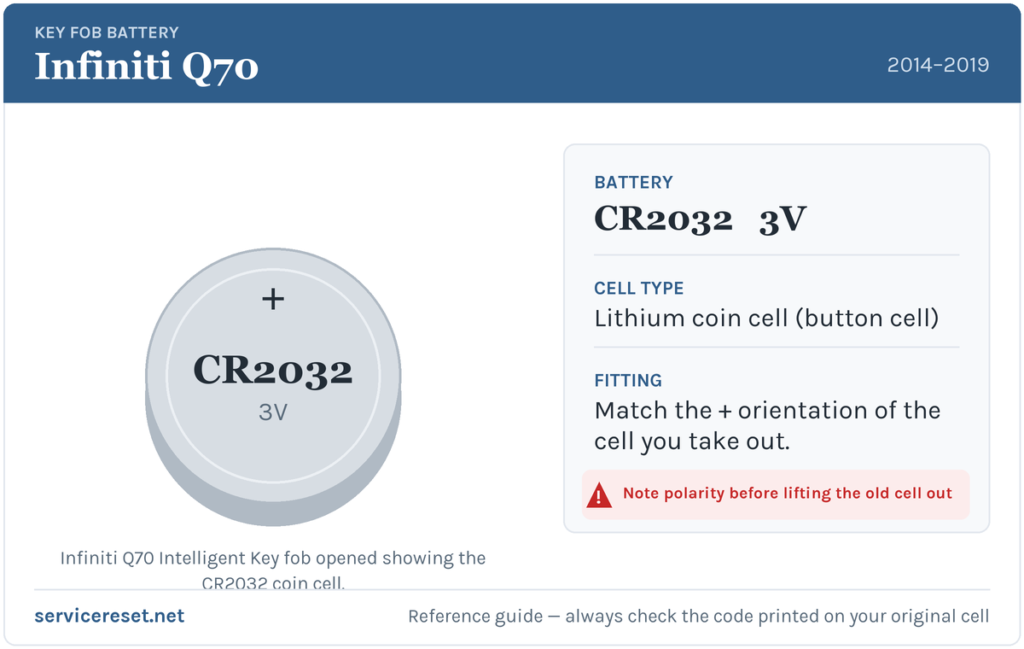
The Infiniti Q70 Intelligent Key uses a single CR2032 3-volt lithium coin cell. That is the standard cell for Infiniti’s smart keys — note it is not the CR2025 used in some older, plainer Infiniti/Nissan remotes, so grab the CR2032. It’s the most common fob battery there is, sold in any supermarket, pharmacy or hardware shop. Buy a good-quality branded cell: cheap ones sag under the brief high current the transmitter draws and can give poor range even when “new”.
How to Change the Q70 Intelligent Key Battery
- Release and remove the mechanical key. Slide or press the small release catch on the back of the fob and pull the metal emergency blade straight out. You’ll need it out of the way to open the case.
- Find the seam. With the blade removed, look at the slot it came out of — you’ll see the split line running around the fob, with one or two small notches in it near where the blade sat.
- Protect the case, then pry. Wrap the tip of a small flat-blade screwdriver in a strip of tape or thin cloth so it won’t scratch the housing. Insert it into a notch on the seam and gently twist to start splitting the two halves, working the tool along the line if needed until the case pops apart.
- Note the orientation, then swap the cell. Look carefully at how the old CR2032 sits before you lift it out. On the Q70 Intelligent Key the new cell goes in with the positive (+) side facing down — that is, the plain flat + face sits against the base of the holder, not upward. Avoid touching the flat faces with your fingers.
- Close it up. Press the two halves back together until they click all the way round, then slide the mechanical blade back in until it latches.
⚠️ Get the polarity right. The Q70 fob seats the cell positive-side down, which catches a lot of people out because plenty of other fobs are the other way up. Fitting it upside down means the key simply won’t transmit, and a cell held against the wrong contacts can slowly discharge — so always copy the orientation of the cell you removed rather than assuming.
Confirm It Worked
Stand back a few metres and lock, then unlock, the car with the buttons; full range should be back immediately. Walk up and try the door-handle request button and push-button start to confirm passive entry is reading the fob again. Any low-key-battery symbol in the cluster clears once the car reads a healthy key — sometimes instantly, sometimes after the next start cycle.
If a Fresh Cell Doesn’t Fix It
- Re-check polarity and seating. Positive-side-down on this fob — the single most common mistake. Make sure the cell is fully home under its clip and not sitting proud.
- Clean the contacts. A smear of finger grease or light corrosion on the terminals is enough to cause dropouts; wipe them with a dry cloth before refitting.
- Try the spare. If the second Intelligent Key works normally, the first fob’s electronics may have failed rather than the battery — rare, but it happens. A weak 12 V car battery can also make the Q70 slow to wake and mimic key faults, so check that if the whole car feels sluggish.
Can I Still Start the Q70 With a Dead Fob?
Yes — keyless start is designed to work even when the coin cell is completely flat, using a backup coil in the ignition switch. Get in (use the mechanical blade hidden in the fob to unlock the driver’s door), then touch the Intelligent Key directly to the Start/Stop button. You should hear a chime as the car reads it at close range; within a few seconds press the start button again with the brake held to fire the engine. It can take a couple of attempts to line the fob up, so a dead battery never strands you — but replace the cell as soon as you can.
New Key or Spare — Why It’s a Dealer Job
Changing the battery keeps the fob’s existing coding, so no reprogramming is needed after a swap — the key works straight away. Cutting and coding a new Intelligent Key is a different matter: the blade has to be cut to the car, and a blank fob must be registered to the Q70’s immobiliser with Infiniti diagnostic equipment against the vehicle’s VIN. That makes adding a spare or replacing a lost key a job for an Infiniti dealer or an auto-locksmith — so keep the battery in your spare fresh too, and you’re never down to a single working key.
Registering or Coding the New Battery
Depends on the model. Cars with a battery current sensor may need the battery data reset with a tool (dealer or a capable scanner); simpler models need only a relearn drive.
Frequently Asked Questions
What battery does an Infiniti Q70 key fob take?
A single CR2032 3-volt lithium coin cell. Use the CR2032, not the thinner CR2025 found in some older Infiniti/Nissan remotes.
Which way up does the battery go in the Q70 fob?
Positive (+) side facing down in the Intelligent Key. This trips a lot of owners up, so glance at the old cell’s orientation before you remove it and copy it exactly.
Do I need to reprogram the key after changing the battery?
No. A battery swap doesn’t touch the fob’s coding, so it works immediately. Only a brand-new or replacement key needs programming to the car.
How long should a Q70 key battery last?
Usually two to four years. Constant proximity polling — from leaving the fob sitting near the car — and heavy remote use shorten it.
My key still won’t work after a new battery — what now?
Re-check that the cell is positive-side-down and fully seated, and clean the contacts. If a known-good CR2032 still won’t bring the fob back and the spare works fine, the fob’s electronics may have failed and need replacing — uncommon compared with a flat or upside-down cell.
If the fob started misbehaving suddenly right after the car’s 12 V battery was disconnected or went flat — rather than fading gradually — a stored fault or lost pairing can be the real cause; you can look up any logged code on autodtcs.com.
Independent guide — not affiliated with Infiniti. Always follow your official service manual and safety precautions. Read our full disclaimer.