These instructions apply to the Mazda 3 Mk4 (BP) 2019-Present.
For other models, please choose your vehicle here.
The Mazda 3 (Mk4/BP, 2019–Present) replaced the old foot or hand parking brake with a switch-operated electric parking brake (EPB) that motors the rear calipers shut. To change the rear pads you first have to drive the rear caliper motors fully open — maintenance mode in Mazda’s own owner’s manual. The Mk4 (chassis BP) is one of the Mazdas where Mazda publishes the in-car sequence, so a home mechanic can put the brake into service mode with the pedals and the EPB switch alone, no Mazda IDS or generic OBD EPB tool needed.
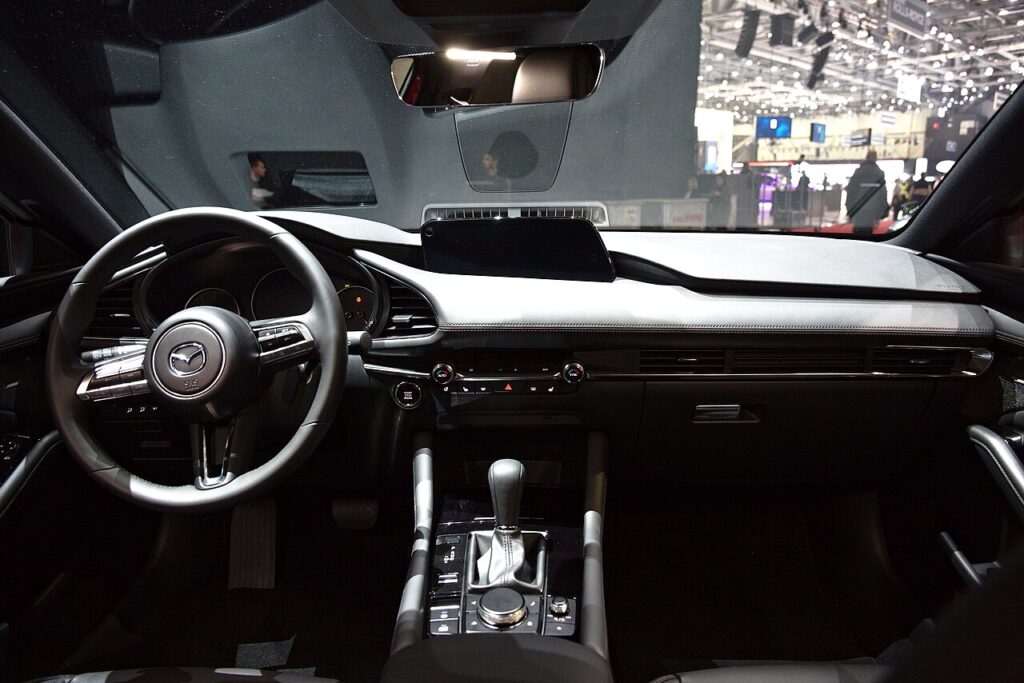
Putting the Mazda 3 BP parking brake into maintenance mode
This is straight out of the BP owner’s manual. Do it before you remove the caliper, with the car cold, level and chocked.
- Switch the ignition to ON with the engine off (press start twice, foot off the brake).
- Press the brake pedal and push the EPB switch down to release the parking brake.
- Release the brake pedal, then press the accelerator pedal fully to the floor and keep holding it.
- With the accelerator still held, press and release the start button three times within 5 seconds (OFF → ACC → IG-ON).
- Confirm the brake-control system warning light glows amber — that is maintenance mode. The pad-to-disc clearance is now expanded.
In maintenance mode the BP rear pistons press straight in — Mazda specifically notes no rotation is needed; gentle pliers or a piston spreader are enough. Do not turn the pistons.
Critical warning: never force the pistons by hand
If the EPB is still clamped, the motor and gear unit behind each rear piston is locked. Levering or clamping the piston back against that parked motor strips the gear train or snaps the actuator spindle, and that means a replacement caliper. Always retract the brake electronically through maintenance mode — never by hand, never by C-clamp on a live EPB. Keep a battery charger on the 12V battery so the actuator has a steady supply throughout.
Exiting maintenance mode and bedding in
After the new pads are fitted: ignition ON (engine off), hold the accelerator fully down, pull the EPB switch up and hold it, then press start three times within 5 seconds. The amber warning light goes out. The EPB then runs its automatic adjustment, during which the motor gear unit runs longer than normal — let it finish. Cycle the EPB on/off a couple of times stationary, then bed the pads with 10–15 gentle stops and easy braking for the first 150–200 miles.
Frequently Asked Questions
Does the Mazda 3 BP need a scan tool to change rear pads? No. The BP supports the owner key-sequence maintenance mode, so an IDS or OBD EPB tool is optional, not required, for a routine rear pad swap.
Why three presses of the start button? Three presses within 5 seconds cycles OFF → ACC → IG-ON, which is the command the brake module reads (with the accelerator held) to enter or exit maintenance mode.
I don’t see the amber light — did it work? No light means the sequence timed out. Repeat it, keeping the accelerator pinned and getting all three start-button presses inside 5 seconds.
Do the BP rear pistons screw in? No. In maintenance mode they push straight back like a front caliper. If yours resists, the mode is not active — do not rotate the piston.
The parking brake feels weak after the job — normal? Only until the automatic adjustment completes after you exit the mode. If a warning light stays on or it still feels weak afterward, scan for a stored EPB fault rather than re-cycling repeatedly.
If an EPB or ABS warning lamp persists after the job, identify the stored code before touching the caliper again — Mazda brake fault codes are explained on autodtcs.com.
Independent guide — not affiliated with Mazda. Always follow your official service manual and safety precautions. Read our full disclaimer.