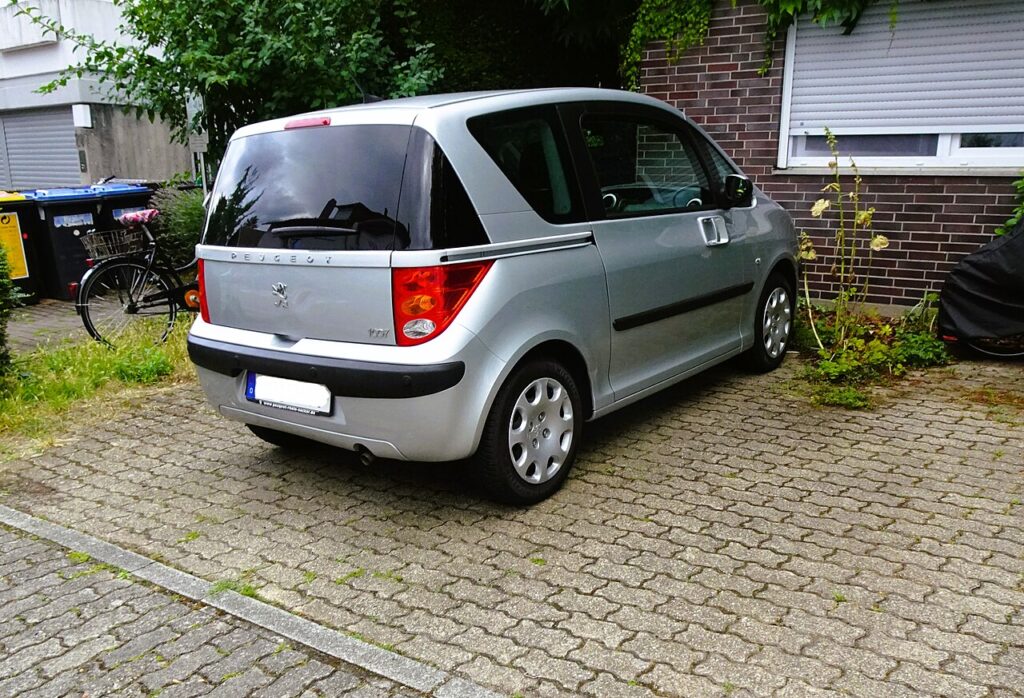
These instructions apply to the Peugeot 1007 Mk1 (A0) 2005-2011.
For other models, please choose your vehicle here.
If the remote on your Peugeot 1007 (2005–2011) has stopped locking or unlocking the car — but the metal key still cranks the engine — the most likely cause is that the remote has fallen out of sync with the vehicle’s body control module (BSI). The fix is an at-home re-pairing sequence that resynchronises the remote without diagnostic equipment. You only need access to the ignition and a working key.
When to Reprogram the Remote
- After replacing or disconnecting the vehicle battery — a long disconnect can wipe the BSI’s pairing memory for the remote.
- After changing the key fob’s coin-cell battery — if the fob was out of communication for more than 10–15 minutes, the BSI may have stopped tracking it.
- If the remote buttons no longer lock or unlock the doors but the metal key still starts the engine. (If the engine won’t start either, the immobiliser transponder is the issue — that’s a different fault and requires dealer diagnostics.)
- When adding an additional remote key to the car (limit: 4 keys total on most 1007 trims).
Before You Start
- Park safely with the engine off.
- Make sure the fob battery is fresh — re-pairing won’t work with a tired battery. The 1007 fob takes a CR1620 or CR2032 depending on production year; check yours by opening the fob before you start.
- Have all the remotes you want paired together in the car for the same session. Re-pairing one remote on its own deactivates any other remotes paired previously, so you have to redo them all.
Tools and Supplies
- The ignition key (mechanical blade, with remote functions).
- Any additional keys you want to pair.
- Fresh fob batteries if any of the remotes have been sitting flat.
Remote Re-Pairing Procedure
- Sit in the driver’s seat with all doors closed.
- Insert the first key into the ignition and switch to the ON position (do not start the engine).
- Within 10 seconds of switching ignition on, press and hold the LOCK button on the remote for about 5 seconds.
- Release the lock button.
- Switch the ignition OFF and remove the key.
- Test the remote: press the lock button outside the car — the central locking should respond.
- If you have additional remote keys to pair, repeat steps 2–5 for each remote in the same session. Don’t end the session between remotes or the previously-paired keys will be deactivated.
Verify the Pairing Worked
With all doors closed and the key out of the ignition, stand 2–3 metres from the car. Press lock — the indicators should flash once and you should hear the locks engage. Press unlock — the indicators should flash twice and the locks disengage. Test each paired remote to confirm. If only one of two remotes works, the second remote wasn’t paired in the same session as the first; repeat the procedure with both.
Troubleshooting
- Pairing seems to complete but the remote doesn’t lock the car. The fob coin-cell battery is the most common culprit. Replace with a fresh CR1620/CR2032 (check the existing battery for the correct type) and repeat the procedure.
- The lock cycle on the car doesn’t engage during pairing. Check that the driver’s door is closed before you start — the BSI won’t accept new pairings with a door ajar.
- Engine starts with the key but no remote pairing works at all. The BSI module itself may have a fault. The 1007 has a known weakness in this area — water ingress through a leaking pollen-filter housing can damage the BSI over time. Professional diagnostics with a Lexia / Diagbox tool can read the BSI fault codes.
- Remote works occasionally but range is very short. Fob battery is weak, or the fob’s internal antenna is damaged (cracked from a drop). Test by pressing the remote with the fob held against your chin — if range improves, the antenna is suspect.
- One remote works, the other doesn’t after pairing. The second remote wasn’t paired in the same session as the first. Pair both remotes together; don’t switch the ignition off between them.
Frequently Asked Questions
How many remote keys can the Peugeot 1007 hold in memory?
The BSI accepts up to 4 paired remotes at once on the standard 1007. If you pair a 5th, the first one paired falls out of memory automatically. For a typical owner with one main key and one spare, this is not a constraint you’ll ever hit.
Does this procedure pair the immobiliser transponder?
No. This procedure only pairs the remote locking function. The immobiliser transponder chip (the part that lets the key start the engine) is paired separately at the dealer using a Lexia / Diagbox tool with the correct security code. If your remote works but the engine refuses to start with a particular key, you need transponder pairing — not this procedure.
I bought a second-hand key on eBay. Will this pair it?
The remote-locking pairing usually works for any compatible 1007 remote. The immobiliser transponder side is the problem — used transponders that were previously paired to another 1007 cannot be re-paired without specific dealer-only procedures (or in some cases a fresh transponder programming with a locksmith’s tool). Result: the lock buttons may work but the engine won’t start.
Why is the procedure different from a Citroën C3 / Peugeot 207?
The 1007 uses an early version of the BSI module that’s specific to that platform. Other Peugeot models from the same era use a slightly different pairing sequence (often with the OBD diagnostic socket instead of the ignition). Don’t mix procedures across models — what works for a 207 won’t work for a 1007.
Independent guide — not affiliated with Peugeot. Always follow your official service manual and safety precautions. Read our full disclaimer.