These instructions apply to the Smart Fortwo Mk3 (W453) 2015-2024.
For other models, please choose your vehicle here.
The Smart ForTwo (W453, 2015–2024) is a push-button car built around Mercedes electrics, so a dead key-fob battery is dealt with at the start button rather than an ignition slot: hold the fob against the button and the immobiliser reads the key through a battery-free transponder. A metal emergency blade hidden in the fob unlocks the driver’s door. Here is the full procedure for the third-generation city car.
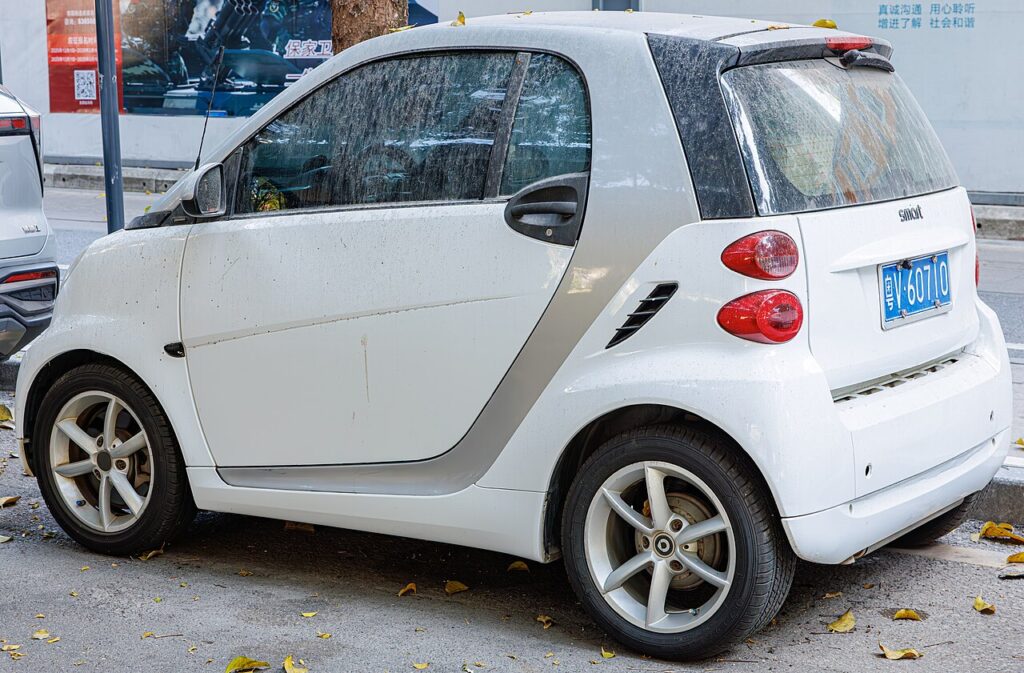
Start the ForTwo with a dead key fob battery
The transponder chip inside the key is powered by the car, not the coin cell, so it still authorises a start when the fob battery is flat. You just need it against the start button’s reader coil.
- Get in, close the door, and press the brake pedal firmly — the ForTwo will not crank without the brake down.
- Hold the key flat against the round START/STOP button so the fob body touches it.
- Keeping the key there, press the START/STOP button through the fob.
- The dashboard shows the key symbol, the reader picks up the transponder, and the engine starts.
- Replace the coin cell soon — this is an emergency method, not a fix.
Unlock the door with the emergency key blade
If the remote will not unlock the car, the ForTwo hides a mechanical key inside the fob and a lock barrel behind a plug on the driver’s door handle.
- Slide the release catch on the key and pull the metal emergency blade out.
- On the driver’s door handle, find the small rubber plug or cover just below or behind the handle and prise it off — the blade tip works well for this.
- Insert the blade into the exposed barrel and turn to unlock. The alarm may sound; this is normal for mechanical entry.
- Get in and start with the button method above. The alarm stops once the key is detected inside. Refit the blade and the plug.
Why holding the fob to the button works
The ForTwo’s electronic ignition system energises an induction coil inside the START/STOP button. When the key is held against it, that field powers the transponder, which sends its encrypted code to authorise the start. The remote lock buttons need the coin cell, but the start handshake does not — which is why a completely dead fob still starts the car.
Replace the key fob battery
The 453 ForTwo key takes a single coin cell — commonly a CR2025; some keys use a CR2032 of the same diameter. Check what you remove and match it.
- Slide out the emergency blade to release the cover.
- Use the gap the blade left to ease the back cover off the fob.
- Note how the cell sits, then lift it out.
- Fit a fresh cell of the same type the same way up, then refit the cover and the blade.
- Test from a few metres — the lock buttons should respond at once.
Frequently Asked Questions
The ForTwo has no key slot — how does a dead fob start it? By holding the fob against the START/STOP button, whose reader coil powers and reads the key’s transponder without any fob battery.
What battery does the 453 ForTwo key take? A single coin cell, usually CR2025 (some keys use CR2032). Open yours and match the marking on the old cell.
Where is the keyhole on the ForTwo’s door? Behind a small rubber plug or cover at the driver’s door handle. Pop it off to reach the barrel.
The alarm went off when I used the blade — did I do something wrong? No. Mechanical entry trips the alarm until the key is sensed inside, then it silences itself.
New battery, but the remote still does nothing. Re-seat the cell and check polarity. If the remote stays dead the key may need resyncing, but the car still starts by holding it to the button.
If a warning light stayed on after the flat key, you can decode the fault on our sister site autodtcs.com.
Independent guide — not affiliated with Smart. Always follow your official service manual and safety precautions. Read our full disclaimer.