These instructions apply to the Mazda 2 Hybrid (MXPH11) 2022-Present.
For other models, please choose your vehicle here.
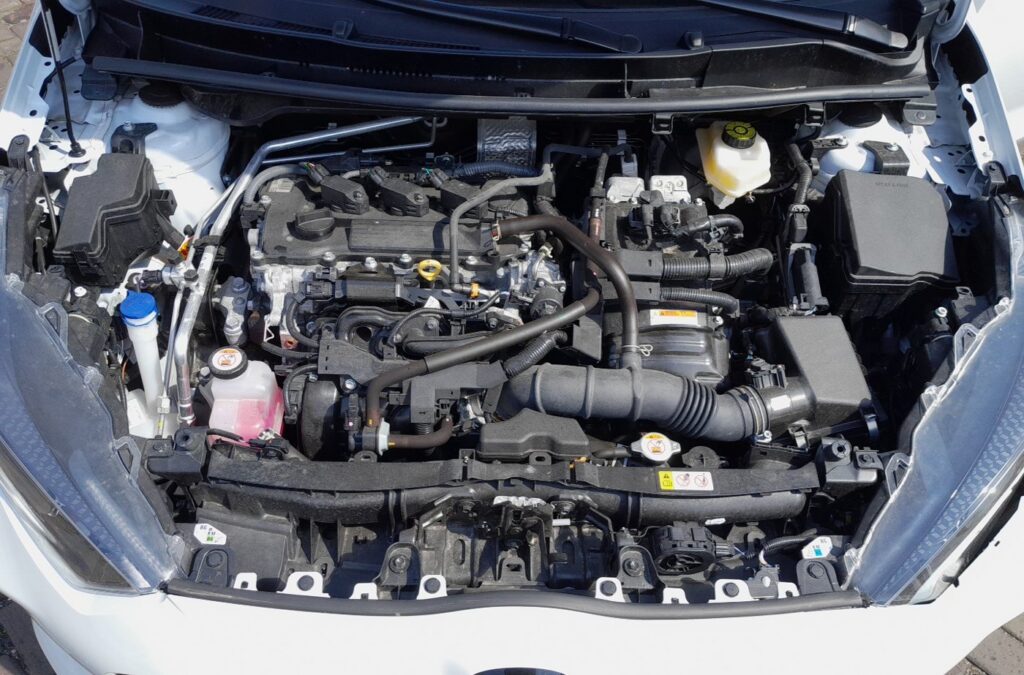
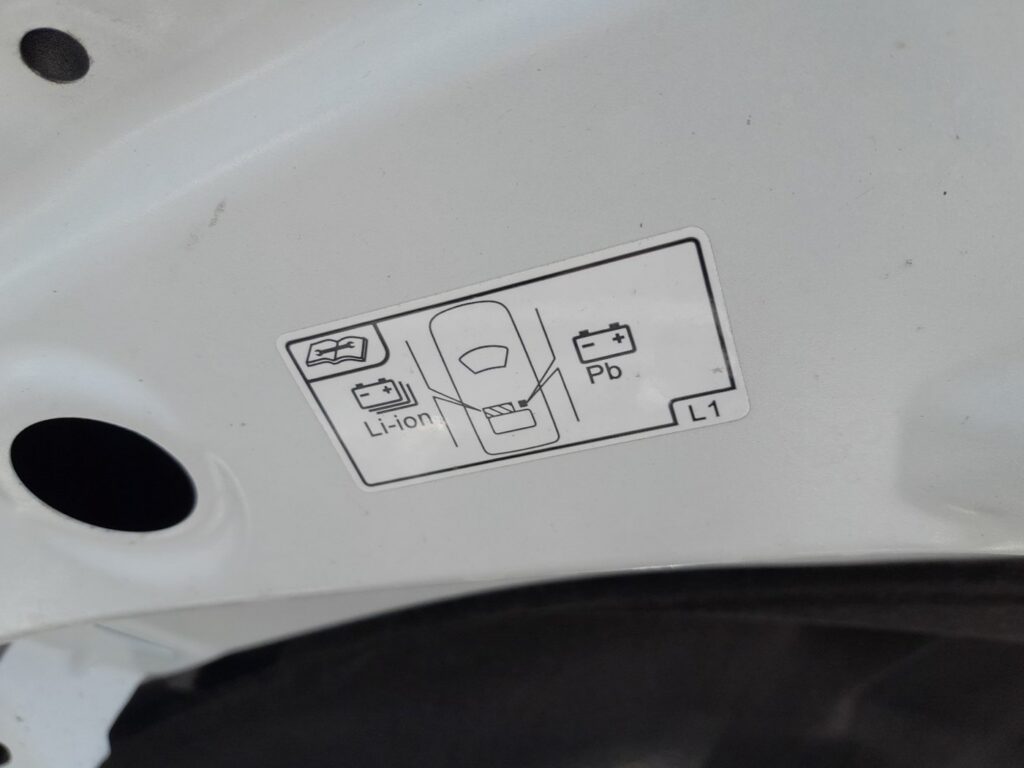
The Mazda 2 Hybrid (MXPH11, 2022–present) carries two batteries: a high-voltage Li-ion traction pack under the rear of the car, and a conventional 12-volt (Pb) lead-acid battery in the engine bay. For any normal electrical work — a flat battery, bodywork, storage — you disconnect only the 12-volt battery. Never touch the orange high-voltage cables.
Safety First on a Hybrid
Anything coloured orange is high-voltage and must be left to a qualified technician. The 12-volt battery under the bonnet is ordinary and safe to work on with insulated tools.
Before You Disconnect
- Switch the hybrid system fully off and take the smart key away from the car.
- Turn off all consumers — lights, climate, screen.
- Wait 2 minutes after switching off before touching the terminals, so the systems power down.
- Use insulated tools; a slip across both terminals can weld a spanner and damage electronics.
How to Disconnect and Reconnect
- Confirm the car is off and the key is away from the vehicle.
- Open the bonnet and lift the cover on the negative (–) terminal.
- Loosen the 10 mm nut and remove the negative terminal first; tuck the cable aside.
- If needed, remove the positive (+) terminal next.
- To refit: connect positive first, then negative last, and tighten both clamps.
- Refit the terminal cover.
After Reconnecting — What to Re-Initialise
- Power windows: close each fully and hold the switch up for a second, then open fully and hold down, so one-touch relearns its limits.
- Parking-assist sensors and, if fitted, the power tailgate may need re-initialising per the owner handbook.
- Clock, radio presets and trip data reset on power-up; re-enter them.
- Take a short drive and confirm all warning lights extinguish.
Frequently Asked Questions
Where is the 12-volt battery on the Mazda 2 Hybrid?
Under the bonnet in the engine bay — not in the boot. The caution label under the bonnet marks the 12-volt (Pb) battery separately from the Li-ion high-voltage pack.
Will disconnecting the 12-volt battery harm the hybrid system?
No. The 12-volt battery and the high-voltage traction pack are separate. Disconnecting the 12-volt battery is safe and does not discharge the hybrid pack.
The car won’t go READY after reconnecting — why?
Check both 12-volt clamps are tight and clean; a poor 12-volt connection stops the hybrid system booting even though the traction pack is charged.
Independent guide — not affiliated with Mazda. Always follow your official service manual and safety precautions. Read our full disclaimer.