These instructions apply to the Toyota Hilux Mk8 (AN120/AN130) 2016-2024.
For other models, please choose your vehicle here.
After a flat or disconnected battery, your Hilux’s one-touch power windows can stop auto-closing and the anti-trap (jam protection) can behave oddly. Re-initializing a window takes under a minute per door using only the window switch.
Only windows with the one-touch up/down function need this. Do each affected door separately.
Re-initializing a power window
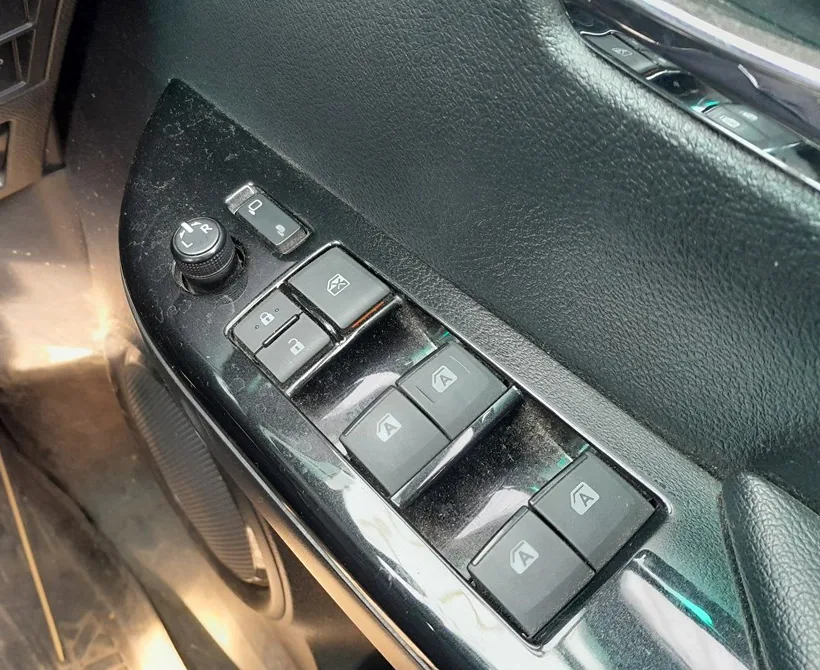
- Switch the ignition to ON mode (engine can be off).
- Pull and hold the window switch in the one-touch close direction until the window is fully shut, then keep holding briefly.
- Release for a moment, then pull the switch to close again and hold it for about 6 seconds or more with the window already shut.
- Press and hold the switch in the one-touch open direction until the window is fully down, then keep holding for 1 second or more.
- Release for a moment, press to open again and hold for about 4 seconds or more.
- Pull and hold the switch to close once more; after the window is fully shut, keep holding for a further 1 second or more. The window is now initialized.
If you let go while the glass is moving, start again from step 1. Test the one-touch up and down a couple of times to confirm it works and that the auto-reverse triggers when something blocks the glass.
Quick recovery (if it only just stopped working)
If the jam protection tripped unusually and the window simply will not move, with the ignition ON hold the switch in the one-touch direction within 4 seconds of the fault to drive the glass through. If that fails, run the full initialization above.
If the window reverses and still will not close fully after re-initializing, have the regulator checked. A dashboard warning after the work can be decoded on autodtcs.com.
Independent guide — not affiliated with Toyota. Always follow your official service manual and safety precautions. Read our full disclaimer.