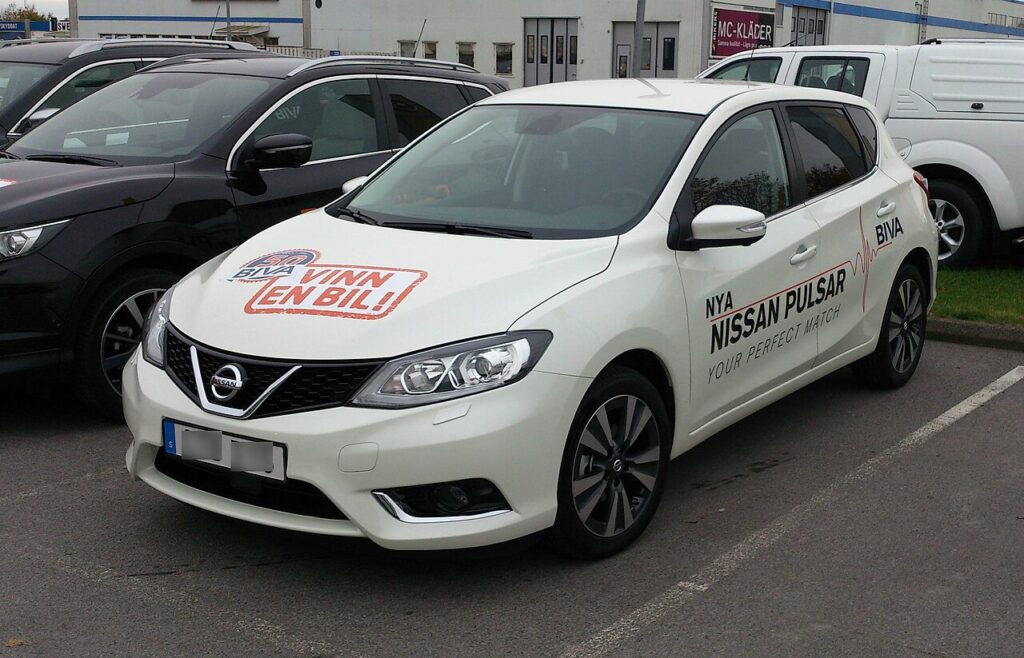
These instructions apply to the Nissan Pulsar Mk1 (C13) 2014-2018.
For other models, please choose your vehicle here.
The C13-generation Nissan Pulsar (sold in Europe and Australia between 2014 and 2018) shares its electrical architecture with the contemporary Note and Juke, which means battery disconnection is straightforward but the post-reconnection re-learns are slightly more involved than on simpler cars. The biggest catch is the Pulsar’s intelligent key system — if the proximity-key handshake gets confused during the dead-battery interval, the engine may refuse to start until you cycle the key. This guide walks through the safe disconnect/reconnect sequence and the seven things you need to check before pronouncing the job done.
Before you start
The Pulsar’s 12-volt battery sits in the engine bay’s front-right corner (right-hand-drive UK/Australia spec) or front-left (LHD European spec), under a moulded plastic cover. The cover has two clips at the front — lift them and the cover hinges back to reveal the terminals and the battery itself. Battery type is a conventional flooded lead-acid (most trims) or an EFB on cars with the Stop & Start system. Capacity varies by engine: 50 Ah for the 1.2 DIG-T petrol, 60 Ah for the 1.5 dCi diesel.
- Pyrotechnic safety wait — 3 minutes. The Pulsar’s airbag control unit holds its discharge for longer than the Suzuki/Toyota equivalent. Don’t touch the steering column, airbag, or pretensioners until 3 full minutes have passed since the negative terminal lifted.
- Have the intelligent key on you. The car needs to “see” the key for several procedures after reconnection, including the steering angle re-zero. Don’t leave it in the house.
- Avoid metal jewellery when reaching across the engine bay — the positive terminal is a known shorting hazard against a watch or ring.
- Have a memory saver if you can. The Pulsar’s intelligent key system stores rolling codes that occasionally get out-of-sync after a hard disconnection; a memory saver avoids the issue entirely.
Tools required
- 10 mm and 12 mm sockets (12 mm for the battery hold-down J-bolt, 10 mm for the terminals)
- Extension bar and ratchet
- Memory saver (optional)
- Terminal brush
- Petroleum jelly or terminal grease
Disconnect procedure
- Park, switch ignition off, remove the intelligent key from the cabin. If you leave the key in the cup-holder, the car will keep waking up on motion and the procedure won’t put the modules to sleep cleanly.
- Wait two minutes. The BCM and ECM take this long to enter true sleep state on this car — earlier disconnection sometimes causes a stored “loss of communication” code that needs scan-tool clearing.
- Open the battery cover — lift the two front clips and rotate the cover backwards.
- Loosen the negative (−) terminal nut with the 10 mm socket. Lift the clamp clear of the post and rest it away from the battery (a rag underneath stops it slipping back).
- Loosen the positive (+) terminal nut. Cover the exposed positive post with a clean cloth if the bonnet stays open.
- If removing the battery for charging or replacement: use the 12 mm to release the J-bolt at the rear of the battery tray; the hold-down clamp lifts straight up. The battery weighs around 14 kg and lifts straight out.
Reconnect procedure
- Verify the battery is correctly oriented — positive on the right when facing into the engine bay from the front of the car (UK/EU spec). The terminals are different diameters, so the wrong cable physically won’t fit the wrong post, but it’s worth double-checking.
- Clean both posts and clamps with a wire brush until they show fresh, dull lead.
- Connect the positive (+) terminal first and tighten to 5–7 Nm.
- Connect the negative (−) terminal second. Same torque.
- Close the battery cover. Make sure both front clips engage — the cover doubles as splash protection.
- Insert the intelligent key into the dashboard slot (or, on later cars without a slot, hold it close to the START button) and press START with the brake pedal depressed. The engine should crank and fire normally.
Post-reconnection tasks
- Reset the clock and date on the centre display. The trip A/B meters will also have zeroed.
- Re-enter the radio preset stations if you use the original head unit. The radio doesn’t ask for a code on this generation.
- Re-initialize the electric windows — see Nissan Pulsar power windows initialize. Without this, the one-touch up and down will not work and the anti-pinch sensitivity will be wrong.
- Drive in a straight line at over 30 km/h for at least 1 minute to allow the steering angle sensor to re-zero. Then perform a slow full lock to the left and a slow full lock to the right while stationary. This combination clears most ABS / VDC warning lamps that activate after a battery disconnect.
- For Stop & Start variants: the system will be disabled until the battery monitoring sensor has logged a few rest-charge cycles. Drive the car normally for around 30 minutes of mixed conditions, then leave it overnight; on the next drive, Stop & Start should re-arm.
- If the car has TPMS: the system uses indirect (ABS-based) monitoring rather than valve-stem sensors on most Pulsar trims, so a drive of around 20 minutes is enough to re-learn tyre rotational speeds. Check tyre pressures before this drive to avoid the system learning bad data.
- Run a short scan with a generic OBD-II tool to clear any “freeze frame” codes that the modules logged during the disconnect. A pending P0606 or P0700 immediately post-reconnect is normal and self-clears after one drive cycle.
Common Snags
Engine cranks but won’t start after reconnection. The intelligent key has lost sync. Insert the key in the slot (or hold it directly against the START button) and try again; this forces a direct authentication. If it still won’t start, disconnect the battery for 5 minutes and reconnect — this resets the BCM and re-pairs the key.
Warning lights for ABS, VDC, and EPS stay on. Drive the car in a straight line for a minute, then full-lock left and right. If the lamps remain after that, the steering angle sensor has stored a fault and needs clearing with a scan tool that supports the chassis modules — generic OBD-II tools only see engine.
Idle is high (1,200–1,400 rpm) and hunts. Normal for the first 5–10 minutes; the ECU is re-learning its idle adaptation. If it persists past 20 minutes of driving, check for vacuum leaks at the intake — a hose disturbed during battery removal is the usual cause.
Push-button start says “INSERT KEY” with the key in the cabin. The intelligent key battery (CR2032) may be too weak — try a fresh coin cell. If the message persists with a new cell, the antenna unit in the dashboard has lost calibration; cycling the ignition twice usually clears it.
Frequently asked questions
Does the Pulsar need battery registration after replacement?
Cars with Stop & Start need a re-learn of the battery sensor on the negative terminal, but this is achieved by a normal drive cycle, not by a coding operation. Cars without Stop & Start do not have a battery sensor and need nothing special.
What’s the OEM battery spec?
1.2 DIG-T (HR12DDT): 50 Ah, 480 A CCA, type EN50. 1.5 dCi (K9K): 60 Ah, 510 A CCA, type EN60. Stop & Start variants use the EFB version of the same physical type.
Can I fit an AGM battery instead of the EFB?
The Pulsar’s charging system is not coded for AGM and will overcharge it slightly, shortening AGM life from the typical 7+ years to 3–4. Stick with EFB on Stop & Start trims, conventional flooded on others.
How long can the Pulsar sit without a battery before something goes wrong?
Indefinitely. Nothing is damaged by an extended disconnection. The only items that lose data are the clock, trip meters, radio presets, and window/steering adaptations.
Should I disconnect the battery to charge it on a smart charger?
Not necessary. The Pulsar’s onboard electronics tolerate the 14.4–14.7 V output of any modern smart charger. Use the dedicated charging point under the bonnet (positive jump-start post and a chassis earth point) for maximum convenience — you do not need to reach down to the battery terminals.
For diagnostic trouble codes that surface after the work and won’t clear with a drive cycle, see autodtcs.com.
Registering or Coding the New Battery
Depends on the model. Cars with a battery current sensor may need the battery data reset with a tool (dealer or a capable scanner); simpler models need only a relearn drive.
Independent guide — not affiliated with Nissan. Always follow your official service manual and safety precautions. Read our full disclaimer.