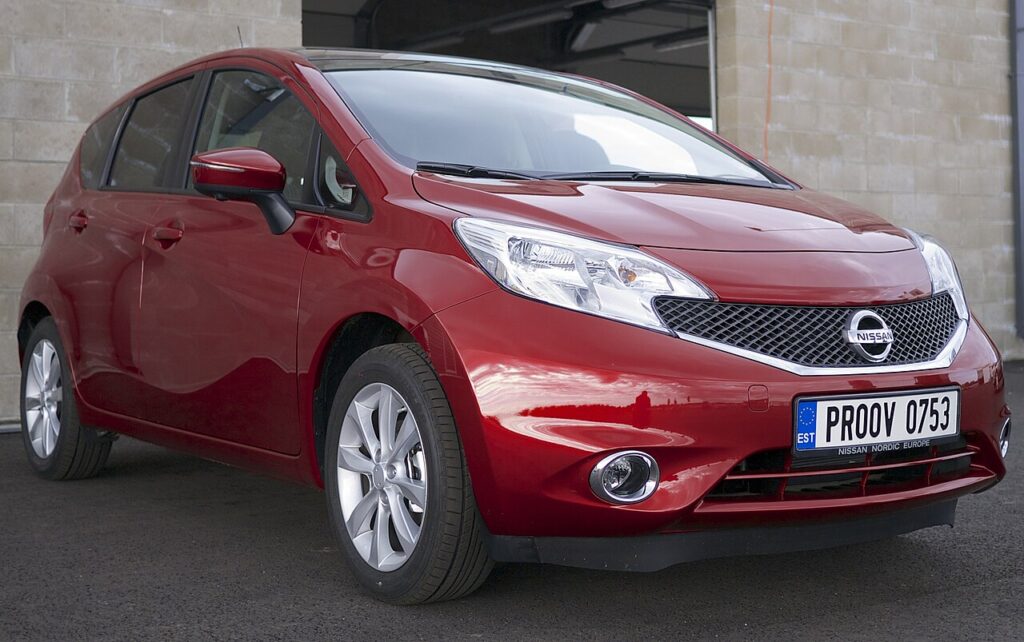
These instructions apply to the Nissan Note Mk2 (E12) 2013-2017.
For other models, please choose your vehicle here.
If the gear selector on your Nissan Note (sold as the Versa Note in North America) refuses to move out of P (Park), the emergency shift-lock release is the built-in way to free it. On the E12 Note with the Xtronic CVT, the lever is normally held in Park by an electric shift-lock solenoid that only releases when the ignition is on and your foot is on the brake. When the 12 volt battery is weak or flat, that solenoid has no power to let go, so the lever stays locked even though nothing is actually broken. The manual override lets you shift into N (Neutral) so the car can be pushed off a driveway, rolled onto a flatbed, or moved clear of traffic.
Why the Lever Gets Stuck
The shift-lock system is a safety feature, not a fault. It is designed to stop the car being taken out of Park unless the driver is in control, so it deliberately keeps the lever locked whenever the electrical conditions are not met. The two most common reasons an owner needs the override are a discharged battery (the solenoid cannot energise to release) and, occasionally, a faulty brake-light switch that never tells the gearbox your foot is on the pedal. In both cases the mechanical release built into the console gives you a way around the electronics so the vehicle can be moved safely.
Before You Start
- Park on level ground wherever possible before you begin, and be ready to control the car once it is in Neutral.
- Set the parking brake firmly first — with the lever in Neutral there is nothing else holding the car.
- Place wheel chocks against the tyres if there is any slope at all.
- Have the key or intelligent key with you, and know where you intend to move the vehicle to before you release it.
- Treat this as a short, controlled move only — not as a way to drive the car.
Emergency Shift Lock Release Procedure
- Make sure the ignition is in the OFF or LOCK position.
- Apply the parking brake securely.
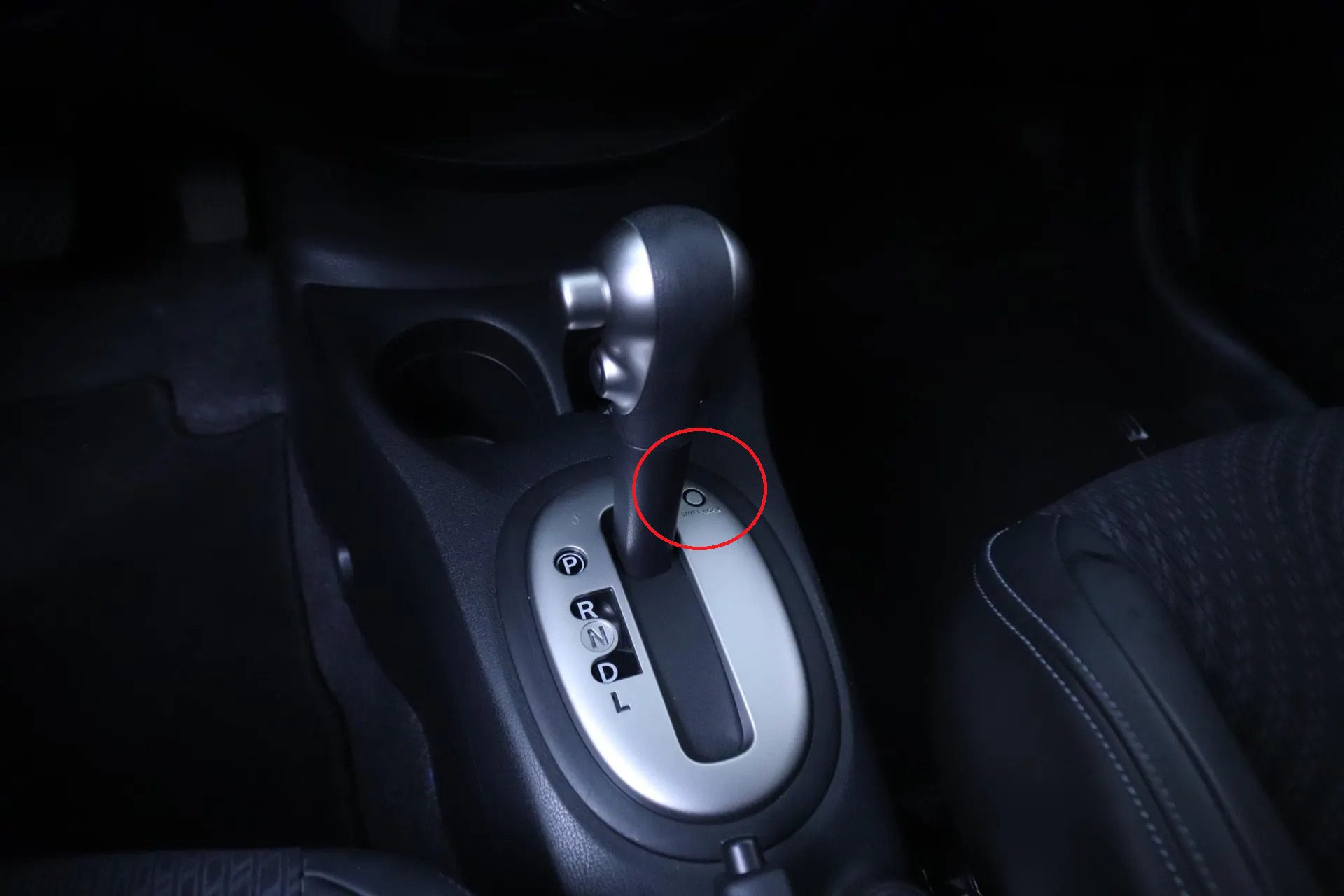
- Locate and press the shift lock release button near the gear lever.
- While holding the release button, press the gear lever button and move the lever into N (Neutral).
- Switch the ignition to the ON position to unlock the steering wheel if the vehicle needs to be steered.
If It Won’t Release
- Confirm the parking brake is fully applied — the lever will not always free up if the system senses the car is not secured.
- Press the release button firmly and squarely; the small cover or slot beside the lever can need a deliberate push rather than a light tap.
- If the battery is completely flat, the steering wheel may remain locked. In that case the car can only be moved straight ahead unless the battery is recharged.
- If the lever will not shift even with the engine running and the brake pedal pressed, the brake light switch may be faulty. Non-working brake lights are a safety hazard and should be repaired promptly.
- Persistent sticking should be diagnosed professionally, as it can point to a fault in the Xtronic CVT shift lock system rather than a flat battery.
After You’ve Moved the Car
Once the Note is in a safe spot, set the parking brake and chock the wheels again before you let go of it. If a weak battery caused the problem, recharge or replace it and then confirm the lever moves normally with the ignition on and the brake pressed — a healthy system should let you shift straight out of Park without touching the override. If you had to use the release because of a suspected brake-light switch or a recurring shift-lock fault, book the car in before relying on it again.
Frequently Asked Questions
Where is the shift lock release on the Nissan Note?
It sits right next to the gear lever on the centre console, usually under a small cover or trim cap beside the selector. Pressing it disengages the mechanical shift lock so you can move the lever while holding the normal button on the selector, even with no power to the solenoid.
Can I drive the car after using the emergency release?
No. The override is only meant to get the lever into Neutral so the car can be pushed or towed a short distance to a safe location. If the underlying cause is a flat battery or a shift-lock fault, sort that out first before driving, so the gearbox behaves normally again.
Why is my steering wheel still locked after releasing the lever?
With a completely flat battery the electric steering lock cannot disengage, so the wheels may stay pointed straight ahead. You can still roll the car forward in a straight line, but to steer it you will need to restore power by recharging or jump-starting the battery, then turning the ignition on.
Is a stuck gear lever a sign of a serious problem?
Usually not. The most common cause is simply a low or dead 12 volt battery, which stops the shift-lock solenoid from releasing. Once the battery is healthy the lever normally works again. If it keeps sticking with a good battery, have the shift-lock system and brake-light switch checked.
Do I need any tools for the emergency release?
Not usually. The release is designed to be operated by hand, though on some cars a small cover has to be prised off first — a plastic trim tool or a fingernail is enough. The key part is having the parking brake set and chocks in place before you move the selector.
The lever moves but the car still won’t roll — why?
Check that the parking brake is fully released once you are ready to move, and that the wheels are not turned against a kerb. If the transmission genuinely stays engaged despite the lever showing Neutral, stop and have it inspected rather than forcing it, as this can indicate an internal CVT or linkage issue.
Disclaimer: This guide is for general information. Always follow your vehicle’s official service information and safety instructions. Perform repairs at your own risk. If a warning light stays on afterwards, a stored fault code can help pinpoint the cause — our sister site autodtcs.com explains what common trouble codes mean.
Independent guide — not affiliated with Nissan. Always follow your official service manual and safety precautions. Read our full disclaimer.