These instructions apply to the Kia Picanto Mk3 (JA) 2017-Present.
For other models, please choose your vehicle here.
The Kia Picanto JA (2017–present) uses a 12V lead-acid battery (or AGM on ISG-equipped trims) that powers all of the car’s electronics. Disconnecting the battery for replacement, electrical work, or extended storage is straightforward, but several systems lose their stored settings on disconnect and need to be re-initialised after reconnection. Follow the order below to avoid stripping a stored radio code or triggering control-module faults.
Before You Start
- Switch the ignition OFF and remove the key (or, on keyless trims, take the smart key out of the cabin).
- Switch off all electrical consumers: lights, radio, climate control, heated rear screen.
- If your audio system requires a security code, locate it (printed on the booklet that came with the car, or in your Kia owner portal). Without the code, the radio locks after disconnect.
- Make a note of preset radio stations, clock settings, and infotainment user preferences.
- If working near pyrotechnic components (airbags, seatbelt pretensioners), wait at least 3 minutes after switching off the ignition before disconnecting — the airbag module needs time to power down its capacitor.
Tools and Supplies
- 10 mm spanner (or socket and short ratchet) for the battery clamps.
- 13 mm spanner for the hold-down bracket if you’re removing the battery completely.
- Wire brush and battery-terminal cleaner if the terminals show any white corrosion.
- Petroleum jelly or dielectric grease (optional, helps prevent future corrosion).
- Memory saver (optional but recommended for trims with infotainment / climate-control presets) — plugs into the OBD-II port and keeps low-current circuits live during the swap.
How to Disconnect the Battery
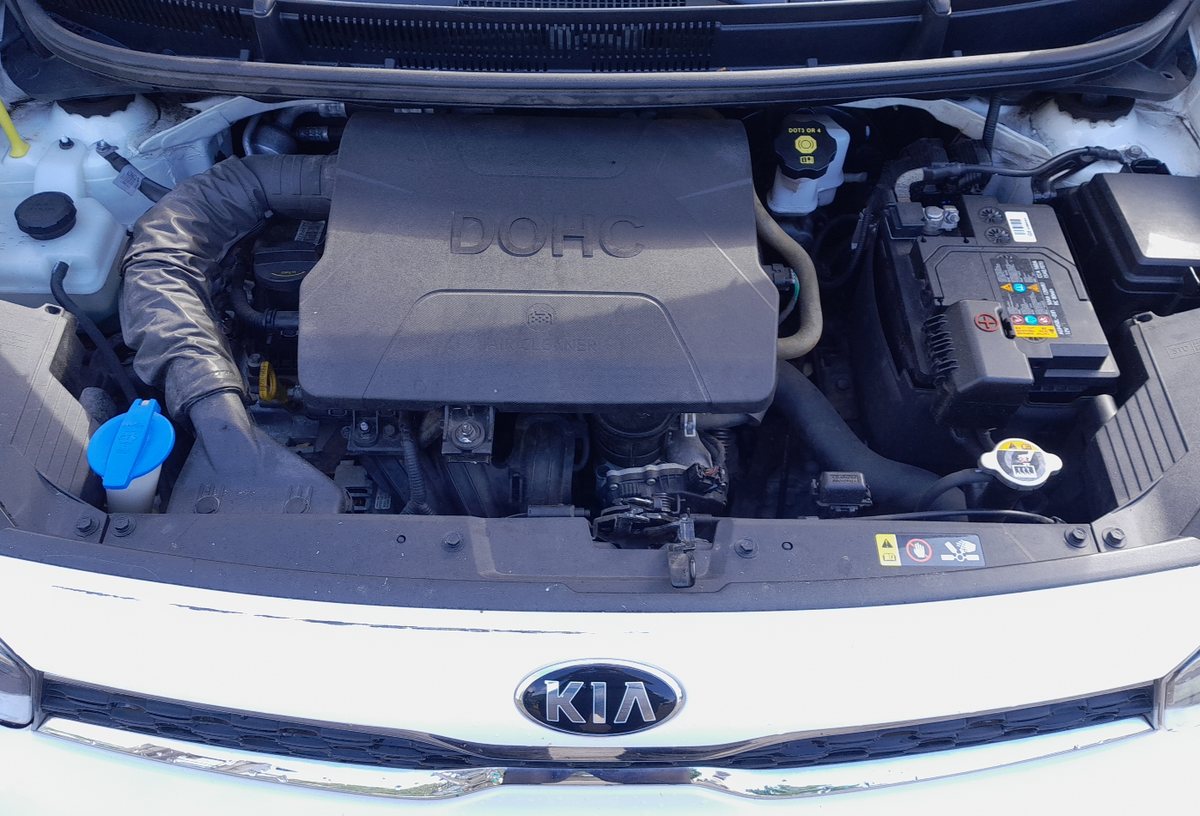
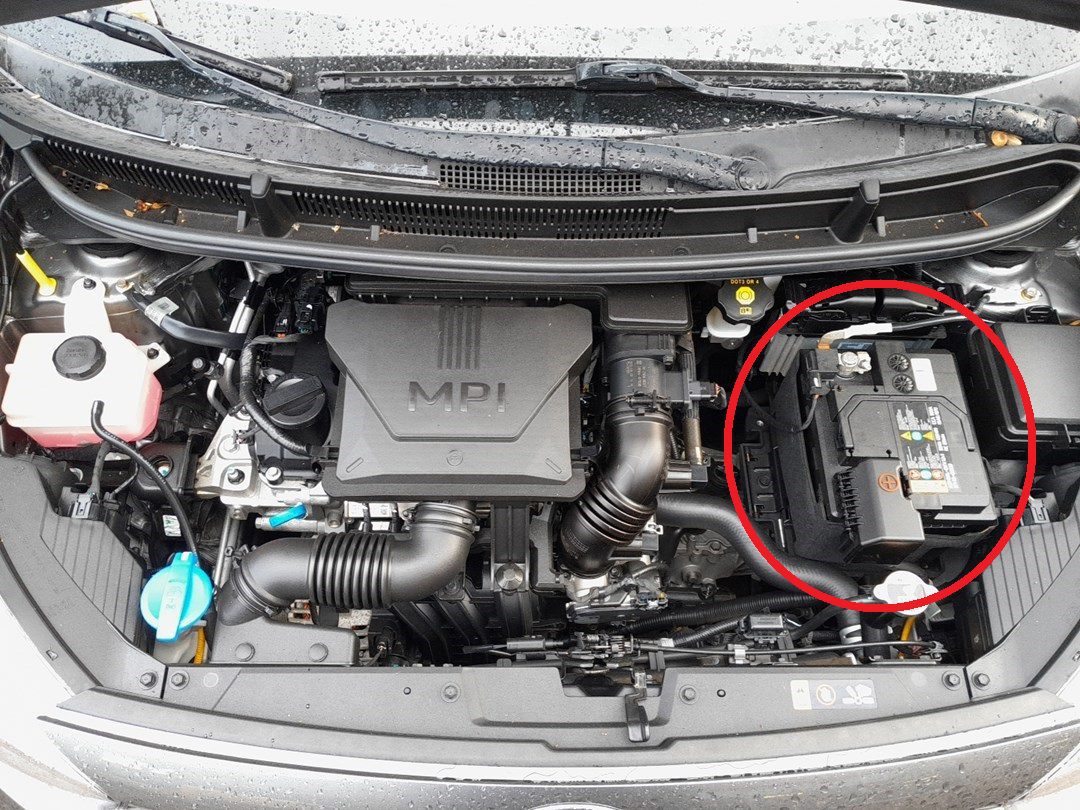
- Open the bonnet and locate the battery — on the Picanto JA it’s mounted on the left-hand side of the engine bay (driver’s side on LHD models).
- Identify the negative (–) and positive (+) terminals. The negative is the smaller post, usually marked with a black cover or “NEG” stamp.
- Using a 10 mm spanner, loosen the clamp on the negative (–) terminal first and lift it off. Tuck the cable away from the battery so it can’t fall back onto the terminal.
- Loosen and remove the positive (+) terminal next.
- If removing the battery completely: undo the 13 mm hold-down bracket nut, lift the bracket clear, then lift the battery out with both hands (Picanto batteries are usually around 12–15 kg — heavy enough to need both hands but not strain-level).
After Disconnecting
- Wait the full 3-minute safety period before any work near airbags or pretensioners.
- If the battery is removed for storage, place it upright in a dry, ventilated area. Don’t lay it on its side.
- If you’re replacing the battery, dispose of the old one at a recycling centre or your local auto-parts shop — almost all parts shops accept used batteries free of charge.
How to Reconnect the Battery
- Place the battery back in its tray and refit the hold-down bracket. Tighten the bracket nut firmly but not enough to crush the battery casing.
- Connect the positive (+) terminal first and tighten the clamp.
- Connect the negative (–) terminal last and tighten.
- Wiggle each terminal slightly — they should be solid in the clamp with no movement.
- Apply a thin coat of petroleum jelly or dielectric grease over the terminal-clamp contact, if desired.
After Reconnecting — Things to Re-Initialise
Several systems need re-initialisation or attention after the battery reconnects:
- Date and time — set via the infotainment screen’s Settings menu.
- Radio presets and security code — re-enter the radio code if prompted, then save your preset stations.
- Trip computer — reset trip A and trip B to zero if desired; the odometer is unaffected.
- Power windows — re-initialise the driver’s window per the Kia Picanto JA power-window initialisation procedure to restore one-touch operation.
- Electric sliding/tilting roof (sunroof) — initialise per the Picanto JA sunroof initialise procedure (if your trim has a sunroof).
- Climate control — check that auto mode and temperature setpoint work normally; the climate control module relearns its actuator positions on the first power-up.
- Start/Stop (ISG) — ISG may take a few drive cycles before it engages again as the system learns the new battery’s state-of-charge characteristics.
- Steering angle sensor — drive straight at low speed for a minute; the SAS auto-calibrates against the wheel-speed sensors.
Troubleshooting
- Engine struggles to start after reconnect. Check terminal tightness — a loose clamp drops voltage at the starter. Also check that the negative cable is grounded to the chassis securely (sometimes a corroded ground point causes the same symptom even with new terminals).
- Radio says “CODE” or stays locked. Enter the security code from the booklet that came with the car. If the code is lost, your local Kia dealer can retrieve it from your VIN — usually free of charge with proof of ownership.
- Dashboard warning lights stay on after reconnect. Some lights take a few drive cycles to clear as the systems relearn. ABS / TC lights that persist past 50 km of driving point to a stored fault code requiring scan-tool diagnosis.
- Power windows lost auto-up function. Run the window initialisation per the Picanto JA windows guide linked above.
- ISG won’t engage at all. Normal — the ISG module needs a few drive cycles to learn the new battery’s open-circuit voltage characteristics. Drive normally; ISG returns within about a week of mixed use.
Frequently Asked Questions
How long should a Kia Picanto JA battery last?
A standard 12V battery typically lasts 4–6 years in normal use. AGM batteries on ISG-equipped trims last 6–8 years thanks to their deeper-cycle design. Heat is the biggest factor — cars in hot climates see batteries fail closer to 3–4 years.
Can I replace the AGM battery with a standard flooded one?
No (or rather, you can, but the ISG system will fail within months). The ISG module monitors battery characteristics that only AGM batteries deliver. A flooded battery in an AGM-spec slot is rated for far fewer charge / discharge cycles and will fail prematurely. Match the battery type to your trim’s original spec.
Why disconnect the negative terminal first?
The chassis of the car is connected to the negative terminal. If you remove the positive first and a tool slips and touches metal, you’ll short the positive directly to ground through the tool. Removing the negative first breaks the circuit at the chassis side, so a tool touching the positive can’t complete a circuit to anything.
Will a memory saver work on the Picanto JA?
Yes — any OBD-II memory saver works. They provide 9V or 12V to the OBD-II port’s power pins, which keeps the body-control modules alive during the swap. The radio, clock, climate presets and infotainment settings stay intact. Just be careful: a memory saver means parts of the electrical system are still live — don’t short the disconnected terminal cable to anything while the saver is plugged in.
How do I know if the battery needs replacement vs just reconnecting?
Slow cranking, dim headlights at idle, repeated dead-battery in cold mornings — these are signs the battery itself is failing. A load test (free at most auto-parts shops) is the definitive check. Don’t replace a healthy battery just because the car had a flat one-off — the alternator may be the actual problem.
Independent guide — not affiliated with Kia. Always follow your official service manual and safety precautions. Read our full disclaimer.