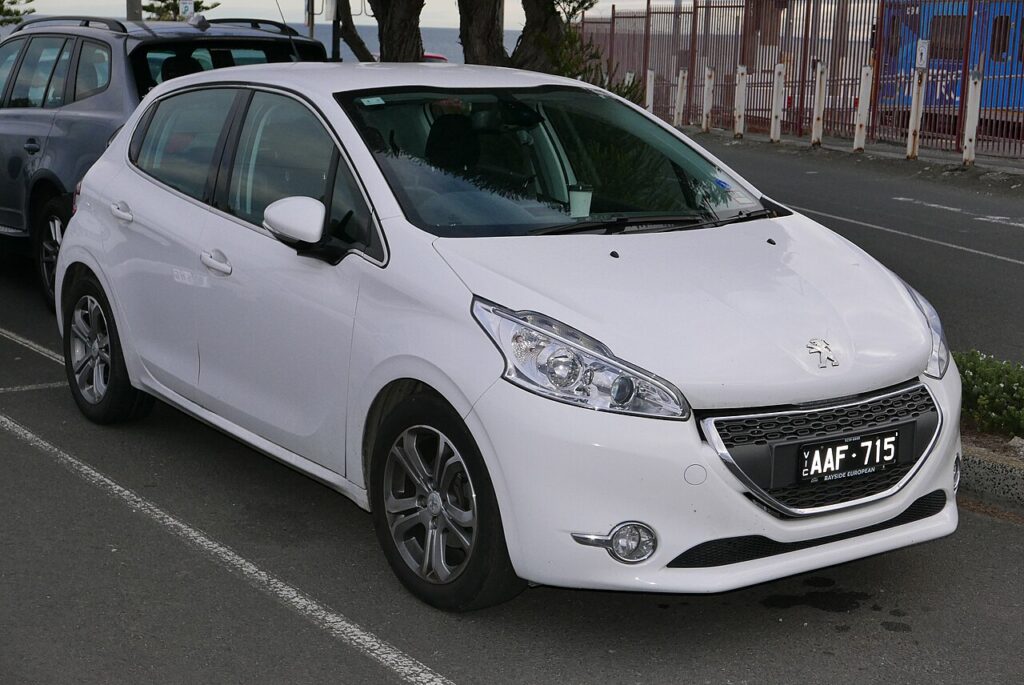
These instructions apply to the Peugeot 208 Mk1 (A9, A91) 2012-2019.
For other models, please choose your vehicle here.
The Peugeot 208 Mk1 (A9/A91, 2012–2019) — the first-generation 208 hatchback, sold as the replacement for the 207 and produced as both pre-facelift (2012–2015) and facelift (2015–2019) variants — uses a simple button-and-ignition reset that’s identical across every 208 Mk1 trim and engine. There’s no menu, no diagnostic tool needed, and no pedal sequence. The catch: the procedure is timing-driven (you have to keep the button held through a 10-second countdown), and the i-Cockpit instrument cluster’s compact layout makes finding the right button less obvious than on most other superminis.
When to Reset the Service Indicator
- After completing an oil and filter change.
- If the “maintenance key” / spanner symbol appears on the cluster at startup with a “Service” or “Maintenance required” text message.
- If you bought the 208 second-hand and the previous owner never cleared the indicator.
⚠️ On the 208 Mk1 the service indicator tracks the oil-change distance counter only. Other service items (brake fluid every 2 years, coolant every 5 years / 100,000 km, timing belt at the model-specific interval) are not tracked by the cluster — those follow the printed service schedule in the owner’s handbook.
First, a Few Checks
- Park on a level surface. Complete the actual oil and filter change before the reset.
- Locate the trip-reset button. On the 208 Mk1’s i-Cockpit cluster, the trip-reset button sits at the end of the right-hand wiper / trip stalk — push-button at the very tip of the stalk. On lower trims (Access / Active without trip computer) the same button is mounted at the bottom of the speedometer face on the instrument cluster itself. Either way, that’s the button you press and hold.
- The procedure does not require you to operate any pedals. Both feet can stay on the floor.
- A weak 12V battery can cause the reset to commit but then revert. Load-test the battery if you’ve previously replaced it without disconnecting the cluster first, or if the 208 is older than 5 years on its original battery.
Kit and Supplies
None for the reset itself. For the oil change you’ll need fresh PSA-spec oil — typically 5W-30 ACEA C2 (PSA B71 2290) for the 1.2 PureTech / 1.2 VTi petrol engines and the 1.6 BlueHDi diesel, or 0W-30 ACEA C2 (PSA B71 2312) for the latest 1.2 PureTech 110/130 with cylinder deactivation. A new spin-on or cartridge oil filter (different parts for different engines — check before buying), a 14 mm sump-plug socket on PureTech / VTi or a 21 mm on the older 1.4/1.6 HDi diesels, and a torque wrench rated to about 25 Nm (sump plug, PureTech) or 30 Nm (HDi).
Service Indicator Reset — Step-by-Step
- Make sure the ignition is OFF. The cluster should be completely dark.
- Press and hold the trip-reset button (end of the wiper stalk on trip-computer-equipped cars; speedometer-mounted button on basic trims).
- While keeping the button held, turn the ignition ON. On key-start cars that’s position II (full ignition on, engine not running). On push-button-start trims, press the START/STOP button twice without a foot on the brake — that takes you through ACC into IGNITION ON without cranking.
- The cluster wakes up. After a moment, the maintenance key icon appears in the centre of the display alongside a numeric countdown (typically counting down from 10 seconds, sometimes shown as remaining service distance ticking towards zero).
- Keep the trip-reset button held. Don’t release it as the cluster shows the countdown.
- Continue holding until the display reads “0” (or shows the countdown has finished).
- Release the trip-reset button.
- The maintenance-key icon disappears from the cluster.
- Switch the ignition OFF. The reset is complete.
Verify the Reset Worked
Wait 30 seconds with the ignition off, then turn it back on (engine off is fine). The maintenance-key / spanner icon should no longer appear at the cluster’s wake-up screen. On trip-computer trims, the service-distance readout (accessed by short-pressing the trip-reset button to cycle through the trip-computer screens) should now show a fresh full interval — typically 20,000 km (12,500 miles) or 24 months for European-spec 208 Mk1 cars on PureTech petrol, or 30,000 km (18,600 miles) or 24 months for the BlueHDi diesel.
Common Snags
- The maintenance-key icon and countdown don’t appear when I turn the ignition on. Three common causes: the button was released before the ignition came on (start with the button already held, then turn the key — not the other way around); the ignition is at ACC instead of full ON (on key-start cars, turn one more click; on push-button-start cars, press START/STOP a second time without the brake); or you’re holding the wrong button (some 208 Mk1 trims have a USB media-display button next to the trip-reset that looks similar — make sure you’re on the trip-reset itself).
- Countdown appears but doesn’t reach zero / reverts to the previous value. The button was released before the countdown completed. The Peugeot reset requires you to hold the button continuously through the entire 10-second countdown — releasing even a fraction of a second early aborts the reset.
- Reset works but the spanner reappears after a few miles. The cluster EEPROM didn’t commit. Almost always a marginal 12V battery — load-test and replace. The 208 Mk1’s BSI (built-in systems interface, equivalent to a body control module) is particularly sensitive to low voltage and will fail to persist writes on a tired battery.
- The reset succeeds, but the service interval still shows the old “−250 km” or whatever negative value. Switch the ignition off and on one more time. Some 208 Mk1 firmware revisions only refresh the trip-computer service-display after a full ignition cycle following the reset.
- I have an electric e-208 (post-2019) — does this work? No. The e-208 is the second-generation 208 (P21, 2019+) and uses an entirely different cluster and menu-driven reset path through the central i-Cockpit display. This guide covers only the first-generation 208 (A9/A91).
- Reset works for the oil-service indicator, but a separate orange “STOP” warning stays on. The orange warning is a separate engine / brake / coolant issue. The service-indicator reset only clears the maintenance-key icon. Read the engine ECU with a scan tool. For DTC interpretation see autodtcs.com.
Frequently Asked Questions
What does the “maintenance key” icon on the 208 mean?
Peugeot calls the wrench / spanner icon on the cluster the “maintenance key.” It’s a pure oil-service-distance reminder, not a fault indicator. When it appears at start-up with a counter (e.g. “Service due in -500 km”), the previous service interval has expired. It does not indicate an engine fault — a separate orange check-engine icon handles that.
How often does the 208 Mk1 service indicator come up?
Peugeot’s official European-market schedule:
- 1.0 VTi / 1.2 VTi petrol: 20,000 km (12,500 miles) or 24 months.
- 1.2 PureTech petrol (all power outputs): 20,000 km (12,500 miles) or 24 months.
- 1.6 THP petrol (GTi 200 / GTi 208): 20,000 km (12,500 miles) or 12 months — shorter time interval for the higher-output engines.
- 1.4 HDi / 1.6 HDi / 1.6 BlueHDi diesel: 30,000 km (18,600 miles) or 24 months.
UK severe-service (short-trip / urban) driving typically halves these intervals. The cluster doesn’t auto-detect conditions — you’ll need to apply the shorter interval manually if it applies to your driving pattern.
Does the reset clear engine fault codes?
No. The maintenance-key reset only zeros the service counter. Engine fault codes (the orange engine-outline icon) are stored in the engine ECU and need a scan tool. For DTC interpretation see autodtcs.com.
Will this work on the Citroën C3, DS3, or 2008?
The procedure is the same on PSA-platform sibling cars from the same era because they all share the BSI / cluster firmware. The Citroën C3 Mk2 (2009–2016), Citroën DS3 (2010–2019), Peugeot 2008 Mk1 (2013–2019), and Peugeot 207 (where it has the equivalent cluster) all use this hold-button-and-turn-ignition method. The button location differs slightly between models, but the timing and confirmation behaviour are identical.
Is the 208 GTi reset procedure different?
No. The 208 GTi (1.6 THP) shares the i-Cockpit instrument cluster with the standard 208. Same procedure, same button. The GTi’s shorter service interval (every 20,000 km / 12 months for the higher-output engine) means the reminder appears sooner, but the reset method is unchanged.
What about the second-generation 208 (P21, 2019 onwards)?
The new 208 (P21) uses the all-digital i-Cockpit cluster with the central infotainment touchscreen, and the reset moves to a menu path under Vehicle → Maintenance → Service reminder reset. The hold-button method described here does not work on the P21. We’ll publish a dedicated P21 guide.
I drive a 208 with the EAT6 / EAT8 automatic — same procedure?
Yes. The transmission type doesn’t affect the cluster reset. The EAT-equipped cars have their own service items (Aisin recommends gearbox-oil change every 60,000 miles on UK-spec EAT6 / EAT8 208s) but those aren’t tracked by the cluster maintenance-key icon.
For DTC code interpretation on Peugeot / Citroën / DS / Stellantis vehicles see autodtcs.com.
Independent guide — not affiliated with Peugeot. Always follow your official service manual and safety precautions. Read our full disclaimer.