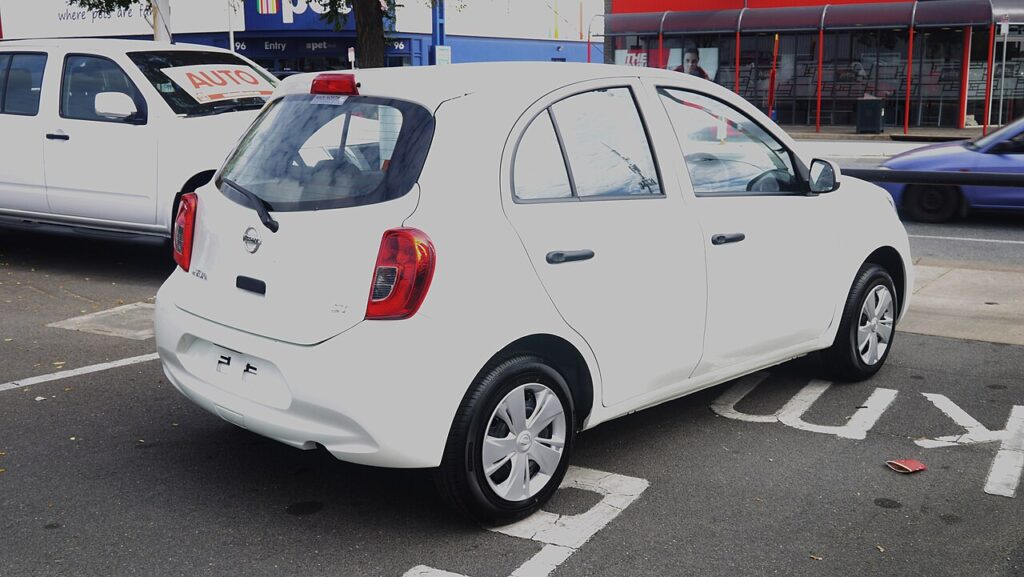
These instructions apply to the Nissan Micra Mk4 (K13) 2010-2017.
For other models, please choose your vehicle here.
The Nissan Micra K13 (2010–2017) — the fourth-generation Micra (sometimes badged Micra IV), Nissan’s global small hatchback built primarily in Chennai (India) for European markets — uses a menu-driven service indicator reset that’s identical across every K13 engine variant (1.2 HR12DE petrol, 1.2 HR12DDR supercharged DiG-S, the LPG dual-fuel version, and the 1.5 dCi diesel for the limited-market diesel variant). No diagnostic tool needed — everything goes through the cluster’s central LCD and the steering-wheel multifunction buttons.
When to Reset the Service Indicator
- After completing an oil and filter change.
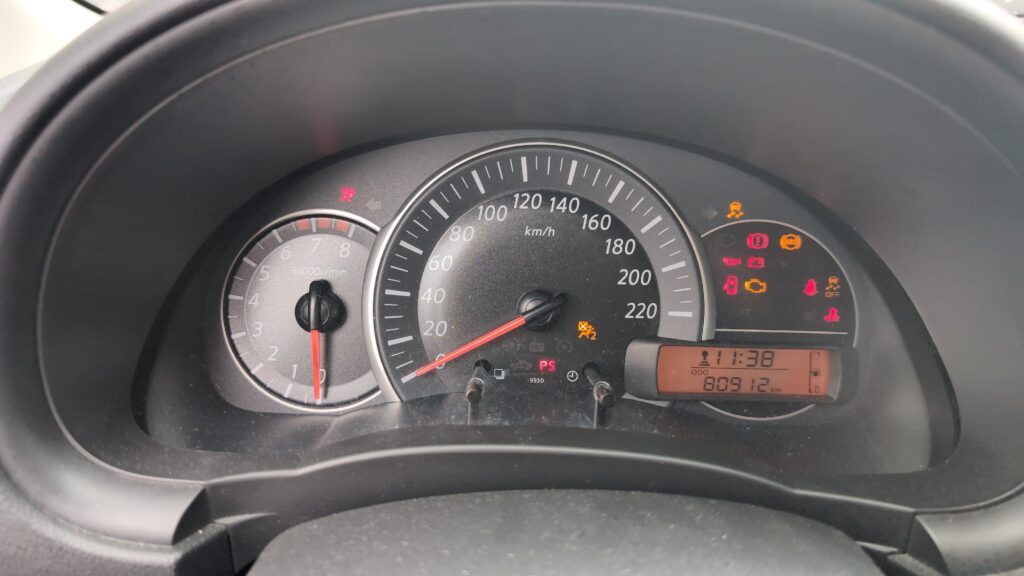
- If the spanner / wrench symbol with “SERVICE” or maintenance-due message appears at startup.
- If you bought the Micra second-hand and the previous owner didn’t clear the indicator.
⚠️ On the K13 Micra the service indicator tracks the oil-change distance counter. Other service items (brake fluid every 2 years, coolant every 5 years / 60,000 miles, timing chain — which is non-serviceable for life on the HR12 engines) aren’t tracked by the cluster.
Getting Ready
- Park on a level surface with the engine off. Complete the actual oil and filter change before the reset.
- Identify the steering-wheel buttons. The K13 procedure uses two buttons:
- Button 1 — the scroll button on the right-hand steering-wheel spoke. Marked with up/down arrows or a vertical rocker. Press repeatedly to step through menu items.
- Button 2 — the OK / select button next to it. Usually labelled with a checkmark or “OK”. Press once to confirm; press and hold to commit.
- Lower trims without the multifunction steering wheel use cluster-mounted equivalents — the right-hand stalk-mounted button for scrolling and the cluster’s central reset button for OK.
Tools Required
None for the reset itself. For the oil change: fresh Nissan-spec oil — 5W-30 ACEA C2 / Nissan Genuine 5W-30 for the 1.2 HR12DE petrol and the supercharged 1.2 DiG-S HR12DDR; a new spin-on filter (same part number for both 1.2 variants); a 17 mm sump-plug socket; a torque wrench rated to about 35 Nm.
Service Indicator Reset — Step-by-Step
- Turn the ignition ON with the engine off. On the K13 that’s the second click of the key, or one press of START/STOP on Smart Key trims (without a foot on the brake — pedal contact cranks the engine).
- Wait a moment for the cluster to fully wake and the central display to settle.
- Press button (1) repeatedly to scroll through the cluster’s menu list.
- Continue scrolling until “SETTINGS” appears on the display.
- Press button (2) to confirm and enter Settings.
- Press button (1) repeatedly again to scroll through the Settings sub-menu.
- Continue until “MAINTENANCE MODE” appears.
- Press button (2) to enter Maintenance Mode.
- Press button (1) repeatedly to scroll through the available service items.
- Select the service item you’ve completed (typically “Oil service” or “Service”).
- Press button (2) to confirm.
- Press button (1) repeatedly until “RESET” appears.
- Press and hold button (2) for more than 2 seconds. The cluster commits the reset.
- Press button (1) repeatedly until “BACK” appears on the display.
- Press button (2) to confirm and exit the menu.
- The service indicator has been reset.
- Switch the ignition off to fully exit.
Verify the Reset Worked
Switch the ignition off, wait 30 seconds, then cycle ignition back on. The spanner / SERVICE warning should be gone. Navigate back into the Maintenance Mode menu (Settings → Maintenance Mode → Service item) and the remaining-distance value should now show the full new interval — typically 10,000 miles (15,000 km) or 12 months for European-spec K13 Micra petrol cars.
When It Won’t Cooperate
- “SETTINGS” never appears in the menu when I press button (1). The K13 cluster has multiple top-level menus depending on trim level (Visia, Acenta, Tekna). On some trims the entry is labelled “VEHICLE SETTINGS” rather than “SETTINGS” — the path through Maintenance Mode is the same once you’re in.
- “MAINTENANCE MODE” isn’t an option. Some very early 2010–2011 K13 trims with the original cluster firmware label this section “SERVICE” instead. Same logic — pick whichever entry exists.
- I hold button (2) for 2 seconds at RESET but nothing happens. The K13 requires the hold to be more than 2 seconds — anywhere from 2.5 to 3 seconds works. Holding for exactly 2 seconds is on the edge and sometimes doesn’t commit. Hold longer.
- Reset works but the spanner symbol returns after a few miles. 12V battery condition is the usual cause on K13 Micras. The cluster EEPROM commits the new value, but cold-crank voltage drop can corrupt the write on a tired battery. Load-test the battery; replace if older than 5 years.
- I have a Micra DiG-S (HR12DDR supercharged) — same procedure? Yes. The DiG-S variant uses the same cluster and the same reset path as the standard HR12DE. The supercharged engine has a slightly higher oil-consumption rate and Nissan recommends a shorter service interval (typically 9,000 miles), but the reset procedure is identical.
- The K13 CC (Convertible/Cabriolet) — same procedure? Yes. The Micra CC (K13 convertible variant, sold mainly in Japan and Australia) shares the K13 hatchback’s cluster and firmware. Procedure unchanged.
- I drive the K13 facelift (post-2013) — same procedure? Yes. The 2013 K13 facelift updated the front bumper and added the DiG-S engine option but kept the cluster firmware identical. Procedure unchanged.
Frequently Asked Questions
What does the spanner symbol on the Nissan Micra mean?
On the K13 Micra the spanner / wrench icon is the oil-change service reminder. It illuminates when the service-distance counter drops to zero. The icon does not indicate an engine fault. The orange Master Warning lamp on K13 Micras (an exclamation mark in a triangle, separate from the spanner) is for body-control issues like low washer fluid, bulb-out, low brake-pad warning — those each have their own remedy.
How often does the K13 Micra service indicator come up?
Nissan’s official European-market schedule for the K13 Micra:
- 1.2 HR12DE petrol: 10,000 miles (15,000 km) or 12 months.
- 1.2 HR12DDR DiG-S supercharged petrol: 9,000 miles (15,000 km) or 12 months — slightly shorter for the higher-stress supercharged engine.
- LPG dual-fuel: 10,000 miles or 12 months on either fuel.
UK severe-service / short-trip driving typically halves the interval to 5,000 miles or 6 months. The cluster doesn’t auto-adjust to conditions.
Does the reset clear engine fault codes?
No. The reset zeros the maintenance counter only. Engine fault codes are stored in the engine ECU and need a scan tool. For DTC interpretation see autodtcs.com.
What about the K14 Micra (2017–2022)?
The fifth-generation Micra (K14) moved to a completely different platform (the Renault-Nissan CMF-B) with a different cluster generation. The reset path is similar to its CMF-B sister-car the Renault Clio Mk5 rather than the K13: Settings → Vehicle → Service Interval → Reset. We’ll publish a dedicated K14 guide.
And the K12 Micra (2002–2010)?
The K12 Micra uses an older cluster with a simpler trip-button-only reset. Different procedure — see our forthcoming K12 guide.
Is the K13 procedure similar to the Nissan Note E12?
Yes. The Nissan Note E12 (2013–2017) shares the K13’s V-platform and uses an essentially identical cluster firmware. The same menu path (Settings → Maintenance Mode → Service → Reset) works on both. We’ll publish a dedicated Note E12 guide.
I have a Micra with the Connect navigation system — does the path differ?
No. The Connect navigation system is a separate centre-console feature and doesn’t affect the cluster maintenance reset. The cluster menu is independent of the infotainment.
For DTC code interpretation on Nissan vehicles see autodtcs.com.
Independent guide — not affiliated with Nissan. Always follow your official service manual and safety precautions. Read our full disclaimer.