These instructions apply to the Hyundai i30 Mk3 (PD) 2017-Present.
For other models, please choose your vehicle here.
When the spanner (service) symbol or a “Service Required” message lights up in your Hyundai i30 Mk3 (PD, 2017–present), it simply means the mileage or time interval since the last service has elapsed. After the work is done the reminder needs clearing from the cluster menu. This guide shows the exact steps — no tools and no dealer visit needed.
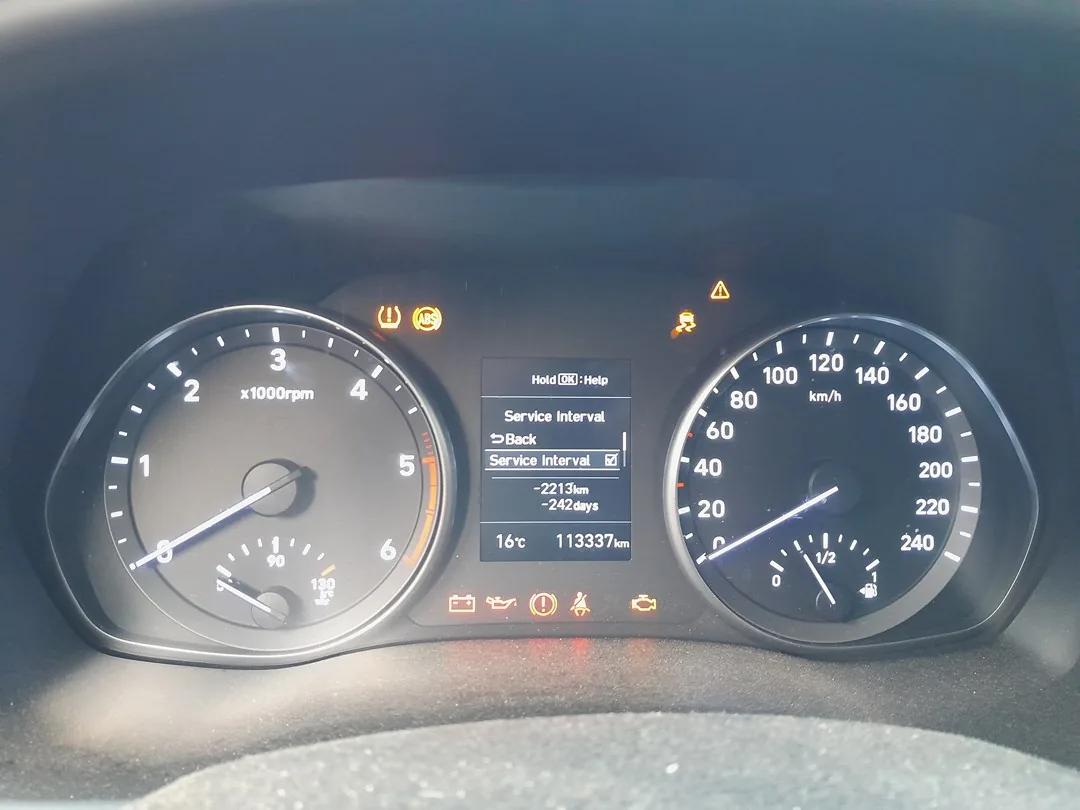
Before You Start
Only reset the indicator once the service has actually been carried out. Clearing it early just hides the reminder while the oil and filters keep ageing. The reset is done through the instrument cluster’s User Settings menu using the steering-wheel buttons.
How to Reset the i30 Mk3 Service Indicator
- Apply the parking brake.
- Turn the ignition on (engine does not need to be running).
- Press the ‘MENU’ button on the steering wheel repeatedly until ‘User Settings’ appears on the cluster display.
- Use the scroll/arrow buttons to move through the list and select ‘Service Interval’ (it may sit under a Service or Maintenance sub-menu).
- Press the ‘OK’ button.
- Select ‘Reset’ — the service reset display appears.
- Select ‘Yes’ to confirm.
- The interval resets to the full distance and the spanner symbol clears.
If the Reminder Comes Straight Back
- It reappears at start-up: the reset wasn’t confirmed — repeat and make sure you select ‘Yes’.
- A separate warning light is on: that’s a fault, not the service timer. The service reset won’t clear a genuine fault code — look the code up first.
Frequently Asked Questions
Does the engine need to be running to reset the i30 service light?
No — ignition on (accessory/ON position) is enough. Many owners reset with the engine off.
Where is the Service Interval option on the i30 Mk3?
In the cluster’s User Settings menu, reached by pressing the steering-wheel MENU button. The exact wording (Service Interval / Service) depends on the cluster trim.
Will resetting affect anything else?
No — it only restarts the service-interval countdown. It doesn’t touch any other setting or stored data.
The light stays on after resetting — why?
If it’s the spanner symbol, the reset wasn’t confirmed. If it’s a different warning (engine, oil pressure), that’s a fault needing diagnosis, not a service reset.
If a warning light appeared alongside the service message, look up the code on autodtcs.com. After disconnecting the battery for any work, see our i30 Mk3 battery guide.
Independent guide — not affiliated with Hyundai. Always follow your official service manual and safety precautions. Read our full disclaimer.