These instructions apply to the Honda CR-V Mk5 (RW/RT) 2018-2023.
For other models, please choose your vehicle here.
Disconnecting the 12 V battery on a Honda CR-V Mk5 (RW/RT, 2018–2023) is a straightforward engine-bay job. Owners usually do it for one of a few reasons: renewing a tired battery, isolating the electrics before bodywork or wiring jobs, putting the car into long storage, or recovering after a flat that a jump-start alone won’t fix. Done in the right order the CR-V wakes up cleanly — you just re-teach it a handful of things it forgets while the power is off. On the e:HEV hybrid the scope is exactly the same: you only ever touch the 12 V battery, never the orange high-voltage cabling, which is strictly workshop territory.
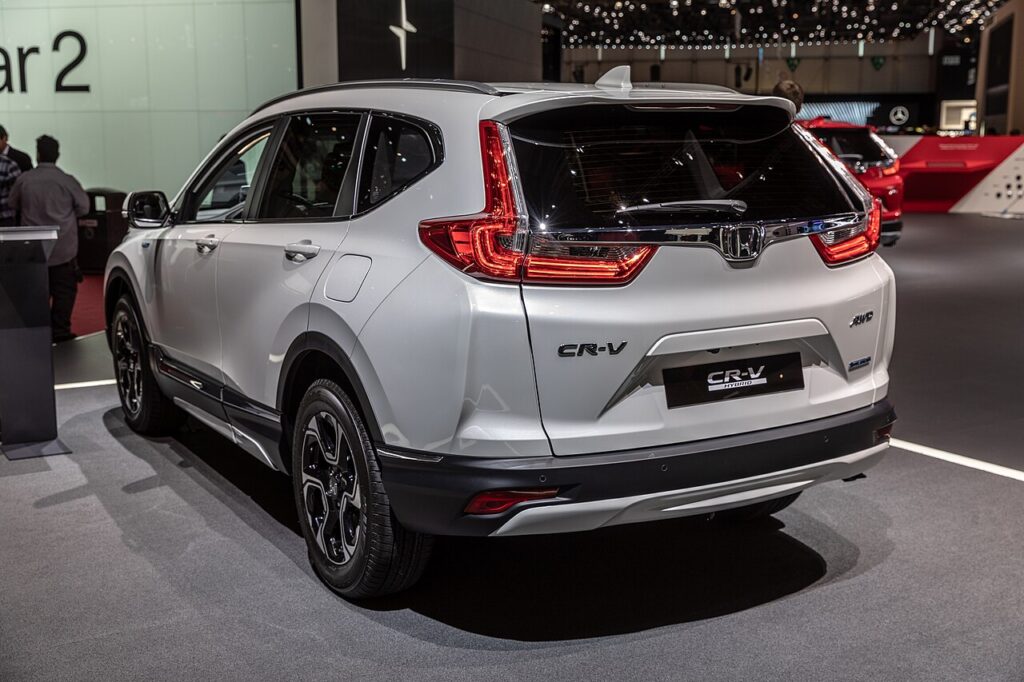
Where the 12 V Battery Is
The 12 V battery sits in the engine compartment, under a cover — on the petrol and the e:HEV hybrid alike. Lift the cover and you’ll see two terminals: the negative (−) with a black lead, and the positive (+) with a red lead and usually a protective flap over it. Identify both before you touch a spanner so you’re certain which one you’re loosening. The hybrid’s high-voltage traction battery is a completely separate system and is not something you go near — if a cable is bright orange, leave it alone.
First, a Few Checks
- Make sure the ignition is fully off (on the e:HEV, not in READY) and lights, climate and the tailgate are shut.
- Take the smart key out of the car and keep it a few metres away so the CR-V can’t re-wake a module mid-job.
- Note down anything that lives on stored power — radio presets, clock, driver settings — so you can restore them quickly.
- Wait a couple of minutes after switching off for the control units to power down before you loosen anything.
- Have the correct spanner ready (the terminals are usually a 10 mm nut), plus gloves and eye protection.
Disconnecting
- Open the driver’s door, switch the ignition off and remove the key (or keep a keyless fob out of range).
- Wait about 3 minutes after switching off so the control units and any airbag/pretensioner circuits fully power down.
- Loosen and disconnect the negative (−, black) terminal first, then tuck the lead well clear so it can’t spring back onto the post.
- If you’re removing the battery, disconnect the positive (+, red) next, then undo the hold-down clamp and lift the battery out.
Airbag/pretensioner safety: if you’ll be working near airbags or seat-belt pretensioners, let the system discharge for the full few minutes before you go near the wiring.
Reconnecting & Relearning
- Refit the battery and hold-down, then reconnect positive (+) first and negative (−) last; tighten both firmly and refit the cover.
- Reset the clock and re-enter your radio presets.
- The engine may idle slightly rough for the first minute or two — the idle relearns itself over the first few miles of driving.
- Recalibrate the tyre-pressure (deflation) monitor once tyres are at the correct pressures — see our CR-V Mk5 TPMS guide.
- If the service reminder needs clearing after the work, follow our CR-V Mk5 service reset guide.
A like-for-like 12 V battery does not need coding or registering on the CR-V — drive to relearn the idle and recalibrate the deflation monitor and you’re done.
If a Warning Light Stays On or the Car Feels Off
- Recheck that both terminals are clean and properly tight — a loose clamp is the most common cause of odd behaviour afterwards.
- Let the car relearn over a gentle 10–15 minute drive; several lights self-clear once the systems see normal running.
- If the deflation warning stays lit, re-run the tyre-pressure calibration with the tyres set correctly.
- If it was hard to start or died quickly, the battery itself may simply be flat or worn out rather than the disconnect being the issue.
- Any code that won’t clear on its own can be read and looked up so you know what you’re dealing with.
Frequently Asked Questions
Where is the 12 V battery on the CR-V Mk5?
In the engine compartment, under a cover, on both the petrol and the e:HEV hybrid. Lift the cover and you’ll see the black negative and red positive terminals. The hybrid’s high-voltage battery is separate and not something you touch.
Which terminal do I disconnect first?
Always the negative (−) first, and reconnect it last. That order keeps a spanner from bridging the positive post to the bodywork and causing a short.
Why wait 3 minutes before disconnecting?
It lets the control units and airbag circuits power down fully, so nothing is corrupted or left live when the battery comes off. It’s a quick pause that saves potential grief later.
What do I have to reset afterwards?
The clock and radio presets, a short idle relearn that happens as you drive, and the tyre-pressure deflation monitor. Driver profile and comfort settings may also want a check. Nothing needs a workshop.
Does a new battery need coding on the CR-V?
No — a like-for-like 12 V battery needs no coding or registration. Fit it, reconnect in the right order, reset the clock and recalibrate the deflation monitor, and the car is ready to drive.
Is it safe on the e:HEV hybrid, and can I just jump-start instead?
Yes — the 12 V system is isolated from the high-voltage side, so working on it is owner-safe as long as you never touch the orange cables. If the car just won’t start you can jump-start from the 12 V terminals, but a battery that keeps going flat needs replacing.
For any warning light that stays on after the job, look up the code on autodtcs.com so you know exactly what it’s telling you.
Independent guide — not affiliated with Honda. Always follow your official service manual and safety precautions. Read our full disclaimer.