These instructions apply to the Nissan X-Trail Mk4 (T33) 2022-Present.
For other models, please choose your vehicle here.
When the spanner or an “Oil and filter” maintenance message appears on your Nissan X-Trail Mk4 (T33, 2022–present) — mild-hybrid or e-Power — the oil-service counter has run down. It is a scheduled-maintenance reminder, not a fault. Nissan tucks the reset into the instrument-cluster Settings → Maintenance menu, driven by the steering-wheel buttons. Here’s the sequence; do the service first.
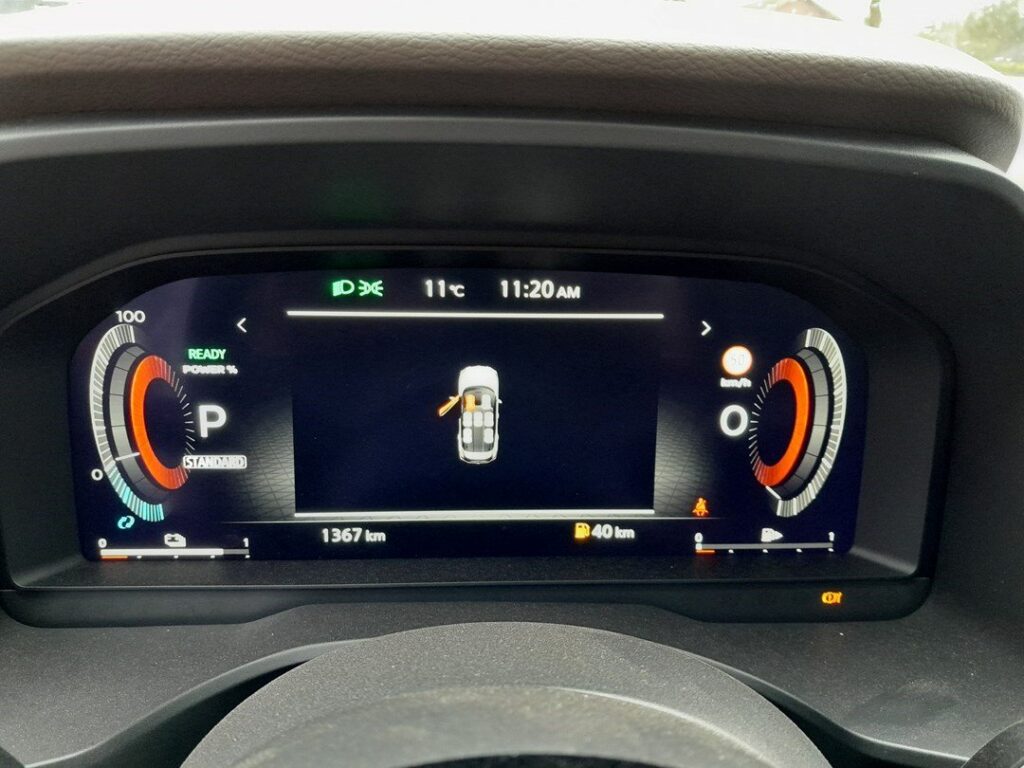
What the X-Trail Oil Service Message Means
The X-Trail Mk4 keeps a maintenance counter that measures distance and elapsed time since the last reset. When that counter runs down it shows the spanner symbol and an “Oil and filter” prompt in the cluster to tell you a service is due. Because the counter is a simple timer rather than a live reading of oil quality, it keeps counting regardless of whether the oil has been changed — which is why it has to be reset manually after each service.
The message applies equally to the mild-hybrid and the e-Power versions: both still use engine oil and a filter, and both track the same maintenance counter. Importantly, the spanner is a reminder, not a fault. The car drives normally. If instead you see a red light, or an amber light for a specific system, that is a genuine warning that a service reset will not clear — note the exact symbol before going further.
Reset After the Oil Change, Not Before
The counter only measures distance and time since the last reset — clear it only once fresh oil and a new filter are in.
Before you start, park on level ground and apply the parking brake. You need the dashboard powered up but the car not in “ready” mode, so press the power button without your foot on the brake. No tools are required — everything is done with the steering-wheel buttons and the cluster display.
How to Reset the X-Trail Mk4 Oil Service
- Power the car on to ignition on without going to “ready” (press the power button without your foot on the brake).
- Using the steering-wheel buttons, scroll to ‘Settings’.
- Select ‘Maintenance’ (confirm with OK).
- Select ‘Oil and filter’ (and/or ‘Oil control system’), then ‘Reset’, and confirm ‘Yes’.
- The maintenance counter returns to full and the message clears.
If the Reset Doesn’t Work
If the counter will not clear, it is nearly always because the sequence stopped short or the car was in the wrong power state. Check these first:
- Confirm the power state. The dash must be at ignition on, not “ready” and not fully off — press the start button without touching the brake.
- Go all the way to Reset. It is easy to open Maintenance and stop; step through to the Oil and filter item, then Reset, then Yes.
- Pick the right item. Reset the counter the display is prompting for — ‘Oil and filter’ and/or ‘Oil control system’.
- Hold the OK button long enough where the menu asks you to, and wait for the on-screen confirmation before moving on.
- Cycle the ignition and repeat. Power everything down, wait a few seconds, power back up to ignition on and run the steps again.
If It Doesn’t Clear
- You stopped short of ‘Reset’ — step right through to Reset/Yes.
- A separate warning is on — that’s a fault, not the service timer.
After the Reset
Once you confirm, the spanner and the “Oil and filter” message disappear straight away and the maintenance counter jumps back to a full interval. Nothing else is affected — the hybrid system, trip data and settings are all untouched — and the reminder will stay off until the next interval is reached.
How Often You’ll Need This
Reset the counter once after every scheduled service, immediately after the oil and filter have been renewed. The correct interval depends on the drivetrain and how the car is used, so follow the maintenance schedule in your owner’s handbook rather than a remembered figure. The dashboard prompt is a convenience reminder, not a replacement for that schedule.
Frequently Asked Questions
Where is the service reset on the X-Trail Mk4?
In the cluster menu: Settings → Maintenance → Oil and filter → Reset, using the steering-wheel buttons.
Do I need a diagnostic tool?
No — it’s done from the dashboard.
Does the system need to be “ready”?
No — just power the dash up (ignition on) without pressing the brake.
Is the reset the same on e-Power and mild-hybrid X-Trails?
Yes — both use the same Settings → Maintenance menu and the same steps, because both still have engine oil and a filter to track.
What is the ‘Oil control system’ item for?
It is part of the same maintenance counter. If the menu lists it alongside ‘Oil and filter’, reset whichever the display prompts to fully clear the reminder.
The message came back — why?
The reset didn’t reach ‘Reset’. Repeat and confirm to the end.
If a warning light appeared with the service message, look it up on autodtcs.com. After battery work, see our X-Trail Mk4 battery guide.
Independent guide — not affiliated with Nissan. Always follow your official service manual and safety precautions. Read our full disclaimer.