These instructions apply to the Honda Civic Mk11 (FE/FL) 2022-Present.
For other models, please choose your vehicle here.
To change the wiper blades or lift them off the glass in winter on a Honda Civic Mk11 (FE/FL, 2022–present), the arms need to be in their service position — standing up clear of the bonnet edge. If you just switch off, the arms park low under the bonnet lip where you can’t reach them. Here’s how to raise them.
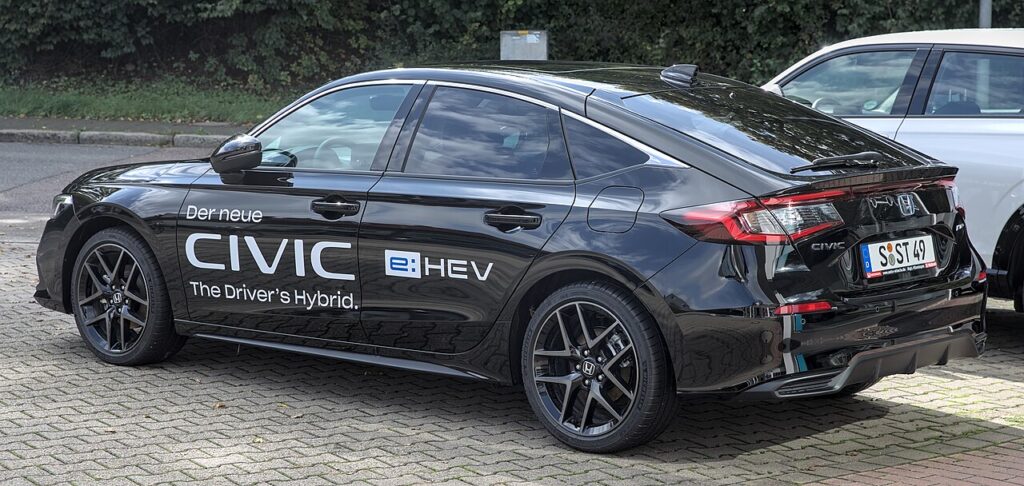
The service position — sometimes called the maintenance or winter position — parks the Civic’s wiper arms halfway up the windscreen so you can get at them. You’ll want it in two situations. The first is renewing tired blades, where you need clear access to the clip on the end of each arm. The second is cold weather: standing the arms off the glass overnight stops the rubber freezing to the screen, which is what tears a blade or overloads the wiper motor when you switch on to a frozen windscreen the next morning. On the Mk11 this is a designed-in feature, not a fault, and it takes only a few seconds once you know the timing.
Why You Need the Service Position
The Civic’s wipers park tucked below the bonnet trim, low and out of sight. That looks tidy and helps airflow, but it also means the arms can’t be swung up while parked — the trailing edge of the bonnet is in the way. Force an arm up from park and you risk bending it, straining the linkage, or cracking the trim. Honda provides a service-position mode that first drives the arms up and clear of that lip, leaving them standing vertically on the glass where there’s nothing to foul them.
Before You Start
- Make sure the bonnet is fully closed and latched so the arms have clear travel.
- Be ready to cycle the ignition — the switch-off is what arms the mode.
- If the blades are frozen to the glass, free them gently first; driving the motor against ice can stall or damage it.
- Have the new blades ready and note how the old ones clip on before removing them.
- Work one arm at a time so you can always support the other.
How to Set the Wiper Service Position
- Make sure the bonnet is closed.
- Turn the ignition ON, then OFF.
- Within 10 seconds of switching off, hold the wiper stalk in the ‘MIST’ position for about 3 seconds.
- The wipers move up to the service position.
- Lift the arms away from the glass to change the blades or clear snow.
Returning Them to Park
When you’ve finished, fold the arms carefully back down so they rest flat on the glass. Then turn the ignition on and operate the wipers once — the motor takes over and returns them to the normal parked position under the bonnet lip. Run a quick wash-and-wipe to confirm both arms sweep cleanly and settle where they should.
If the Wipers Won’t Lift
- You missed the 10-second window — cycle the ignition off and try again promptly.
- Hold the MIST position a full 3 seconds — a quick flick just does a single wipe and won’t trigger the mode.
- Wrong ignition state — you need the on-then-off cycle, with the stalk held while it’s off.
- The bonnet isn’t fully latched — close it properly so the arms have room to rise.
- The blades are frozen down — free them from the glass first, or the motor can’t move the arms.
- The wipers weren’t at rest — let them finish parking before you trigger the mode, then retry.
Changing the Blades / What to Expect
With the arms standing up, support each one as you work — a wiper arm is spring-loaded, and if it snaps back onto bare glass it can crack the windscreen. Most Civic Mk11 blades use a common clip fitting: release the catch, slide the old blade off the end of the arm, and clip the new one on until it clicks home. Then lower the arm gently by hand rather than letting it fall. Do one side, then the other, so both arms are never left unsupported at once.
Frequently Asked Questions
How do I put the Honda Civic wipers in service position?
Turn the ignition on then off, and within 10 seconds hold the wiper stalk in MIST for about 3 seconds. The arms rise to vertical, ready for a blade change or frost lifting.
Do I need any tools?
No. The service position is set entirely with the wiper stalk. Changing the blades needs no tools either — the clip fitting releases and locks by hand.
How do I get them back down?
Fold the arms back onto the glass, turn the ignition on and run the wipers once. The motor returns them to their normal parked spot under the bonnet lip.
Can I just lift the wipers at park instead?
No — at park they sit under the bonnet lip and won’t swing up without fouling the trim, which risks bending an arm or cracking it. Use the service-position mode so they clear the lip first.
Why won’t my Civic enter the service position?
Usually the MIST position was held too briefly, the 10-second window was missed, or the ignition cycle wasn’t right. Frozen blades can also stop the arms. Free the glass, cycle the ignition off, then hold MIST for the full three seconds.
Does using the service position reset anything?
No. It only moves the wiper arms; it doesn’t clear service reminders, fault codes, or stored settings. It’s purely a mechanical convenience for reaching the blades.
Doing other jobs after a battery change? See our Civic Mk11 battery guide. For warning lights, look up the code on autodtcs.com.
Independent guide — not affiliated with Honda. Always follow your official service manual and safety precautions. Read our full disclaimer.