These instructions apply to the Skoda Kamiq Mk1 (NW4) 2019-Present.
For other models, please choose your vehicle here.
Taking the 12 V battery off a Skoda Kamiq (NW4, 2019–present) is a simple under-bonnet task. Here’s the safe order plus what to re-teach once power is back.
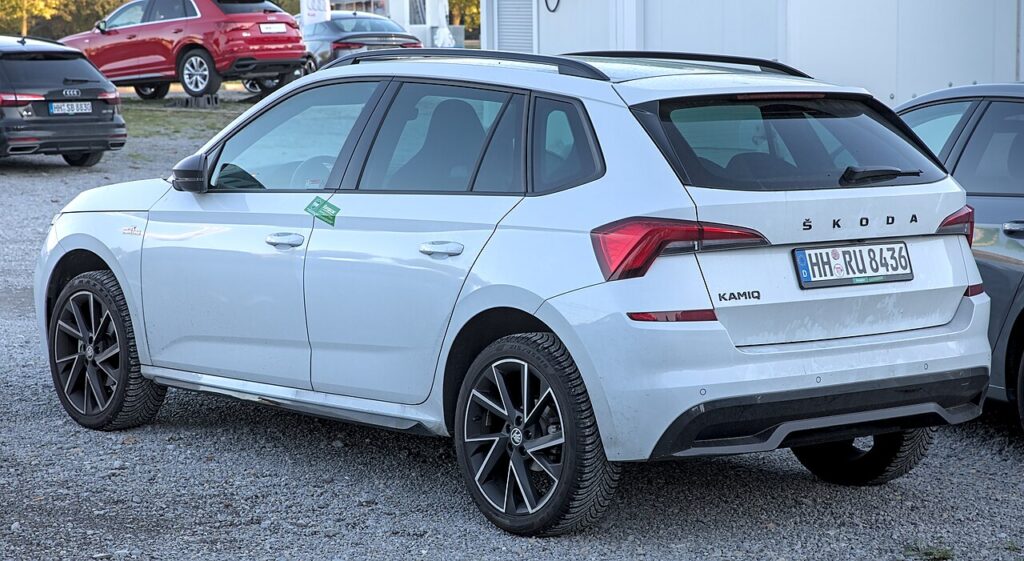
You’d disconnect the battery for a few everyday reasons: renewing a tired one, electrical or bodywork jobs that call for a dead circuit, storing the car over winter, or clearing up after a jump-start. Done in the right order the Kamiq wakes back up cleanly — the main things you’ll notice are a reset clock and the one-touch windows needing a quick re-teach.
Battery Location
The 12 V battery sits in the engine bay beneath a cover. The petrol (TSI) and CNG (G-TEC) Kamiq has no high-voltage system to worry about, so this is a straightforward 12 V job.
Lift the cover and you’ll find the two terminals: the negative (−) earth, usually black, and the positive (+), usually red under a flip-up cap. Identify both before you put a spanner near them.
Getting Ready
- Make sure the ignition is fully off and the car has finished shutting down.
- Take the key well away so keyless models can’t wake and re-power circuits.
- Switch off lights, climate and wipers, and close the doors you don’t need.
- Give it a minute or two for the modules to power down before loosening anything.
- Have the right spanner, gloves and eye protection ready; the Kamiq radio doesn’t use a security code, so there’s nothing to note there.
Taking It Off
- Turn the ignition off, take the key well away and give it a minute to power down.
- Undo the negative (−) terminal first and move the lead aside so it can’t spring back.
- To lift the battery out, undo the positive (+) and the hold-down clamp.
Putting It Back
- Connect positive (+) first, then negative (−) last; tighten both clamps and refit the cover.
- Set the clock; the infotainment comes back by itself.
- Re-teach the one-touch windows — our Kamiq window guide shows how.
A same-spec battery doesn’t need coding; a different capacity or type should be registered to the energy-management system with an OBD tool so the start-stop and charging behaviour suit it.
Most of the car looks after itself: the radio presets, phone pairings and driver-assist settings normally survive a short power-off. What you’ll actually re-do is the clock, the one-touch windows, and occasionally a stop-start message that clears once the battery has held a steady charge for a drive or two. If your Kamiq runs an AGM or EFB battery for stop-start, fitting a like-for-like replacement keeps things simple — it’s only a change of battery type or size that makes the energy-management registration worth doing.
If the Dash Still Warns
- Check both clamps are tight — a loose earth causes most of the odd behaviour seen afterwards.
- Let the car relearn over a short drive; stop-start and a few assistance functions settle after a couple of normal cycles.
- Re-do the window re-teach if one-touch or anti-pinch has stopped working.
- Rule out a genuinely flat or aged battery — a weak 12 V keeps a Skoda throwing faults.
- If a light stays lit, read the stored code before replacing parts.
Frequently Asked Questions
Negative or positive first on the Kamiq?
Negative (−) off first and on last. On refit, positive goes on first and negative last, so a slipped spanner can’t short to bodywork.
Where is the battery on a Kamiq?
In the engine bay under a cover. The TSI petrol and G-TEC CNG Kamiq has no high-voltage system, so it’s a simple 12 V disconnect with no orange cabling to avoid.
Does a new Kamiq battery need coding?
Like-for-like, no; a different type or capacity should be registered to the energy-management system for the correct charging and start-stop profile.
Will the radio lock?
No code is usually needed — the infotainment comes back on its own. Just reset the clock and check your saved stations are still there.
My windows won’t auto-close now — why?
Cutting power wiped their learned travel. A quick re-initialise restores one-touch and anti-pinch; the linked window guide walks through it.
Can I jump-start it instead of removing the battery?
Yes — if the battery is merely flat, jump-starting from the engine-bay terminals is quicker and avoids disturbing anything. Only disconnect fully when you’re renewing the battery or need a dead circuit.
Any warning light that stays lit? Look it up on autodtcs.com. To clear the service message, see our Kamiq service reset.
Independent guide — not affiliated with Skoda. Always follow your official service manual and safety precautions. Read our full disclaimer.