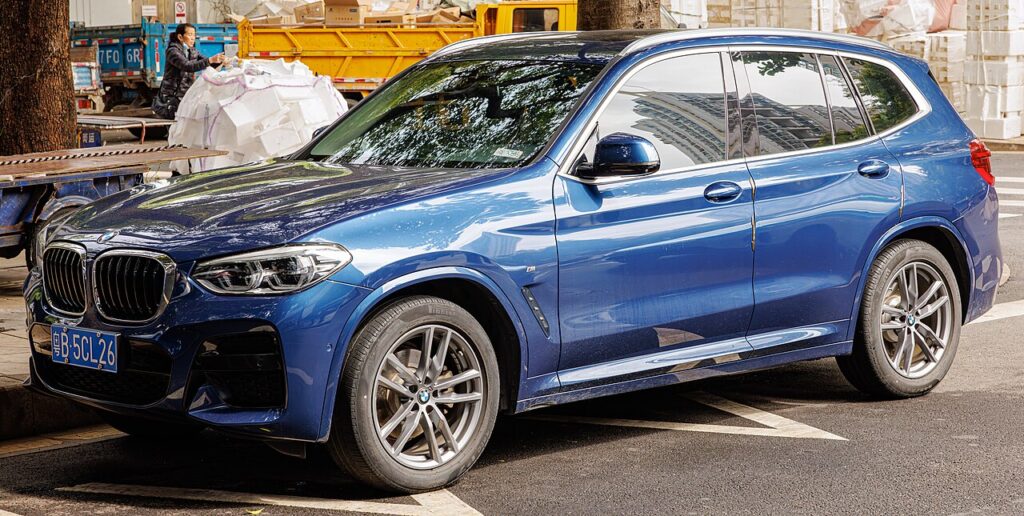
These instructions apply to the BMW X3 Mk3 (G01) 2017-Present.
For other models, please choose your vehicle here.
If the one-touch (auto up/down) windows stop working on your BMW X3 (G01, 2017–present) — usually after the battery was disconnected or went flat — the window motor has lost its learned end-stops and anti-trap reference. Re-teaching it takes seconds per door, no tools.
This is one of the most common jobs owners meet straight after battery work on the G01 X3, and it is not a fault. The glass still raises and lowers whenever you hold the switch — only the automatic express run and the anti-trap safety have dropped out. A quick relearn from the door switch brings both back, with no scan tool and no dealer visit.
How It Works on This X3
Each door’s window motor works through a control unit that stores the exact fully-up and fully-down positions. The car reads those learned end points to know when to finish an express movement and to detect the added resistance that trips anti-trap, reversing the glass if it catches an obstruction on the way up. When the 12V battery is disconnected, discharges flat, or a window fuse is pulled, that stored reference is cleared and the door falls back to a safe hold-to-move mode. On the G01 each front and rear window normally has its own express-up/down, and the convenience open/close from the key may also rely on the same reference, so both return once the door is relearned.
First, a Few Checks
- Sit inside with the door closed so the glass seats at its true top position in the frame.
- Put the ignition on (press start to RUN without the brake, or engine running).
- Make sure the 12V battery is healthy — a weak supply is the usual reason a relearn won’t hold.
- Do one window at a time from its own switch, keeping fingers clear of the glass edge.
- After a battery reconnect, expect to repeat this on each door that lost its automatic function.
How to Re-initialise a Window
- Sit in the car with the door closed and the ignition on.
- Pull the switch up to fully close the window and keep holding for a few seconds after it stops.
- Release, then push the switch down to fully open and hold a moment at the bottom.
- Pull up again to fully close and hold for a few seconds at the top.
- Release and test one-touch up and down — it should now run on its own.
Repeat for each affected window using its own switch.
If One-Touch Still Doesn’t Work
- Hold a little longer at the fully-closed stop — the controller needs to register the top limit before it will run express.
- Make sure the door is shut and the battery is healthy during the learn.
- Run the cycle a second time — some doors need two full up-down-up passes before express sticks.
- Charge or test the 12V battery if it was flat; low voltage is the most common cause of a learn that won’t hold.
- Check the window fuse if a door is completely dead rather than just manual.
- A worn regulator, tired motor, or a switch that has been wet can block the learn, in which case a stored door or body fault may be logged.
Once It’s Done
Once the relearn takes, a single tap runs the glass all the way up or down again, and the anti-trap reversal is active — test it gently and it should stop and drop if it meets your hand near the top. The setting is stored, so it holds through normal driving and won’t need repeating unless the battery is disconnected again. Any convenience closing from the key should also work normally once the door is relearned.
Frequently Asked Questions
Why did my X3 windows stop going up automatically?
A battery disconnect or flat battery wiped the door module’s learned fully-open and fully-closed positions. Without them it can’t run express or judge anti-trap, so it reverts to hold-to-move. Re-initialising the window re-teaches the limits and restores one-touch.
How do I reset the auto window on a BMW X3?
With the door shut and ignition on, hold the switch up to fully close and keep holding a few seconds past the stop; if needed, fully open, then fully close again holding at the top. That up-down-up cycle re-teaches the controller. Repeat at any other affected door.
Do I have to do every window?
Only the ones with one-touch that stopped working — re-teach each from its own switch. After a battery disconnect that’s often all of them, but a single affected door can be relearned on its own while the rest keep their stored limits.
Do I need a tool or a scan tool?
No. It’s done entirely from the window switches in the doors — no scan tool, no iDrive menu, no workshop equipment. It only becomes a diagnostic job if a fuse, motor, regulator or switch has actually failed and the relearn won’t complete.
It still won’t one-touch after trying — what next?
Repeat the up-down-up cycle slowly with the door closed, holding a clear extra second at the top. If it still won’t take, suspect a weak 12V battery, a blown window fuse, or a tired regulator or motor. A stored trouble code will point you to the cause.
Will disconnecting the battery again undo this?
Yes. Any time the door modules lose power — a flat battery, a battery swap, or pulling the window fuse — the learned limits clear and you repeat this quick relearn. It’s normal, takes under a minute, and does no harm to the motors.
This is the step most owners miss after battery work — see our X3 battery guide. For warning lights, look up the code on autodtcs.com.
Independent guide — not affiliated with BMW. Always follow your official service manual and safety precautions. Read our full disclaimer.