These instructions apply to the SEAT Ateca Mk1 (KH) 2016-present.
For other models, please choose your vehicle here.
When the remote on your SEAT Ateca (2016–present) only locks the car from arm’s length, drops out in cold weather, or throws a “Key battery: low” message on the dash, the cause is nearly always the little coin cell inside the fob rather than anything wrong with the car. The Ateca — built on the Volkswagen Group MQB platform it shares with the Leon, Ibiza and VW Tiguan — uses a single style of remote across the range: the familiar VAG folding “switchblade” key, where the metal blade flicks out at the press of a button. Cars fitted with Keyless Entry & Start (KESSY) use the same physical key, but the fob is awake far more of the time, so its battery runs down noticeably faster. Here is exactly how to open the key, which cell to fit, and why a brand-new key is the one job you can’t finish at home.
How to Tell the Fob Battery Is Dying
- Shrinking range. You have to be right beside the Ateca — or almost touching the door handle with the fob — before it locks or unlocks. This is the first and most reliable sign.
- A “Key battery: low” warning. The Ateca’s instrument display shows a low-key-battery message when the cell is weak. On KESSY cars you may also get a “Key not detected” or “Please place key on marked area” prompt when trying to start.
- Cold-weather dropouts. A cell that is fine on a mild day can sag below the voltage the transmitter needs on a frosty morning, so the remote works intermittently.
- Keyless entry stops sensing. On KESSY-equipped cars the door handles stop unlocking on approach before the button remote fails outright — a useful early warning.
A standard Ateca remote runs for roughly two to four years on a cell. A KESSY keyless fob transmits almost constantly, so owners commonly report only nine to twenty months between changes — that is normal, not a fault.
The Battery You Need
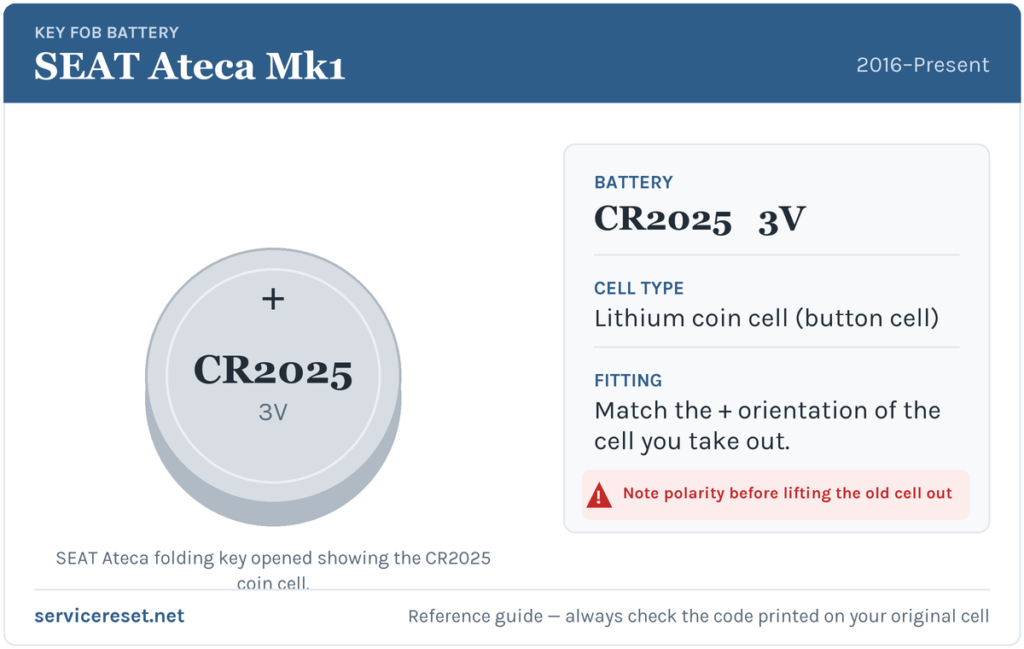
Early Ateca keys were supplied with a CR2025 3-volt lithium coin cell as the original specification, and that is the correct like-for-like replacement. The CR2032 is the same 20 mm diameter but slightly thicker, giving around 50% more capacity, and many owners fit one to stretch the interval — it works, but it is a tight squeeze under the retaining clip and a small number of cars are fussy about the extra thickness and show a “key not detected” error. If in doubt, or if you hit that error, drop back to the CR2025 the key was designed for. Either way, the safest rule is simple: match the code printed on the cell you take out. Buy a fresh, branded cell (Panasonic, Duracell, Varta) — and if it arrives with a plastic sticker on it, peel that off first, as leaving it on stops the fob working.
How to Open the SEAT Ateca Key and Change the Cell
- Flick out the metal blade. Press the small release button on the side of the fob and let the folding blade spring out. Leaving the blade extended gives you something to hold and takes the spring tension off the case.
- Slide off the back cover. Turn the key over. The rear cover slides off in the direction of the small moulded arrow — push it firmly but without force. The cover is under light spring pressure, so keep a thumb over it as it releases so nothing pings across the room.
- Lift out the old cell. Ease the coin cell out from under its retaining clip with a fingernail or a thin plastic tool. Note which way up it sits before it comes free — the printed code and the clip position tell you the correct orientation.
- Fit the new cell the same way round. Drop the fresh CR2025 (or CR2032) in with the same face up as the one you removed, and make sure it clicks fully under the clip against clean contacts. Try not to touch the flat faces with your fingers.
- Refit the cover and blade. Slide the back cover on until it clicks home, then fold the blade away. That’s it — no programming is needed.
⚠️ Get the orientation right. The Ateca’s cell seats under a sprung clip that only makes proper contact one way round. Fit it upside down and the remote simply won’t respond — and a cell held against the wrong contacts can drain quickly — so always copy the orientation of the cell you removed rather than guessing.
Make Sure It Took
Stand back a few metres and lock, then unlock, the car with the buttons. Full range should return straight away. If the dash was showing “Key battery: low,” that message clears the next time the car reads a healthy fob — sometimes instantly, sometimes after one drive cycle. On KESSY cars, confirm the door handles once again unlock on touch and that the car starts without having to hold the key to the reader.
If a Fresh Cell Doesn’t Fix It
- Re-check orientation and seating. An upside-down or half-seated cell is by far the most common reason a “new” battery seems dead. Pop it out and refit it the way the old one sat.
- Peel any protective sticker. Some cells ship with a thin plastic film over one face — leave it on and the fob gets no power.
- Wipe the contacts. A little finger grease or corrosion on the terminals is enough to cause dropouts; clean them with a dry cloth.
- Try a CR2025 if you fitted a CR2032. If the car now reports “key not detected,” the thicker cell may be sitting proud of its clip — swap back to the CR2025 the key was specified for.
- Rule out the car’s own 12 V battery. A weak vehicle battery can occasionally mimic key faults; if the Ateca is also slow to wake or reluctant to start, have the main battery checked.
New Key or Spare — Why It’s a Dealer Job
Changing the cell keeps the fob’s existing coding, so the remote keeps working immediately with no reprogramming. Adding a spare or replacing a lost key is a different matter: a blank VAG key has to be ordered against the car’s VIN, cut to match, and then paired to the Ateca’s immobiliser with SEAT-approved diagnostic equipment. That coding step is what stops a stolen blank starting your car, and it’s why a new or additional key means a trip to a SEAT dealer or a properly equipped auto-locksmith. The cheap insurance is to keep the battery in your spare key fresh too, so you’re never down to one working remote.
Frequently Asked Questions
What battery does a SEAT Ateca key fob take?
A single 3-volt lithium coin cell. The original specification is a CR2025; the slightly thicker CR2032 is the same diameter and fits most keys for longer life, though it can be a tight squeeze. Match the code on the cell you remove.
Can I use a CR2032 instead of a CR2025 in my Ateca?
Usually yes — it’s the same 20 mm width and gives around 50% more capacity. It sits tighter under the clip, and a few cars respond with a “key not detected” message; if that happens, go back to the CR2025.
Do I need to reprogram the key after changing the battery?
No. A battery swap doesn’t affect the fob’s coding, so it works the moment the cover clicks back on. Only a brand-new key needs pairing to the car.
Why does my KESSY keyless Ateca eat batteries so fast?
A keyless fob is awake and transmitting far more of the time than a button-only remote, so nine to twenty months between cells is typical rather than a fault. Keeping the key away from the car when parked at home slows the drain a little.
My Ateca key still won’t work after a new battery — what now?
Check the cell is the right way up and fully clipped in, peel off any plastic film, and wipe the contacts. If you fitted a CR2032 and see “key not detected,” try a CR2025. If a known-good cell still gives nothing, the fob’s transmitter may have failed and need replacing — but that’s rare next to a flat or upside-down battery.
Can I still drive the Ateca if the fob battery is completely dead?
Yes. Use the fold-out metal blade to unlock the driver’s door, then hold the key against the marked start reader (usually the steering column or a spot in the centre console) so the car can read it, and start as normal. A dead cell won’t strand you.
If the remote died suddenly — right after the car’s 12 V battery was disconnected, say — rather than fading gradually, the issue is more likely a stored electrical fault than the cell; checking the code the car has logged on autodtcs.com will tell you whether the key itself is really to blame.
Independent guide — not affiliated with SEAT. Always follow your official service manual and safety precautions. Read our full disclaimer.