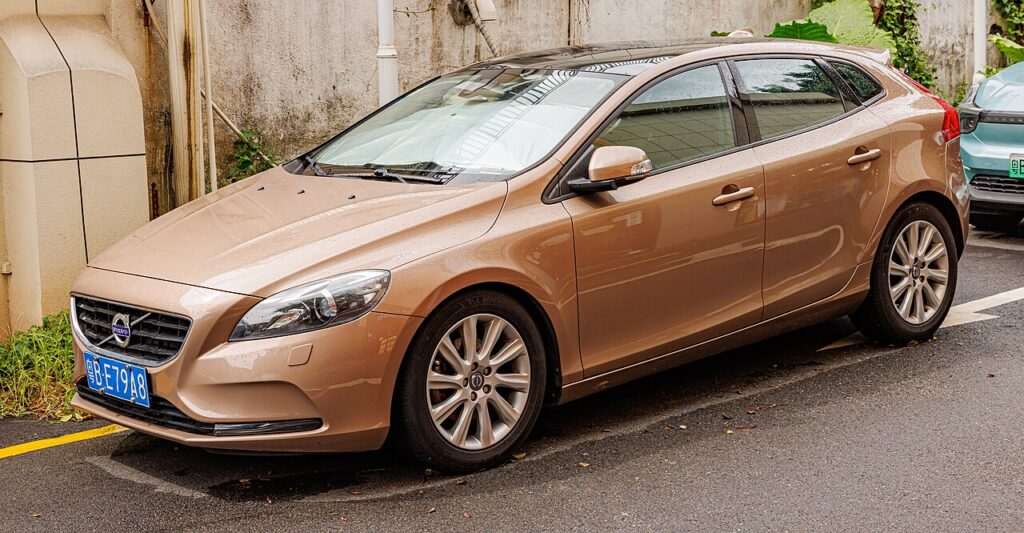
These instructions apply to the Volvo V40 Mk2 (525) 2012-2019.
For other models, please choose your vehicle here.
After a service the maintenance reminder on your Volvo V40 (525, 2012–2019) stays on until you clear it. It’s done with the OK button and the ignition — no dealer tool needed.
The prompt you see — usually a spanner (wrench) symbol with a “Time for regular service” style message in the driver’s display — is the V40’s built-in service reminder. It is a maintenance timer, not a fault code: it tells you the next scheduled service has come due, nothing more. The car keeps driving normally, but the message will not disappear by itself. It has to be reset so the counter knows the work has been completed and can start counting toward the next service.
What the Service Reminder Means
The V40 works out when a service is due from a combination of distance driven, elapsed time and how the engine has actually been used, then displays the reminder when the first of those limits is reached. That is why the message can appear before you hit a round mileage figure — a car that does mostly short, cold journeys is worked harder per mile than one doing steady long runs. Because the exact trigger depends on your car’s settings and history, treat any specific mileage or month figure as a guide only and confirm the service intervals for your V40 in its owner’s handbook or service record.
The reminder often shows briefly each time you switch on and then clears from the main display, which can make it easy to ignore. It is still counting, though, so once the service has been carried out it is worth clearing it properly rather than living with the flash at every start-up.
Before You Start
Only reset once the work is genuinely done — the reminder tracks when the next service is due. Clearing it on a car that has not actually been serviced just removes your best record of when the oil was last changed. Before you begin:
- Park on level ground with the handbrake applied and the car in neutral.
- Switch to ignition on with the engine off — the reset runs on the ignition position, not while running.
- No tools are needed; it is done entirely with the stalk OK button and the key or start/stop button.
- Know which type your car is — a turn-key ignition or a start/stop button — and follow the matching sequence below.
Resetting — Cars Without a Start/Stop Button
- Turn the ignition key to position ‘1’.
- Press and hold the ‘OK’ button (on the indicator stalk).
- Turn the ignition key to position ‘2’ and keep holding.
- After about 10 seconds the service light flashes; release the button — the interval is reset.
Resetting — Cars With a Start/Stop Button
- Briefly press the start/stop button to reach ignition position I.
- Press and hold ‘OK’, then briefly press the start/stop button again to switch the ignition on.
- After about 10 seconds the service light flashes; release the button.
If It Won’t Clear
If the reminder is still there, run the sequence again slowly — the timing of the OK button is the usual sticking point. Check these:
- Hold ‘OK’ through the flash — you must keep the button pressed the whole time, including the moment the service light flashes; release too early and it will not confirm.
- Engine off — the reset is done on the ignition position, not with the engine running.
- Right ignition position — start the sequence from the correct position (1, or position I on start/stop cars) so the ~10-second count can begin.
- Use the OK on the stalk — it is the indicator/wiper-stalk button used for the trip-computer menu, not a screen control.
- Cycle and retry — switch fully off, wait a few seconds, and repeat the whole routine from the start.
What to Expect After Resetting
When the reset takes, the spanner symbol and service message clear from the driver’s display and the service counter starts again toward the next interval. There is no further confirmation needed and nothing else is affected — your trip meters, audio and settings stay as they were. At the next start-up you should no longer see the “time for service” prompt, which is the simplest way to confirm it worked.
How Often to Reset It
Reset the reminder once after each scheduled service. On the V40 that is normally a regular service at a set time or distance, whichever the car reaches first, so the gap between resets depends on how much and how you drive. Follow the intervals set out in your handbook or service book rather than a fixed number, and treat the reset purely as the closing step of a service you have already completed — not as something to do on its own.
Frequently Asked Questions
How do I reset the service light on a Volvo V40?
Ignition to position 1, hold the OK button, turn to position 2, wait ~10 s until the service light flashes, then release. On start/stop cars, use ignition position I, hold OK, and press the start/stop button to switch on.
Do I need a Volvo diagnostic tool?
No — the OK button and ignition reset the reminder from the driver’s seat. A workshop tool is not needed for the standard service reminder.
Where is the OK button?
On the indicator/wiper stalk used for the trip-computer menu. It is the same OK you use to scroll and select the display readouts.
My car has a start/stop button — is the method different?
Slightly. Instead of turning a key, you press start/stop to reach ignition position I, hold OK, then press start/stop again to switch on and keep holding until the light flashes.
Why did the reminder come on before the mileage I expected?
The V40 uses time and driving conditions as well as distance, so a car doing short or hard trips can reach the service point sooner. It is not a fault — just the interval being reached earlier.
Does this clear a warning light?
No — only the service reminder, not a fault light.
If a warning symbol (not the service reminder) is lit, look the code up on autodtcs.com. Changing the battery too? See our V40 battery guide.
Independent guide — not affiliated with Volvo. Always follow your official service manual and safety precautions. Read our full disclaimer.