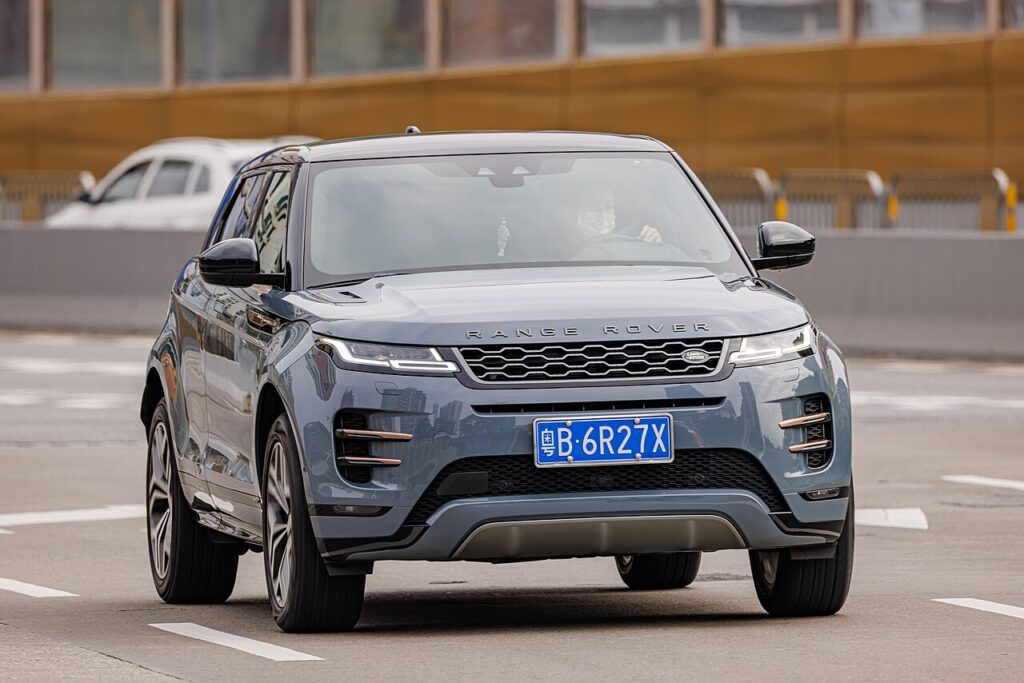
These instructions apply to the Land Rover Range Rover Evoque Mk2 (L551) 2019-Present.
For other models, please choose your vehicle here.
The second-generation Range Rover Evoque (L551, 2019–present) carries a keyless smart fob that you almost never look at — until the day the car stops recognising it. If your Evoque now insists on the key being pressed to the door handle, or the driver display shows a low smart-key-battery warning, the coin cell inside the fob has run flat. It is one of the easiest fixes on the whole car once you know how the hidden emergency blade releases the case. Here is the exact battery the L551 uses, the right way to split the fob without scuffing it, and why a replacement key is still a dealer errand.
How to Tell the Fob Battery Is Dying
- Keyless range falls away. The Evoque no longer senses the key as you walk up; you end up holding the fob against the handle to lock or unlock. Shrinking range is the first and clearest symptom.
- A low smart-key-battery message. The L551 cluster shows a warning when the fob voltage drops — take it as a sign to change the cell within a few days.
- Push-button start hesitates. The engine may not catch on the first press, or you have to hold the fob near the start button or column before the car reacts.
- Cold snaps make it worse. A tired cell loses more voltage in the cold, so an intermittent fob often gives up entirely on the first cold morning.
A CR2032 in an Evoque fob usually lasts two to four years. Because the key is always answering the car, leaving it right beside the vehicle overnight uses it up faster than carrying it does.
The Battery You Need
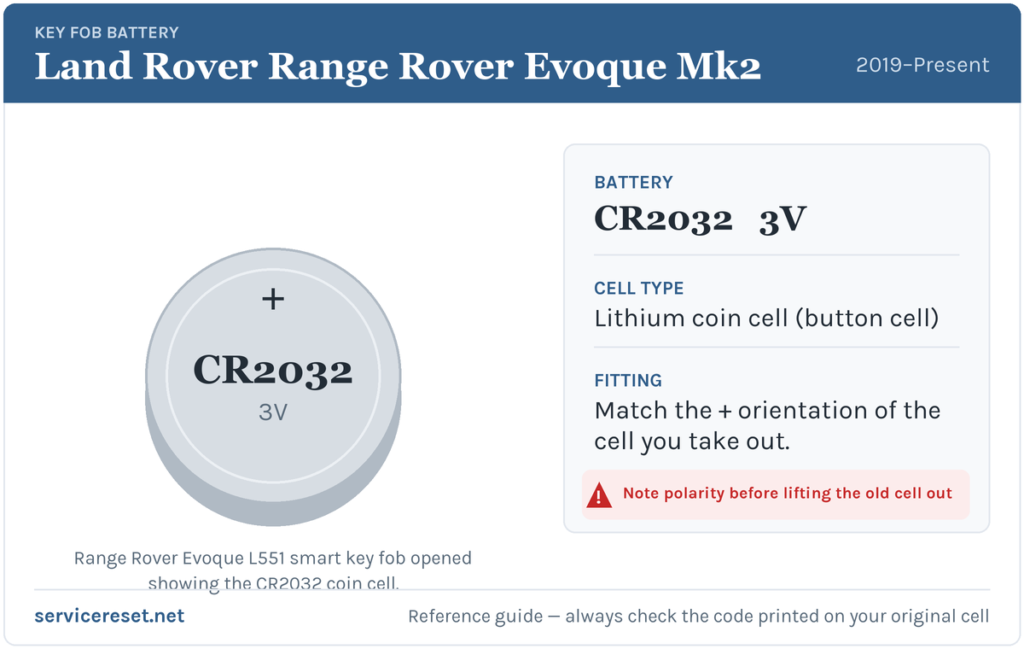
The Evoque L551 smart key uses one CR2032 — a 3-volt lithium coin cell, 20 mm in diameter and 3.2 mm thick. It is a commodity battery available at any supermarket or hardware shop. Fit a quality branded cell and avoid the thinner CR2025; it looks the same but sits loose against the terminals and can give weak range even when brand new. Handle the fresh cell by its edge alone, keeping fingers off the flat faces so no residue reaches the contacts.
Method — Keyless Smart Fob
- Release the emergency blade. Press the small catch on the side of the fob and slide the metal emergency key blade out of its slot.
- Prise the case apart. Insert the tip of that blade — or a thin plastic tool — into the gap it leaves behind and gently lever the two halves of the fob open. It parts with light pressure and no screws are involved.
- Take out the old cell, noting how it sits. In the Evoque fob the CR2032 seats positive (+) face up, so the printed side faces you when the case is open. Glance at the old cell before removing it.
- Fit the new battery and reassemble. Slide the fresh cell under its clip the same way up, press the halves together until the seam clicks closed, and push the emergency blade back in until it latches.
⚠️ Get the polarity right. A CR2032 put in upside down can short across the holder and slowly drain itself, so a supposedly fresh battery is flat and the key stays dead. Copy the orientation of the cell you took out — positive up on this fob.
Did It Work?
Stand a few metres back and lock, then unlock, the Evoque; full keyless range should return immediately. Get in and press start — the car should recognise the fob at once. The low smart-key-battery message clears after the car reads a healthy fob, which can take one drive cycle rather than clearing the second you snap the case shut.
If a Fresh Cell Doesn’t Fix It
- Check the cell is the right way up and fully home. An upside-down or half-clipped coin cell is the usual reason a new battery seems to make no difference.
- Clean the contacts. Wipe the terminals and the battery faces with a dry cloth to shift grease or light corrosion.
- Use the backup start. If the fob is genuinely dead, hold it against the marked point on the steering column and press start with the brake down — that shows the immobiliser is fine and the fault is only the fob.
- Look at the car’s 12 V battery. A run-down vehicle battery can make the keyless system sluggish and mimic a fob fault; if the Evoque is slow to wake generally, check that as well.
New Key or Spare — Why It’s a Dealer Job
Swapping the cell leaves the fob’s coding untouched, so there is nothing to reprogram — the key just keeps working. A new key is another story: the Evoque’s keyless-vehicle module has to be reached with manufacturer-grade diagnostic equipment, and blank fobs are ordered against the car’s VIN and security profile. That leaves adding a spare or replacing a lost key to a Land Rover dealer or a specialist auto-locksmith. Keeping the second fob’s battery fresh is the simplest way to avoid ever being down to a single working key.
Frequently Asked Questions
What battery does a Range Rover Evoque L551 key fob take?
A single CR2032 3-volt lithium coin cell — the same battery Land Rover fits across its current smart keys. The Evoque has one button-fob type, so there’s no size to second-guess.
Which way up does the cell go in an Evoque fob?
Positive (+) side up, with the “CR2032” marking facing you in the open case. Note the old cell’s orientation before removing it and match it.
Do I need to reprogram the key after changing the battery?
No. A battery change doesn’t affect the pairing, so the fob reconnects to the car on its own next time it’s used. Only a brand-new key needs programming.
How long does an Evoque fob battery last?
Usually two to four years. Leaving the fob right by the car keeps it waking to answer the vehicle and runs the cell down sooner.
The new battery didn’t fix my Evoque key — what now?
Re-check that the cell is the right way up and clipped firmly in, then clean the contacts. If it still won’t respond, get in with the emergency blade and start the car by holding the fob to the column; if that works, the fob’s transmitter has likely failed and needs replacing.
Can I drive the Evoque with a dead fob battery?
Yes. Slide out the concealed emergency blade to unlock the door, then hold the fob against the marked point by the steering column and press start with your foot on the brake. A flat coin cell won’t strand you.
If the remote stopped working suddenly — right after the 12 V battery was disconnected, for example, rather than fading over weeks — the cause may be the car’s electronics rather than the fob, and a stored fault code will help track it down. You can decode what a logged code means over at autodtcs.com.
Independent guide — not affiliated with Land Rover. Always follow your official service manual and safety precautions. Read our full disclaimer.