These instructions apply to the Lexus GS Mk4 (L10) 2012-2020.
For other models, please choose your vehicle here.
Disconnecting the 12 V battery on your Lexus GS (2012–2020) — for a new battery, winter storage, or work near the airbags — is straightforward once you know where the battery is. On the GS 300h / 450h hybrid it’s in the boot; on the petrol GS it’s in the engine bay.
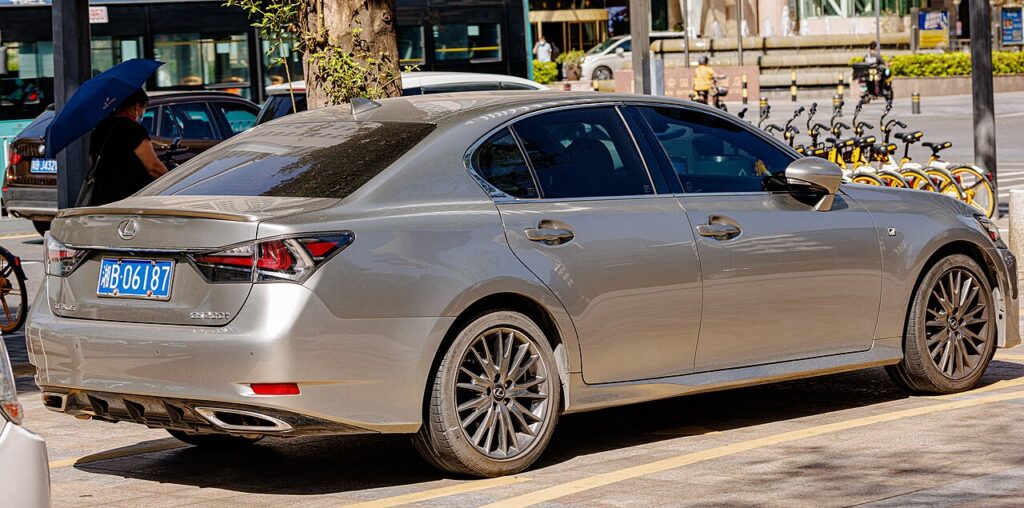
Owners disconnect the 12 V battery on the GS to fit a new one, to work safely on the electrics or bodywork, to lay the car up over winter, or to clear a stubborn electrical fault. It is a quick job once you have located the right battery. On the GS 300h and 450h the high-voltage traction battery that powers the electric motor is sealed and must be left alone; the 12 V battery you are disconnecting is a separate, ordinary lead-acid unit that runs the computers and keeps memory alive. Disconnect and reconnect it in the correct order and the GS relearns its settings on the next short drive, with nothing to fear.
Where the 12 V Battery Is
- GS 300h / 450h (hybrid): the 12 V battery is in the luggage compartment (boot), usually on the right side under a trim panel. Lift the boot floor and side liner to reach it. The posts under the bonnet are for jump-starting only. Never touch the orange high-voltage cabling.
- GS 250 / 350 (petrol): the battery is in the engine bay, in the conventional position under the bonnet.
Whichever car you have, identify the terminals first: the negative (−) is the black clamp, and the positive (+) is the red clamp under a plastic cover.
Getting Ready
- Make sure the car is fully off. On the hybrid the dash should be dark with no READY light; on the petrol GS switch the ignition right off.
- Move the smart key well away from the car so the electronics don’t wake.
- Switch off the lights, climate and audio, and close the doors you aren’t using.
- Note your radio or navigation security code if the car uses one, and record seat and mirror positions.
- Have a 10 mm spanner, gloves and eye protection ready, and give the modules a couple of minutes to power down after switching off.
Disconnecting Safely
- Confirm everything is switched off and all electrical consumers are dead.
- Slacken and lift off the negative (−) terminal first, then tuck the clamp aside so it cannot spring back onto the post.
- Now slacken and remove the positive (+) terminal.
- If you are working near airbags or seat-belt pretensioners, wait 90 seconds after disconnecting before starting that work.
Reconnecting and Re-initialising
- Fit and tighten the positive (+) terminal first.
- Fit and tighten the negative (−) terminal last, and check both clamps are snug — a loose clamp causes most after-disconnect faults.
- Refit any trim, get in, and start the car normally.
What You’ll Need to Reset Afterwards
The GS only loses short-term memory, and most of it returns as you drive:
- Clock, audio presets and settings — re-enter these, plus the security code if prompted.
- Power windows — if one-touch and anti-pinch stop working, pull each switch up and hold at the top to relearn.
- Steering angle, stability and parking-assist systems relearn as you drive straight and turn fully each way at low speed.
- Seat and mirror positions if your car has memory settings.
- Some warning lights self-clear once these relearns complete over a short drive.
If a Warning Light Stays On or the Car Feels Off
- Re-check both terminal clamps are tight and clean — the most common cause of trouble.
- Take a short, gentle drive with straight stretches and full-lock turns to complete the relearns.
- Redo the window one-touch relearn if the express function still misbehaves.
- If a light won’t clear, rule out a genuinely flat or worn battery — the hybrid uses a specific small AGM-type aux battery, so fit like-for-like.
- Read any stored code to see what is actually being flagged.
Frequently Asked Questions
Where is the battery on a Lexus GS 450h / 300h?
In the boot (luggage compartment), usually on the right side under a trim panel — lift the boot floor and liner to reach it. The under-bonnet posts are only for jump-starting on the hybrid.
And on the petrol GS?
In the engine bay, in the conventional position under the bonnet, so the 250 and 350 are done up front.
Which terminal first?
Negative (−) off first, then positive. Reconnect in reverse: positive (+) on first, negative last. That order stops a spanner shorting a live terminal against the body.
Does a new battery need coding on the GS?
A like-for-like replacement of the correct type does not need dealer coding on this car. Fit the same size and specification and connect it in the right order.
Will disconnecting clear fault codes or reset the service light?
It may clear some temporary codes, but a live fault will log straight back. The service reminder is a separate reset, not something a battery disconnect reliably clears.
Can I jump-start it instead?
For a simple flat, yes — use the under-bonnet jump posts on the hybrid or the engine-bay terminals on the petrol car. But a battery renewal or airbag work still needs a proper disconnect.
If a warning light stays on after reconnecting, look up the stored code on autodtcs.com.
Independent guide — not affiliated with Lexus. Always follow your official service manual and safety precautions. Read our full disclaimer.