These instructions apply to the Lexus LS Mk5 (GVF50) 2018-Present.
For other models, please choose your vehicle here.
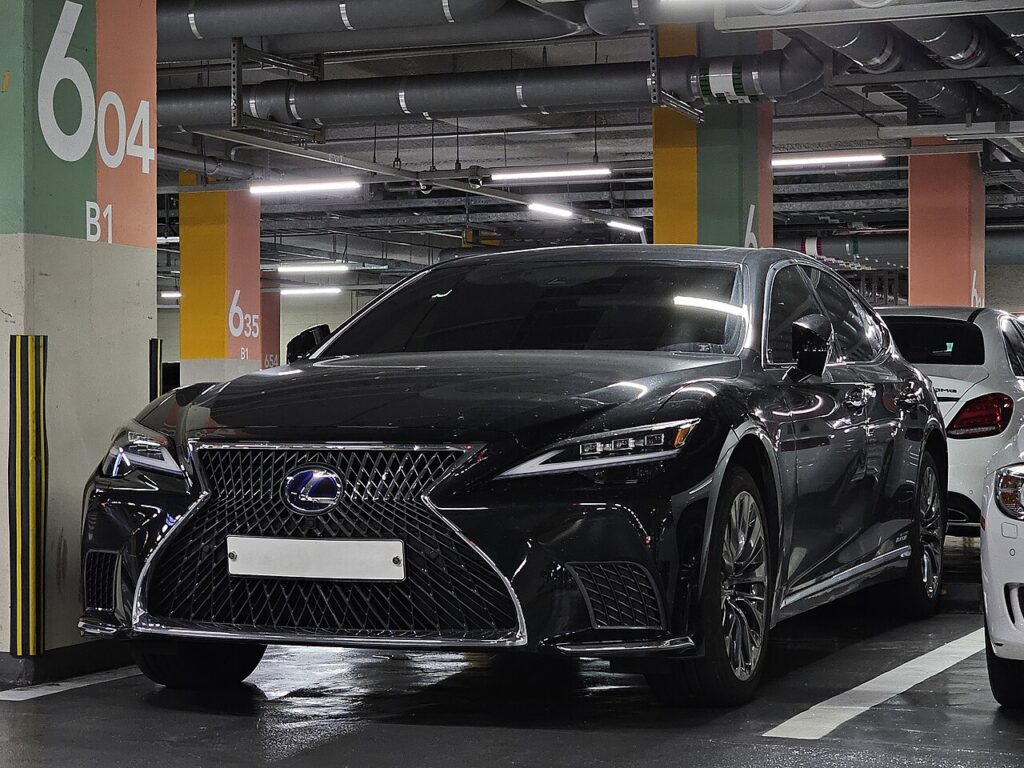
If the smart key on your Lexus LS (2018–present) — the GVF50-series fifth-generation saloon — has lost its range or shows a low-key-battery message in the driver display, the coin cell inside is almost certainly flat. It’s a quick swap, but the LS is one car where you must check which key type you have first, because the two versions do not take the same cell. Being a keyless proximity key, it’s also transmitting far more often than an old press-button remote, so it works through its battery faster — the fade is the cell, not a fault in the car.
How to Tell the Smart Key Battery Is Dying
A proximity key gives you plenty of warning before it goes flat — watch for:
- A “key battery low” message in the LS instrument display — the clearest early sign, and worth acting on before it dies completely.
- Keyless entry only works up close — you have to be right at the handle, or press the button rather than relying on walk-up detection.
- Range shrinks and response lags — locking takes a second press, or only fires when you aim the key at the car.
- Worse in the cold — a tired cell sags in voltage on a frosty morning.
Because a keyless key transmits constantly to allow walk-up unlocking, it works through a cell noticeably faster than an old-style button remote — think closer to yearly than the two-to-four years a press-button fob might manage. A fresh cell almost always restores full range.
The Battery You Need — Two Key Types
- Standard smart key (the fob with a pull-out mechanical key) — CR2032.
- Card-style smart key (the slim “card” key) — CR2412.
This is the one thing to get right on the LS: the card key’s CR2412 is a taller, less common lithium cell — you can’t substitute a CR2032 for it, and you shouldn’t drop a CR2412 into a standard fob. Both are 3 V lithium coin cells; buy branded, and the safe check is to read the code stamped on the cell you remove and match it exactly. Don’t fit a thinner or shorter cell to “make it fit” — it will make poor contact.
Replacing the Cell
Standard smart key:
- Push and hold the release knob and pull out the mechanical key. This frees the case seam.
- Separate the two halves of the case with a small flat screwdriver at the seam — work gently around the join rather than levering one spot.
- Note the orientation of the old cell, then lift it out without touching the terminals.
- Fit a new CR2032, positive side up, handling it by the edges, and press it under its clip.
- Close the case and refit the mechanical key until it clicks home.
Card key: slide/pull off the cover, note the orientation, fit a new CR2412 positive side up, and refit the cover.
⚠️ Polarity matters. A coin cell fitted upside down won’t power the key, and forcing it under the clip can bend the contact. Match the printed “+” to the face it came out on.
Check It Worked
Stand back from the car and lock, then unlock, then walk up to a door handle and try the keyless touch-to-unlock — full walk-up range confirms a healthy cell. The “key battery low” message usually clears on its own after a drive cycle or two once a good cell is fitted. If it only responds right at the car, re-open the key and check the cell is seated flat and the right way up.
If a Fresh Cell Doesn’t Help
- Confirm the cell type and orientation — CR2032 for the standard fob, CR2412 for the card key, positive up. Fitting the wrong one is the most common mistake on the LS.
- Check the new cell isn’t a dud — measure it or try another branded one.
- Wipe the contacts inside the key with a dry cloth; grease or corrosion weakens the connection.
- Hold the key to the START button to start and drive in the meantime (see below).
- Still flagging? A smart-entry fault can store a code — look it up on autodtcs.com.
Driving With a Dead Key
Even with a flat cell you’re not stranded. The mechanical blade inside the standard fob unlocks the driver’s door, and to start the car you hold the key against the START button as you press it — the car reads the key’s transponder at close range without needing battery power. Do that, then change the cell at your convenience.
New Key or Spare — Why It’s a Dealer Job
A cell swap keeps all of the key’s existing coding — nothing is erased and no reprogramming is needed. A new or replacement key is different: it must be coded to the car’s VIN with diagnostic equipment, which on the LS means a Lexus dealer. There’s no owner sequence that pairs a fresh smart key. If you own a spare, change its battery too while you’re thinking about it — a spare kept in a drawer is usually the one with a flat cell the day you need it.
Frequently Asked Questions
What battery does the Lexus LS key use?
It depends on the key: a CR2032 in the standard smart key (the fob with the pull-out mechanical blade), or a CR2412 in the card-style key. They’re not interchangeable — match the code stamped on the cell you remove and buy a branded 3 V lithium equivalent.
Which way up does the cell go?
Positive (+) side matching the face that was showing when you opened the key — usually the printed “+” upward. Note the orientation before lifting the old cell out and fit the new one identically so it sits flat under its retaining clip.
Do I need to reprogram the key after the swap?
No. Changing the battery retains all coding — the LS smart key keeps working exactly as before, and no dealer visit or relearn is required for a simple cell change.
How long does the smart key battery last?
Because it’s a keyless proximity key transmitting to allow walk-up entry, it typically needs a cell nearer once a year — sooner than a plain button remote. A “key battery low” message in the display is your cue to change it before it dies.
It’s still dead after a new cell — now what?
Make sure you fitted the correct cell (CR2032 standard, CR2412 card) the right way up and fully seated, and that the new battery isn’t a dud. Clean the contacts. If the key still won’t work, have the smart-entry system read for a stored fault code.
The key is dead — how do I start the car?
Hold the key against the START button as you press it — the car reads it at close range without battery power. Use the mechanical blade in the standard fob to unlock the driver’s door first if the keyless entry won’t respond.
If the key flagged low after a battery disconnection, see our LS battery disconnect/reconnect guide. For any stored smart-entry fault code, look it up on autodtcs.com.
Independent guide — not affiliated with Lexus. Always follow your official service manual and safety precautions. Read our full disclaimer.