These instructions apply to the Alfa Romeo MiTo Mk1 (955) 2008-2019.
For other models, please choose your vehicle here.
The automatic start/stop on your Alfa Romeo MiTo (2008–2019) shuts the engine off at junctions to save fuel. If you’d rather keep it running — in stop-start traffic or before working on the engine — you can switch it off with a single button. This is a normal comfort feature, not a fault: many MiTo owners simply prefer a steady idle at the lights, and the car lets you choose every time you drive.
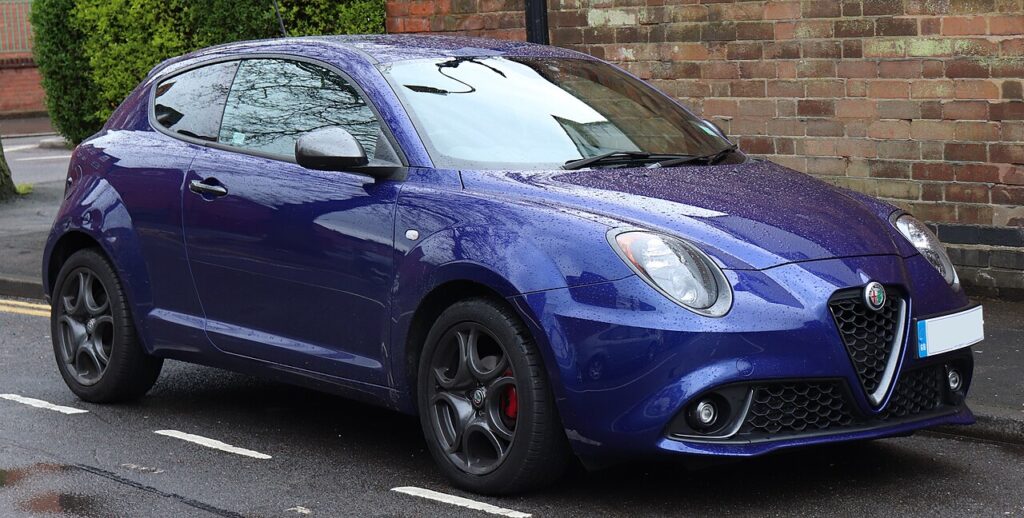
How Start/Stop Works on the MiTo
When you roll to a halt and the car is satisfied that everything is in order, the engine cuts to save fuel and reduce emissions; lifting the clutch (or, on the automated manual, easing off the brake) fires it straight back up. A small electronic battery sensor watches the state of charge, and other sensors track engine temperature, cabin climate demand and whether you’re in neutral. If any of those conditions isn’t met, the MiTo simply keeps the engine running — that behaviour is by design, not a malfunction.
Getting Ready
- You can press the button with the ignition on or the engine running — no special preparation is needed.
- If you want the engine to stay on for a repair, switch start/stop off first, then work as normal.
- Remember the setting is not saved: it returns to ON at the next engine start.
- If the light is already lit before you press anything, the system may have disabled itself for one of the reasons below rather than because you switched it off.
Turning Start/Stop Off
- Find the start/stop button — marked with the ‘A’ with a circular arrow, on the centre console.
- Press the button once.
- The warning light illuminates to confirm the system is off — the engine now idles normally at a stop.
Turning It Back On
Press the button again, or restart the car — start/stop defaults to ON at every engine start, so you press the button each drive if you want it off.
Why It Sometimes Keeps the Engine Running
Even with start/stop active, the MiTo holds the engine on when conditions aren’t met, for example:
- The battery charge is low, or the battery sensor isn’t satisfied.
- The cabin is still heating or cooling to the set temperature.
- The engine is still cold.
- You haven’t selected neutral or the clutch isn’t fully released at the stop.
- The car is on a noticeable gradient or hasn’t come to a complete standstill.
If Start/Stop Won’t Work or Won’t Stay Set
- A weak or ageing battery is the most common cause — the system disables itself to protect it.
- After a battery change, fit the correct AGM/EFB type and let it learn over a few drives; the sensor needs several journeys to trust the new charge state.
- A recent battery disconnect can suspend the feature until the car has relearned the state of charge.
- Very cold mornings or a lot of short trips leave the battery low, so start/stop may stay dormant until it recovers.
- Heavy climate or demister demand keeps the engine running so the cabin stays comfortable.
- A stored fault can disable it — look up the code on autodtcs.com.
What Happens Next
Once you press the button, the warning light stays lit for the rest of that drive and the engine idles normally at every stop. When you switch the ignition off and start again, start/stop wakes back up in its default ON state, so you press the button once more if you want it off. Nothing needs resetting and no dealer visit is required — it’s simply a per-trip preference.
Frequently Asked Questions
How do I turn off start/stop on an Alfa Romeo MiTo?
Press the ‘A’ button with the circular arrow on the centre console. The warning light comes on to confirm the system is off, and the engine will then idle normally instead of cutting out at junctions. You can press it again at any time to switch the feature back on for the rest of that drive.
Can I disable it permanently?
Not from the button alone — the MiTo resets start/stop to ON every time you start the engine, so there is no dashboard setting to make the ‘off’ choice stick. The simplest routine is to press the button once each time you set off if you prefer the engine to keep idling at stops.
Why does the engine keep running even with start/stop switched on?
The system only stops the engine when it’s safe and efficient to do so. If the battery charge is low, the cabin is still heating or cooling, the engine is cold, you’re on a slope, or you haven’t selected neutral with the clutch up, the MiTo keeps running. That is normal protective behaviour rather than a fault.
Why won’t start/stop work at all?
By far the most common reason is a weak or ageing 12 V battery, which the MiTo protects by disabling the feature. Frequent short trips, a recent battery disconnect, or a spell of very cold weather can all leave the charge too low. Once the battery recovers or is renewed with the correct type, the function usually returns on its own.
Do I need a special battery for start/stop?
Yes — cars with start/stop use an enhanced AGM or EFB battery designed for the extra cycling. Fitting an ordinary battery, or one of the wrong specification, can stop the system working and shorten battery life. After any replacement, allow the car a few drives to relearn the state of charge before expecting normal stop/start behaviour.
Is it bad to turn start/stop off every drive?
No. The button exists precisely so you can choose, and switching it off does no harm to the engine or battery. Some owners prefer a steady idle in slow traffic or when manoeuvring. Leaving it on simply saves a little fuel and cuts emissions when you’re stationary; both choices are perfectly fine.
If a warning light came on with the fault, decode it on autodtcs.com.
Independent guide — not affiliated with Alfa Romeo. Always follow your official service manual and safety precautions. Read our full disclaimer.