These instructions apply to the DS 4 Mk1 (B75) 2011-2018.
For other models, please choose your vehicle here.
Disconnecting the 12 V battery on your DS 4 (2011–2018) — to fit a new battery, before winter storage, or to work safely near the airbags — needs one extra step most cars don’t: a short wait for the body computer (BSI) to go to sleep before you pull the terminal. Skip that pause and the BSI can be caught mid-shutdown, which risks corrupting the stored settings it looks after. Take it in the right order — car locked, BSI asleep, negative off first, positive on last — and the DS 4 wakes up cleanly with only a few small items to reset.
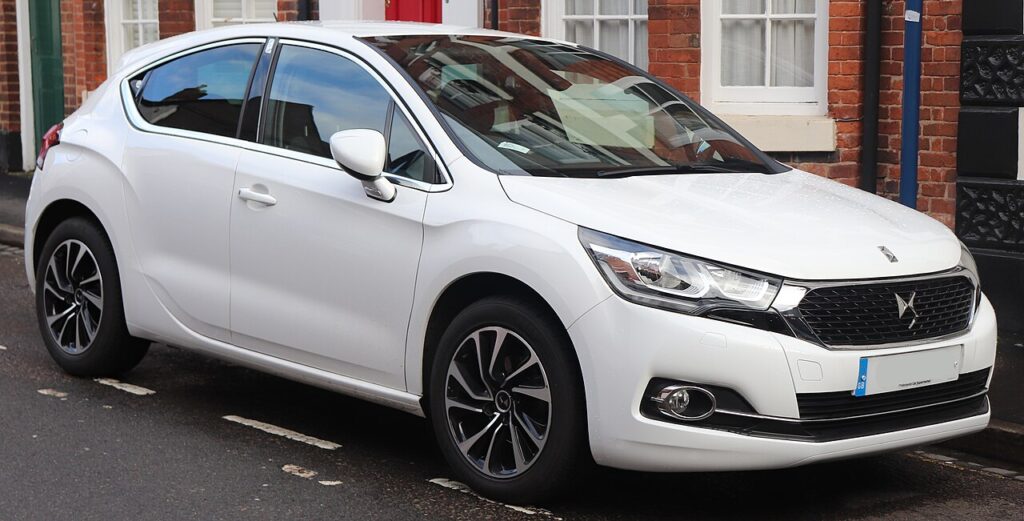
Where the 12 V Battery Is
The 12 V battery on the DS 4 is in the engine compartment. Open the bonnet, prop it securely and look for the battery box; a plastic cover or terminal cap often sits over the top, so lift that away to reach the posts. The negative (−) terminal is the earth, usually capped in black, and the positive (+) terminal carries a red cover over the main supply lead. Identify both clearly before you reach for a spanner — getting the order right is the whole point of a safe disconnect.
Note your radio security code, station presets and clock setting before you begin, as the infotainment and instrument clock lose their memory the moment power is cut.
First, a Few Checks
- Turn the engine off and take the key out of the ignition; make sure the car is not still “awake”.
- Close all the windows and the roof, and switch off the lights, fan and radio so nothing is drawing current.
- Note the radio code, presets and clock so you can restore them once power is back.
- Give the BSI its sleep time before touching the terminal — this is the step that protects your stored settings.
- Have a 10 mm spanner, gloves and eye protection to hand, and keep the loose leads clear of bodywork.
Disconnecting the Battery (BSI Sleep)
- Turn the engine off and remove the key from the ignition.
- Close the windows, then lock the car with the mechanical key and close all the doors.
- Wait 6 minutes so the BSI (body control computer) powers down fully.
- Disconnect the negative (−) terminal first, lift the lead clear and tuck it aside so it cannot fall back on the post.
- Now loosen and remove the positive (+) lead.
- Working near airbags or pretensioners? Wait a few minutes after disconnecting before starting that work.
Reconnecting the Battery
- Refit the positive (+) lead first and tighten its clamp.
- Refit the negative (−) lead last and tighten it firmly — a loose earth is a classic cause of odd electrical faults.
- Replace any terminal cap or cover you removed, then unlock and open the car normally.
What You’ll Need to Reset Afterwards
After a disconnect the DS 4 relearns a handful of items:
- Clock and radio — re-enter the time, and the audio code and presets if prompted.
- Power windows — one-touch needs re-initialising; see our DS 4 window-reset guide.
- Comfort settings such as auto wipers or lighting may revert to default and can be re-selected in the menus.
- Some warning lights self-clear once the car has been driven a short distance and the modules see normal running.
If a Warning Light Stays On or the Car Feels Off
- Check both terminal clamps are properly tight — a poor connection is the first thing to rule out.
- Take a short drive so the systems can relearn before you assume there is a real fault.
- If the windows won’t one-touch, repeat the re-initialisation procedure.
- The gear lever won’t leave ‘P’ after a flat battery? Use the console emergency release — see our DS 4 shift-lock release guide.
- If a light stays on, the battery may be worn out; have it tested and read any stored code on autodtcs.com.
Frequently Asked Questions
Where is the battery on a DS 4?
It is in the engine compartment under the bonnet, usually under a plastic cover or terminal cap. Lift the cover to reach the negative and positive terminals on top of the battery.
Why wait 6 minutes before disconnecting?
So the BSI body computer goes to sleep. Pulling the terminal while it is still awake can corrupt the settings it stores, which is why you lock the car and leave it for a few minutes before touching the battery.
Which terminal do I disconnect first?
Take off the negative (−) terminal first and reconnect it last. On reconnection the order reverses: positive (+) on first, then negative. This keeps the earth broken while a live lead is exposed.
What needs resetting afterwards?
Mainly the clock and radio presets, plus the one-touch power windows, which need re-initialising. Some comfort settings revert to default and can be re-selected, and minor warning lights usually clear after a short drive.
Does a new battery need coding on the DS 4?
A standard like-for-like battery fitted correctly does not need dealer coding for the car to run. Just match the correct type and capacity, tighten the clamps and reset the clock and presets after reconnecting.
Can I jump-start it instead of disconnecting?
If the battery is merely flat, jump-starting leaves it connected and keeps all the memory intact, so nothing needs re-initialising. Only disconnect when you are renewing the battery, storing the car, or working near the airbags.
If a warning light stays on after reconnecting, look up the code on autodtcs.com.
Independent guide — not affiliated with DS. Always follow your official service manual and safety precautions. Read our full disclaimer.