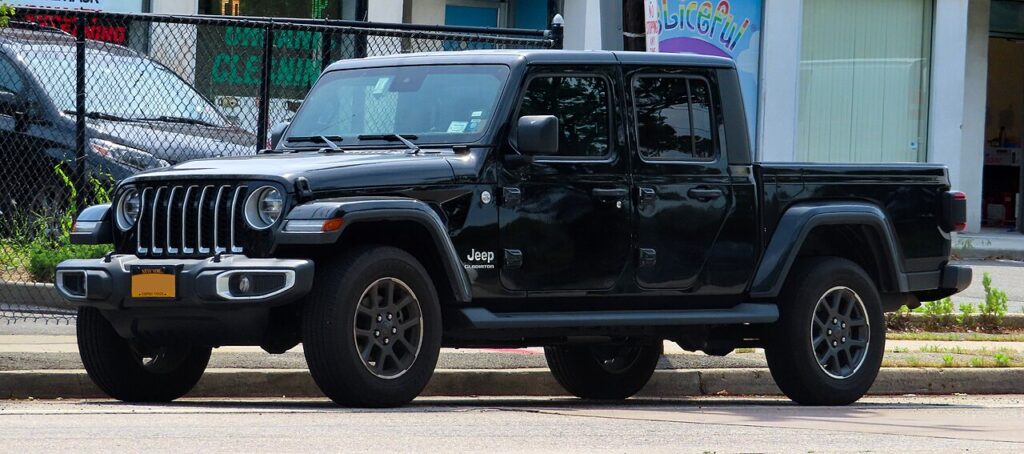
These instructions apply to the Jeep Gladiator Mk1 (JT) 2020-Present.
For other models, please choose your vehicle here.
When the remote on a Jeep Gladiator JT (2020–present) only locks the truck from an arm’s length away, stops flashing its LED, or throws a key-battery warning on the cluster, the culprit is nearly always the coin cell inside the fob. The Gladiator shares its switchblade “flip” key housing with the JL Wrangler, and depending on trim you either have the plain remote-keyless-entry flip key or the proximity Keyless Enter-N-Go smart flip key — but both use the same case, open the same way, and take the same battery. Here is the exact cell the JT needs, how to swap it without damaging the circuit board, and why this fob catches so many owners out.
How to Tell the Fob Battery Is Dying
- Shrinking range. You have to stand right beside the Gladiator — or hold the fob almost against the door handle — for lock or unlock to register. This is usually the first sign.
- The fob LED stops lighting. On the JT the small indicator LED no longer illuminates on a button press once the cell is weak — a quick way to confirm the fob, not the truck, is at fault.
- A key-battery warning in the cluster. The instrument display shows a low key-fob-battery message when the smart key voltage drops, and proximity (passive) entry may become unreliable before the buttons do.
- Cold-weather dropouts. A cell that is nearly flat struggles further in low temperatures, so intermittent response on frosty mornings often means the battery is on its way out.
A coin cell in a Gladiator fob typically lasts two to four years. If yours is that old and showing any of the above, fit a fresh battery before suspecting the receiver or the immobiliser.
The Battery You Need
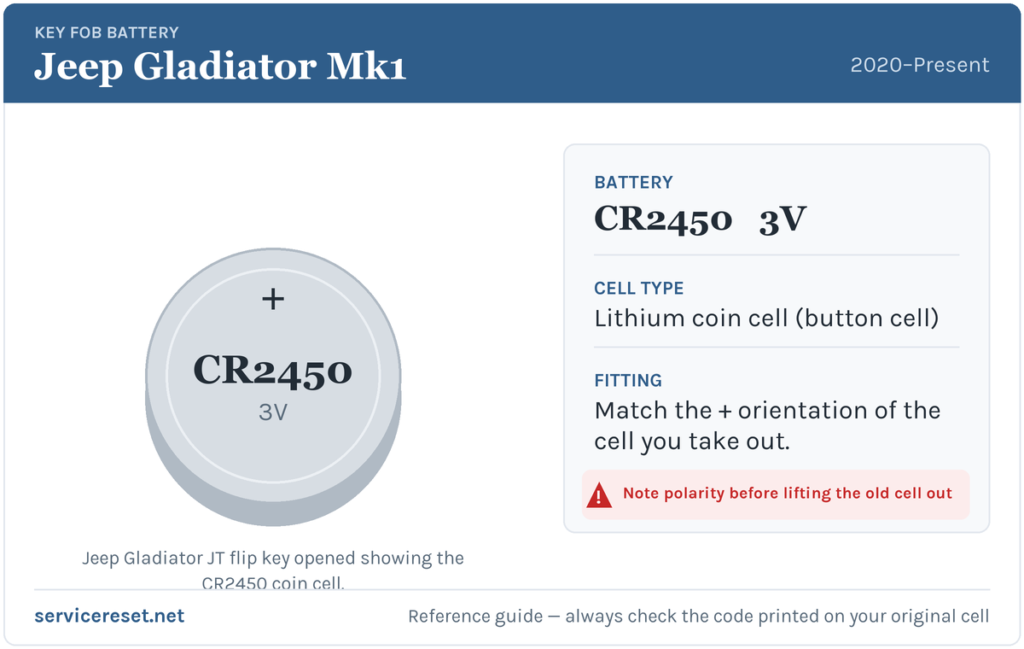
The Gladiator JT flip key — both the standard remote and the Keyless Enter-N-Go smart version — takes a single CR2450 3-volt lithium coin cell. This trips people up: the older JK Wrangler used the thinner CR2032, but the JL/JT platform switched to the larger, thicker CR2450 (about 24.5 mm across). A CR2032 will rattle loose and give poor range, so do not substitute one. Buy a good-quality branded CR2450; Jeep recommends a Mopar cell, but any reputable CR2450 of the correct dimensions works. Cheap cells can sag under the brief high current the transmitter draws and give weak range even when “new”.
Method — Opening the Gladiator Flip Key
You do not need to pull the emergency blade first on the JT — the back cover simply unsnaps.
- Find the slot on the bottom edge of the fob (the end opposite the flip blade). Insert a small flat-blade screwdriver into it.
- Apply light pressure until the back cover unsnaps, then work around the remaining clips to lift the cover away. Take care not to damage the rubber seal that keeps moisture out.
- Locate the small battery-removal slot. Ease the old cell forward and upward with the screwdriver tip — do not lever against the circuit board, and avoid touching the metal battery terminals or the board itself, as finger oils can foul the contacts.
- Drop in the new CR2450 with the positive (+) side facing up, and slide it under the retaining tabs until it seats firmly.
- Line up the back cover and press it home until every snap clicks shut, then test all the buttons.
⚠️ Mind the polarity and the board. The CR2450 seats positive side up on the Gladiator flip key. Fitting it upside down will stop the fob working and can slowly discharge the cell, and pressing hard against the printed circuit board while prying is the other common way to kill an otherwise healthy key — work gently.
Make Sure It Took
Stand back a few metres and lock, then unlock, the Gladiator. Full range and a flashing LED should return straight away. If the truck had shown a key-battery warning, it clears once the vehicle next reads a healthy fob — sometimes after a drive cycle rather than instantly. With a proximity smart key, confirm passive lock and unlock at the door handle and passive start both behave again.
If a Fresh Cell Doesn’t Fix It
- Confirm it is genuinely a CR2450. A CR2032 fitted by mistake sits loose and gives exactly these symptoms — check the code printed on the cell you fitted.
- Re-check polarity and seating. Positive must face up and the cell must sit flat under its tabs against clean contacts.
- Wipe the contacts. A smear of grease or light corrosion on the terminals is enough to cause dropouts; clean them with a dry cloth.
- Warning still showing? It can take a read or two to clear. Rarely, a weak vehicle 12 V battery can mimic key faults — if the Gladiator itself is slow to wake or the dash behaves oddly, have the main battery checked.
New Key or Spare — Why It’s a Dealer Job
Changing the coin cell keeps the fob’s existing coding, so no reprogramming is needed and the key works immediately. Adding a new key is a different matter: the Gladiator’s Sentry Key immobiliser has to be accessed with a diagnostic tool, and blank flip keys must be ordered and cut against the truck’s VIN. That makes a spare or a lost-key replacement a job for a Jeep dealer or an auto-locksmith — so keep the battery in your spare fresh too, and you are never down to a single working key.
Frequently Asked Questions
What battery does a Jeep Gladiator JT key fob take?
A single CR2450 3-volt lithium coin cell — not the CR2032 used by the older JK Wrangler. The larger CR2450 is used across the 2020-onward Gladiator flip keys, both the standard remote and the Keyless Enter-N-Go smart key.
Which way does the battery go in?
Positive (+) side up, slid under the retaining tabs until it seats. Fitting it the wrong way round stops the fob working and can flatten the new cell.
Do I have to reprogram the key after changing the battery?
No. A battery swap leaves the coding untouched, so the fob works right away. Only a brand-new or replacement key needs programming to the immobiliser.
Can I use a CR2032 if that’s what I have?
Not reliably. The JT fob is built for the thicker CR2450; a CR2032 sits loose, makes poor contact, and gives short range. Use the correct CR2450.
How long should the Gladiator fob battery last?
Typically two to four years. Heavy remote use, or leaving a proximity smart key sitting close to the truck so it wakes constantly, shortens that.
Can I start the Gladiator if the fob battery is completely dead?
Yes. Use the mechanical flip blade to unlock the driver’s door, then hold the nose of the fob (the flip-key end) against the START/STOP button and push — the truck reads the transponder directly and starts. Do not press the bare metal key against the button.
If the remote quit suddenly right after the truck’s 12 V battery was disconnected — rather than fading over weeks — the pairing or a stored fault, not the coin cell, is the likelier cause; look up any code stored in the vehicle on autodtcs.com.
Independent guide — not affiliated with Jeep. Always follow your official service manual and safety precautions. Read our full disclaimer.