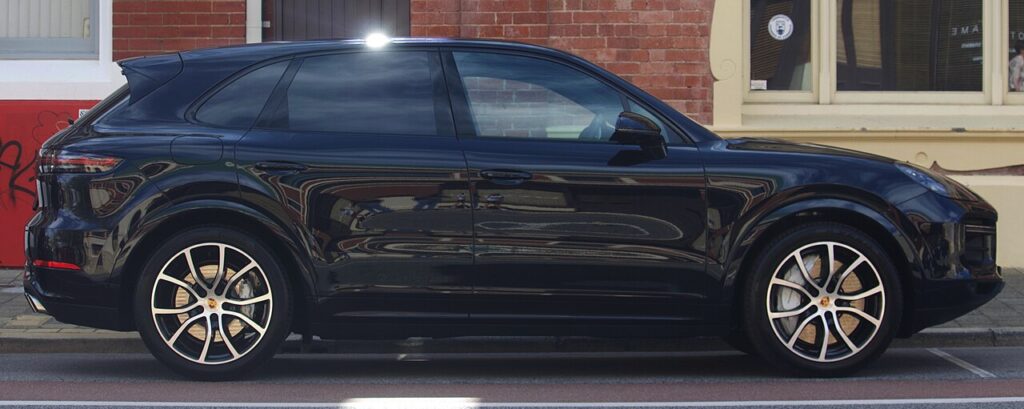
These instructions apply to the Porsche Cayenne Mk3 (9YA) 2018-Present.
For other models, please choose your vehicle here.
To change the front wiper blades on your Porsche Cayenne (2018–present) — the 9YA — you first need to lift the wiper arms into their service position. At rest they park below the bonnet line, so there isn’t room to lift them. The car has a simple owner sequence. No tools.
The service position — also called the maintenance or winter position — is a mode where the Cayenne raises both wiper arms high up the screen and holds them there so you can reach them. You use it whenever the blades need attention: fitting new rubbers, cleaning the glass under the arms, or standing the arms up off the screen before a frost so they don’t freeze flat and tear the first time you switch on. It also opens up the scuttle at the base of the windscreen for clearing leaves and grit. It is a normal built-in feature, not a fault, and on the 9YA it is triggered from the wiper stalk after you cycle the ignition.
Why There’s a Service Position
When the Cayenne parks its wipers they drop right down to the foot of the screen, below the trailing edge of the bonnet, where they sit flush and out of the airflow. There is no clearance to swing an arm upright from there — it meets the bonnet almost immediately. Levering one up from park can bend the arm or its linkage, or chip the paint along the back of the bonnet. Raising the wipers into the service position first lifts them clear of that line so they stand well up the glass, giving you room to work while protecting the arm and the bodywork.
Getting Ready
- Keep the bonnet closed. The arms sweep up past the bonnet edge, so leave it shut until they are in position.
- Be ready to cycle the ignition — the sequence needs the ignition turned on then off, so have the new blades ready first.
- Check the blades aren’t frozen to the glass. Free any ice gently before you start; a motor pulling against frozen rubber can stall or strain the linkage.
- Have the replacement blades within reach so the arms don’t rest on bare glass any longer than needed.
- Work one arm at a time and support each as you lift it.
Moving the Wipers to the Service Position
- Make sure the bonnet is closed.
- Turn the ignition on, then off.
- Push the wiper stalk switch down (the wipe/flick direction) — the wipers move up to the service position and stop.
- You can now lift the arms off the glass and renew the blades.
Returning the Wipers to Normal
Fold the arms back onto the screen, then turn the ignition on and operate the wipers — they return to their normal parked position. Always lower both arms flat onto the glass first; an arm left standing when the motor drives the wipers back to park can drop hard onto the screen.
If It Doesn’t Work
- You skipped the ignition step. The service move only works after the ignition has been switched on then off — do that first, then push the stalk down.
- The ignition state is wrong. Make sure it is fully off when you push the stalk, not left at accessory or running.
- The bonnet is open. Close it — with it raised the arms cannot clear the bonnet line.
- The blades are iced to the glass. Free them first, then repeat the sequence.
- You forced the arms from park. Fold them back down and run the proper sequence instead of levering them up.
- Still nothing? Cycle the ignition on and off again, then push the stalk down promptly.
Changing the Blades
With the arms raised, support each one as you lift it off the glass — an arm that springs back can crack the screen. Most blades release at a small clip or hook where the blade meets the arm; press the catch, slide the old blade off and clip the new one on until it locks home. Check it is seated, then lower the arm gently back down rather than letting it drop.
Frequently Asked Questions
How do I put the Porsche Cayenne wipers in service position?
Bonnet closed, ignition on then off, then push the wiper stalk down. The arms rise up the screen to the service position and stop there so you can reach the blades.
Do I need any tools?
No. The whole sequence is done with the ignition and the wiper stalk. You only need your hands to swap the blades once the arms are standing up.
How do I get the wipers back down?
Fold both arms flat onto the glass, switch the ignition on and operate the wipers. They sweep back down to their normal parked position below the bonnet line.
Can I just lift the arms at park instead?
Better not to. At park the arms sit below the bonnet line with no clearance, so lifting them cold risks bending an arm or chipping the paint. The service position raises them clear first.
Why won’t the wipers lift?
Almost always the ignition on/off step was missed. Turn the ignition on then off, then push the stalk down — that state is what triggers the service move — with the bonnet closed.
Does using the service position reset anything?
No. It only parks the arms high for access. It does not clear a service reminder or change any settings — the wipers simply return to normal next time you switch on and use them.
If a wiper-motor fault code appears, our sister site autodtcs.com can help you decode it.
Independent guide — not affiliated with Porsche. Always follow your official service manual and safety precautions. Read our full disclaimer.