These instructions apply to the Abarth Grande Punto / Punto Evo (2007-2014).
For other models, please choose your vehicle here.
The remote on an Abarth Grande Punto (199, 2007–2010) or Abarth Punto Evo (199, 2010–2014) that only locks the car from arm’s reach — or has stopped flashing its LED altogether — is almost always suffering from one thing: a flat coin cell. Both of these hot Puntos share the same Fiat-derived three-button folding “flip” key, with a spring-out metal blade and a distinctive screw-and-padlock battery tray in the blade recess. There is no separate smart or keyless fob on this generation, so there’s only one design to learn. Here is exactly how to open it, the cell it takes, how to tell a dying battery from a real fault, and why cutting a brand-new key is the one job you can’t finish on the driveway.
How to Tell the Fob Battery Is Dying
- Shrinking range. You have to be almost touching the door to get it to lock or unlock, when it used to work from across the car park. This is the classic first sign on the Grande Punto and Punto Evo remote.
- The LED stops flashing. The little indicator light on the fob normally winks each time you press a button; once the cell is too weak it won’t light at all — a quick way to confirm it’s the key, not the car.
- Intermittent, weather-dependent response. Buttons that work sometimes and not others, or that fail on a cold morning, point to a cell hovering right on the edge — lithium cells lose punch in the cold.
- The blade still works when the buttons don’t. If the flip-out metal key unlocks the door manually but the remote does nothing, the transponder and lock are fine; the battery is the suspect.
A coin cell in a Fiat/Abarth flip key typically lasts two to four years. If yours is older than that and doing any of the above, fit a fresh cell before you start suspecting the receiver or the immobiliser.
The Battery You Need
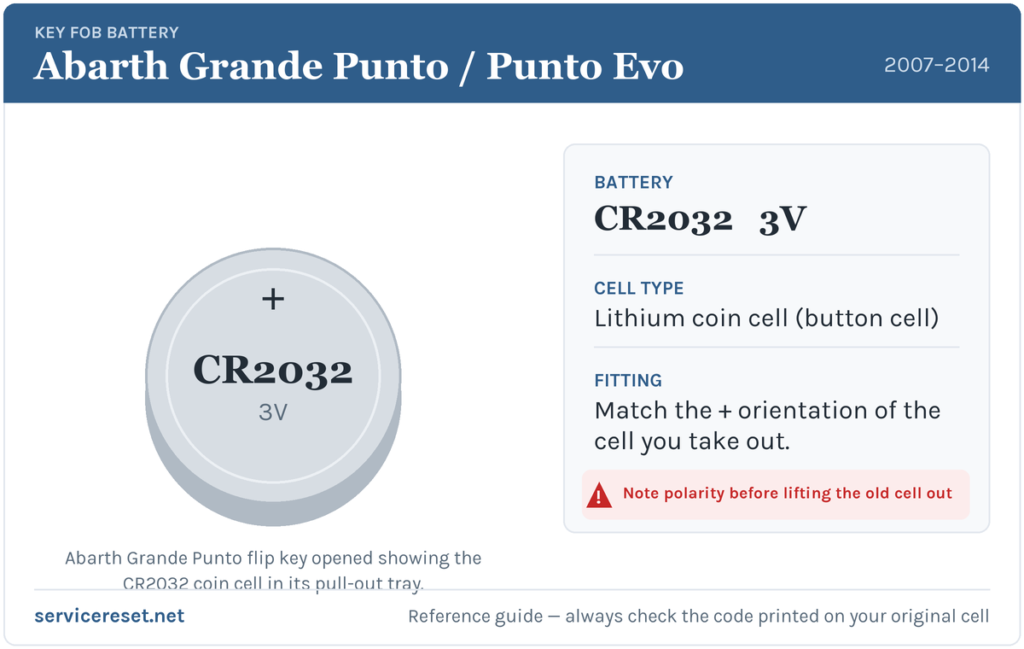
The Abarth Grande Punto and Punto Evo flip key takes a single CR2032 — a 3-volt lithium coin cell, 20 mm across, the most common fob battery there is. You’ll find it in any supermarket, pharmacy or hardware shop. Buy a good branded cell rather than a bargain multipack: cheap cells sag under the brief high current the transmitter draws and can give poor range even when they read as “new”. When you lift the old cell out, glance at the code stamped on it and match that to what you buy — the printed marking is the final word.
How to Change the Battery
Unlike many rivals that clip apart, the Fiat/Abarth flip key uses a small rotating screw that releases a slide-out battery tray — so keep a fine cross-head screwdriver handy and don’t try to prise the case in half.
- Flip the metal blade out as if you were about to unlock the door. This exposes the recess the blade normally folds into.
- Look inside that recess: you’ll see a small screw sitting between an open-padlock and a closed-padlock symbol. With a fine cross-head (Phillips) screwdriver, turn the screw towards the open-padlock mark.
- As you do, the battery tray pops out from the side of the fob. Slide it fully clear.
- Note which way the old CR2032 sits in the tray, then lift it out. Fit the new cell the same way up — the tray is marked with the polarity, so seat it with the plus (+) face as shown, and keep your fingers off the flat faces to avoid greasing the contacts.
- Slide the tray back into the fob until it’s fully home, then turn the screw back towards the closed-padlock mark to lock it in place.
- Fold the blade back in and test every button.
⚠️ Get the orientation right. A CR2032 dropped in upside down won’t make contact and can quietly discharge against the tray — so copy the exact way the old cell sat and follow the plus/minus marking moulded into the tray. If in doubt, the old cell is your template.
Check It Worked
Stand back a few metres from the Abarth and press lock, then unlock. Full range should return instantly and the fob’s LED should flash cleanly with each press. If it does, you’re done — no resync or relearn is needed after a simple battery swap on these cars.
If a Fresh Cell Doesn’t Fix It
- Re-check the cell and the tray. Make sure the CR2032 is the right way up per the tray marking and that the tray is pushed fully home with the screw turned back to the closed padlock — a half-seated tray is the single most common reason a “new battery” doesn’t help.
- Wipe the contacts. A smear of finger grease or a spot of corrosion on the tray terminals is enough to cause dropouts; clean them with a dry cloth or a pencil eraser.
- Rule out the car. A tired 12 V car battery can make the whole car slow to respond and mimic a key fault; if the Abarth itself is sluggish to wake, sort the main battery first.
- Still nothing with a known-good cell? The fob’s transmitter or its board may have failed — but that’s rare next to a simple flat or upside-down cell.
New Key or Spare — Why It’s a Dealer Job
Changing the battery keeps the fob’s existing coding, so the remote and the immobiliser transponder carry on working with no reprogramming. A new key is a different story. Every Grande Punto and Punto Evo runs Fiat’s CODE immobiliser, and a fresh key’s transponder has to be learned to the car electronically — a step that needs the car’s security code (PIN) and a diagnostic tool, plus the metal blade cut to your lock. That’s why adding a spare or replacing a lost key means a Fiat/Abarth dealer or a good auto-locksmith, not a hardware-shop key cutter. The practical takeaway: keep the battery in your spare key fresh too, so you’re never down to a single working fob.
Frequently Asked Questions
What battery does an Abarth Grande Punto or Punto Evo key take?
A single CR2032 3-volt lithium coin cell. It’s the same cell for both models, since they share the Fiat three-button flip key.
How do I open the Abarth flip key?
Flip the metal blade out, and in the recess you’ll find a small screw between an open and a closed padlock symbol. Turn it towards the open padlock and the battery tray pops out. Swap the CR2032, slide the tray back, and turn the screw to the closed padlock.
Which way up does the battery go?
Match the cell you removed and the polarity marking moulded into the tray — the plus (+) face goes as the tray shows. Fitting it upside down stops it making contact and can flatten it.
Do I need to reprogram the key after changing the battery?
No. A battery swap doesn’t touch the coding, so the fob works straight away. Only a brand-new key needs programming to the car’s immobiliser.
How long should the key battery last?
Typically two to four years. Frequent remote use shortens it, and a cold climate will bring on the weak-range symptoms sooner.
Can I still drive if the fob is completely dead?
Yes. Flip out the metal blade to unlock the driver’s door manually, then start the car as normal — the transponder in the key head still talks to the immobiliser even with a flat coin cell, so a dead remote battery won’t strand you.
If your remote died suddenly rather than fading — especially right after the car battery was disconnected or went flat — and the car is also throwing warning lights, it’s worth reading any stored fault code before blaming the key; you can look codes up on autodtcs.com.
Independent guide — not affiliated with Abarth. Always follow your official service manual and safety precautions. Read our full disclaimer.