These instructions apply to the Smart Fortwo Mk3 (W453) 2015-2024.
For other models, please choose your vehicle here.
Disconnecting the 12 V battery on your Smart Fortwo (W453, 2015–2024) — the third-generation city two-seater developed with Renault — is a job you will meet for a new battery, a spell of winter storage, an electrical repair, or before working anywhere near the airbags. It is a straightforward task once you know where the battery lives, and done in the right order the car powers back up and relearns its settings without drama. On the rear-engined Fortwo the 12 V battery is at the front of the car.
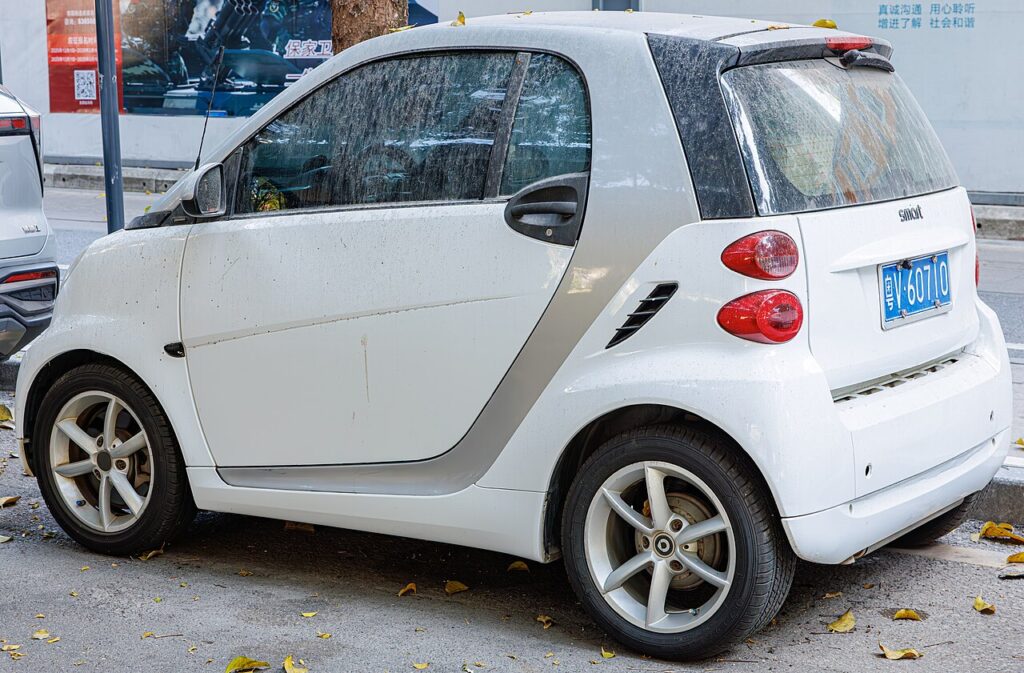
Where the 12 V Battery Is
Because the engine sits in the rear, the 12 V battery is at the front, under the bonnet/front service flap behind the front trim. Open that panel and you will find the battery under a cover or clamp. Identify the terminals before you reach in: the negative (−) post is the earth, usually with a black cap or lead, and the positive (+) post is the live one, marked red and normally hidden under an insulating cover.
Electric drive (EQ) models: these have a separate high-voltage system — never touch the orange high-voltage cabling. The 12 V battery is still the one you disconnect for normal work, exactly as on the petrol car; the high-voltage side is not an owner job.
Before You Start
- Make sure the car is fully off — ignition off, and on an EQ not in READY — with the key out and away from the car.
- Switch everything off: lights, climate, heated screen, radio.
- Note your radio code if the head unit uses one, along with your presets.
- Give the electronics a couple of minutes to power down after switching off before you loosen a terminal.
- Have the correct spanner ready and wear gloves and eye protection.
Disconnecting Safely
- Switch everything off, key to OFF, and remove it.
- Close all the doors and wait until the daytime running lights go out, so the car has gone to sleep.
- Disconnect the negative (−) terminal first, then move the lead clear of the post.
- Now disconnect the positive (+) terminal and cover or move it clear.
- Working near airbags or pretensioners? Wait a few minutes after disconnecting before you start.
Reconnecting
Refit in the reverse order — live post first, earth last.
- Refit the positive (+) terminal first and snug the clamp.
- Refit the negative (−) terminal last and tighten it.
- Check both clamps are firm, refit any cover, and give the car a minute before switching on so the modules boot in sequence.
What You’ll Need to Reset Afterwards
Cutting the power clears a few short-term memories. On the Fortwo that typically means:
- Clock and radio — re-enter the time, your presets, and the security code if the head unit asks.
- Power windows — re-initialise the one-touch function by holding the switch fully up at the limit, then fully down and back.
- Service and TPMS — these displays settle after a short drive once the sensors have reported in.
- Warning lights — a passing ABS or stability light usually clears itself once you have driven a short way.
If Something Isn’t Right Afterwards
- Recheck that both clamps are tight and squarely seated.
- Take a short, steady drive so the electronics can relearn and self-clear.
- Re-do the window one-touch setup if auto-up or auto-down has stopped working.
- Rule out a genuinely flat or worn-out battery that will not hold charge.
- A persistent light stores a code — look it up on autodtcs.com.
Frequently Asked Questions
Where is the battery on a Smart Fortwo W453?
At the front of the car, under the bonnet/front service flap behind the front trim — the engine sits in the rear, so the battery is up front.
Which terminal do I take off first?
The negative (−) terminal comes off first and goes back on last; the positive (+) goes on first when reconnecting. That order avoids shorting the live post to the body.
Is the electric Fortwo different?
The EQ has a separate high-voltage system — don’t touch the orange cabling. You still service the same 12 V battery, in the same way and the same order, for normal work.
What will I need to reset afterwards?
The clock and radio presets (and any code), the one-touch window function, and the service and TPMS displays, which settle on a short drive. Any passing warning light usually self-clears too.
Do I need to recode a new battery?
A like-for-like 12 V battery of the correct size and rating normally just fits with no coding. Match the type the car was built for and let it settle a few minutes before starting.
Can I jump-start it instead of disconnecting?
If you only need to get a flat car going, a jump-start keeps your settings and is fine. Disconnect properly only when the battery genuinely needs isolating — for renewal, storage, or airbag work.
If a warning light stays on after reconnecting, look up the code on autodtcs.com.
Independent guide — not affiliated with Smart. Always follow your official service manual and safety precautions. Read our full disclaimer.