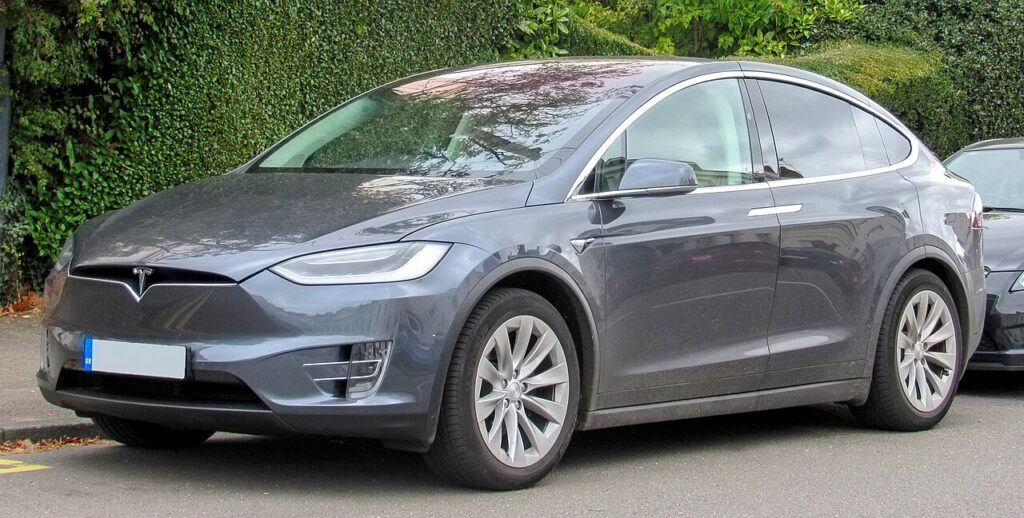
These instructions apply to the Tesla Model X (2016-2021).
For other models, please choose your vehicle here.
Disconnecting the 12 V battery on your Tesla Model X (2016–2021) is a job owners take on for the usual reasons — fitting a fresh 12 V battery, preparing the car for long storage, or making it electrically safe before any work near the airbags and pretensioners. On an electric SUV it can feel intimidating, but what you are handling here is the low-voltage 12 V battery only. That battery is what wakes the computers, powers the door handles, screens and the falcon-wing doors, and closes the contactors to the main pack. The high-voltage traction battery is a separate, sealed system that you never open or touch. Follow the correct order and the Model X powers back up and relearns its settings cleanly, usually within a short drive.
Where the 12 V Battery Is
The 12 V battery is at the front of the car, reached by opening the front trunk (the “frunk”) and removing the liner and trim to expose the battery beneath. With the cover off you will see two terminals: the negative (−) post — usually the black lead, bonded to the body earth — and the positive (+) post, normally the red lead under a protective cap. Take a moment to identify both correctly before you loosen anything, because the disconnect and reconnect order depends on knowing which is which.
High voltage: never touch, cut, or unplug the thick orange high-voltage cabling. That belongs to the traction system and stays sealed. This procedure is confined to the 12 V battery.
First, a Few Checks
- Park the car, power it down and make sure it is not READY — power off from the touchscreen and allow a couple of minutes for the modules to go quiet.
- Keep the key card and any phone key well away so the car does not wake up mid-job.
- Turn off the climate, lights and screens and unplug any charge cable, so the car is fully asleep.
- Wait a couple of minutes after powering down so the low-voltage modules drain and settle before you disconnect.
- Have gloves and eye protection ready, the correct spanner for the terminal clamp, and a note of any settings you would rather not re-enter.
Disconnecting
- Power the car off from the touchscreen (Controls → Safety → Power Off) and wait a couple of minutes for it to sleep fully.
- Open the frunk and remove the liner and trim so both terminals are clear.
- Loosen and lift off the negative (−) terminal first, then tuck it aside so it cannot spring back onto the post.
- Now loosen and remove the positive (+) terminal. If you are working near the airbags or pretensioners, wait a few more minutes first.
Reconnecting
- Fit and tighten the positive (+) terminal first, checking the clamp is snug on the post.
- Fit and tighten the negative (−) terminal last, again making sure it is clamped down properly.
- Refit the frunk liner and trim, then give the car a minute to re-establish its systems before driving.
What You’ll Need to Reset Afterwards
Because the Model X keeps most of your profile in your Tesla account, far less is lost than on a conventional car. A few things settle over the first few minutes and the first short drive:
- Clock and screen preferences re-sync once the car reconnects.
- Falcon-wing doors re-establish their positions as the car powers up — keep the area around them clear when they first cycle so they can relearn their travel unobstructed.
- Power windows may lose one-touch and anti-pinch — if a window will not auto-close, re-initialise it by holding the switch at the fully closed and fully open limits.
- Air suspension re-levels once you are moving.
- TPMS tyre-pressure readings re-store after a short drive, and most power-up warning messages clear themselves within a few minutes.
If a Warning Message Stays On or the Car Feels Off
- Re-check both terminal clamps are tight — a loose negative is the usual cause of strange behaviour.
- Take a short, gentle drive to let the car relearn window travel, tyre pressures and suspension height.
- If a falcon door or window does not move smoothly, give it clear space and let it cycle fully to re-establish its range.
- If messages persist, suspect an old or genuinely flat 12 V battery rather than anything you did — a weak 12 V is a common fault on these cars.
- A message that will not clear has stored a code — look it up on autodtcs.com.
Frequently Asked Questions
Where is the 12 V battery on a Tesla Model X?
At the front of the car, under the frunk liner and trim. It is separate from the high-voltage traction battery, which stays sealed and must never be disturbed.
Which terminal do I disconnect first?
Always the negative (−) first when disconnecting, and reconnect it last. On reconnection the positive (+) goes on first and the negative (−) goes on last.
Is it safe to disconnect it myself?
Yes — the 12 V battery is low voltage and owner-safe. Just stay clear of the orange high-voltage cabling, which is a separate sealed system you never touch.
Will the falcon-wing doors be affected?
They re-establish their positions as the car powers back up. Keep the area around them clear when they first cycle so they can relearn their travel without hitting anything.
Does a new 12 V battery need coding?
A like-for-like 12 V battery of the correct type for your build normally needs no coding. Fit the right specification and let the car wake up on its own.
Will disconnecting clear fault codes or reset the service reminder?
It may clear some transient messages, but it is not a reliable fix — a genuine fault simply logs the code again. Read any stored code rather than relying on a disconnect to cure it.
If a warning message stays on after reconnecting, look up the code on autodtcs.com.
Independent guide — not affiliated with Tesla. Always follow your official service manual and safety precautions. Read our full disclaimer.