These instructions apply to the Tesla Model X (2016-2021).
For other models, please choose your vehicle here.
Whenever you need to lift your Tesla Model X (2016–2021) — to change a wheel, fit seasonal tyres or get it onto a jack or lift — you must first put its air suspension into Jack Mode. This is not an occasional step on the Model X: every Model X leaves the factory on air suspension, so the car is always self-levelling and always needs Jack Mode before it goes up. If you skip it, the system keeps trying to level the car as you raise it, which can fight the jack and set suspension faults. The good news is that it is a simple, built-in owner function you set entirely from the touchscreen, with no tools required.
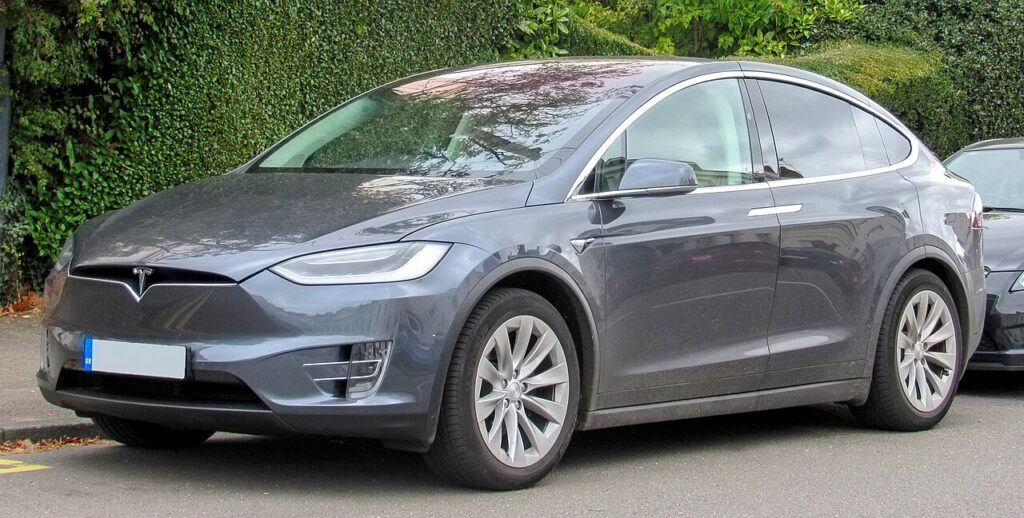
Why Jack Mode Matters on the Model X
Air suspension uses air struts that inflate and deflate to hold the body at a set ride height, adjusting constantly for load and road. That automatic behaviour is exactly what you do not want when the car is being lifted. As you raise a corner, the ride-height sensors register the change and the system responds by trying to pull the car back down to its target height, working directly against your jack. Over-working the struts like this can stress them, upset the ride-height calibration and trigger warning messages. Jack Mode pauses the levelling so the car sits still off the ground. Because the Model X is always air-sprung, this is a genuine every-time step, not something reserved for certain trims.
Before You Start
- Park on solid, level ground and select Park so the car is fully settled.
- Make sure the touchscreen is on and the car is powered up before you dig into the menus.
- Have your jack, axle stands and the correct lift points to hand so the car is not left partway up.
- Keep your key card or phone key with you and keep everyone out of the car while it is raised.
- Remember the falcon-wing rear doors count as doors — they must be closed along with everything else.
Activating Jack Mode
- Close all the doors (including the falcon-wing rear doors).
- On the touchscreen, select ‘Controls’.
- Select ‘Service’, then ‘Jack mode’.
- The suspension is set for jacking — you can safely raise the car.
Turning It Off
Lower the car back onto its wheels first, then on the touchscreen go back to Controls > Service > Jack mode to deactivate it. Jack Mode also cancels by itself once you drive away above a set speed, and the suspension re-levels to its normal height. Whichever way you cancel it, make sure the car is fully back on the ground before it starts to re-level.
If It Won’t Engage or the Warning Stays On
- A door is still open. The falcon-wing doors are the usual culprit — confirm they, the front doors, the frunk and the boot are all shut, then try again.
- The touchscreen is asleep or busy. Wake it fully and let it finish loading before selecting the menu.
- A suspension warning appeared while lifting. Lower the car, let it re-level, and the message will usually clear once the system reads a normal ride height.
- The car shifted on the jack. Re-check that Jack Mode is still active before going back underneath.
- The menu item is missing. Make sure the touchscreen software has finished starting up; on the Model X the option should be present because the car is air-sprung.
What to Expect Afterwards
With Jack Mode active the Model X holds its height and will not pump itself up while lifted. Once you lower it and drive off, the suspension re-levels to its normal height within the first short stretch of driving. If a ride-height or suspension message is still showing after a few minutes of normal driving, treat it as something to look into rather than ignore.
Frequently Asked Questions
How do I put a Tesla Model X in Jack Mode?
With every door closed, including the falcon-wing rear doors, tap Controls on the touchscreen, then Service, then Jack mode. The car confirms the suspension is set for jacking and you can raise it safely.
Do I need any tools to enable it?
No. Jack Mode is a touchscreen setting built into the car, so no scan tool or workshop equipment is needed. You only need your usual jacking gear to lift the car once the mode is active.
Does every Model X need this before lifting?
Yes. The Model X is always fitted with air suspension, so it is always self-levelling. That means Jack Mode is a genuine every-time step before you put it on a jack or a lift, on every trim.
Why do the falcon-wing doors matter?
The rear falcon-wing doors are treated as doors by the car, so if one is open the Jack Mode setting can refuse to engage. Check them along with the front doors, the frunk and the boot before trying the menu again.
How do I cancel Jack Mode?
Repeat the same menu path — Controls, Service, Jack mode — to switch it off, or just drive away. It cancels automatically above a set speed and the suspension re-levels to normal ride height on its own.
Will it get a warning light while jacked?
With Jack Mode active you should not get a suspension warning simply from lifting the car. If one appears, lower the car and let it re-level; the message usually clears once a normal ride height is read again.
If a suspension warning stays on afterwards, decode the code on autodtcs.com.
Independent guide — not affiliated with Tesla. Always follow your official service manual and safety precautions. Read our full disclaimer.