These instructions apply to the Tesla Model X (2016-2021).
For other models, please choose your vehicle here.
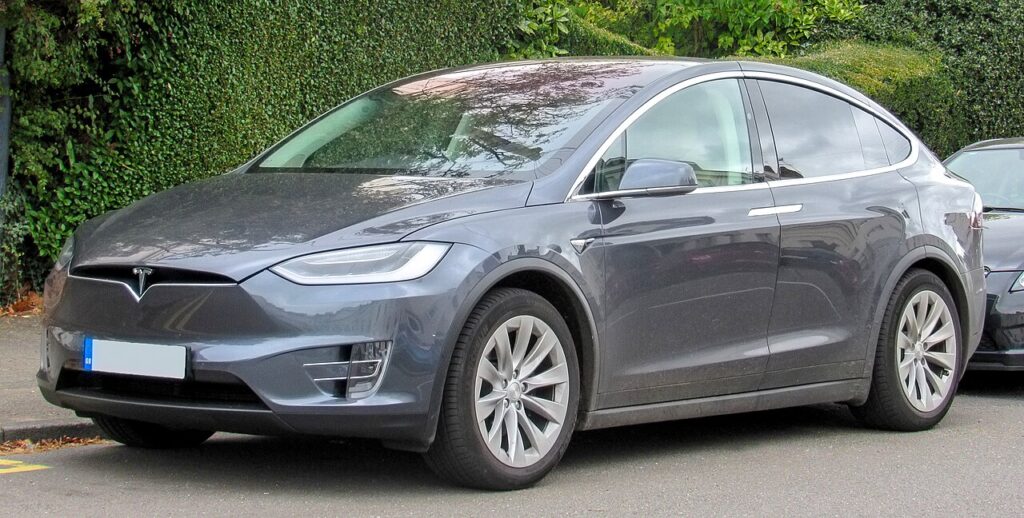
The falcon-wing Tesla Model X (2016–2021) ships with a distinctive car-shaped key fob — a miniature Model X you press on the roof, doors and rear hatch to operate them. It is not the rectangular fob you may have seen on a Model 3 or Model Y, and it does not take the same battery. When the fob starts working only from arm’s length, feels unresponsive, or stops passively unlocking the car as you walk up, the 3-volt coin cell inside has almost certainly run flat. The good news: the Model X also lets you in and drives away on a key card or the phone key, neither of which has a battery — so a dead fob never strands you. Here is the exact cell it needs, how to open the shaped fob (it has no metal emergency blade), and why a fresh coin cell is the fix in the vast majority of cases.
How to Tell the Fob Battery Is Dying
- Shrinking range. You have to stand right beside the Model X, or hold the fob close to the pillar, before it will lock or unlock. This is the classic first sign of a tired cell.
- Passive entry stops working. The car no longer wakes and unlocks as you approach with the fob in a pocket — you find yourself pressing the fob deliberately or reaching for the key card.
- Buttons need several presses. Pressing the roof to open a falcon-wing door, or the frunk/rear areas of the shaped fob, only works intermittently or after repeated tries.
- Cold-weather dropouts. A cell that is nearly flat sags further in the cold, so range problems often show up first on frosty mornings.
Tesla rates the Model X fob cell at roughly a year of normal use — noticeably shorter than the two-to-four years many conventional fobs manage, because the shaped fob is a relatively power-hungry design. If yours is around that age and behaving oddly, fit a fresh cell before suspecting anything electronic.
The Battery You Need
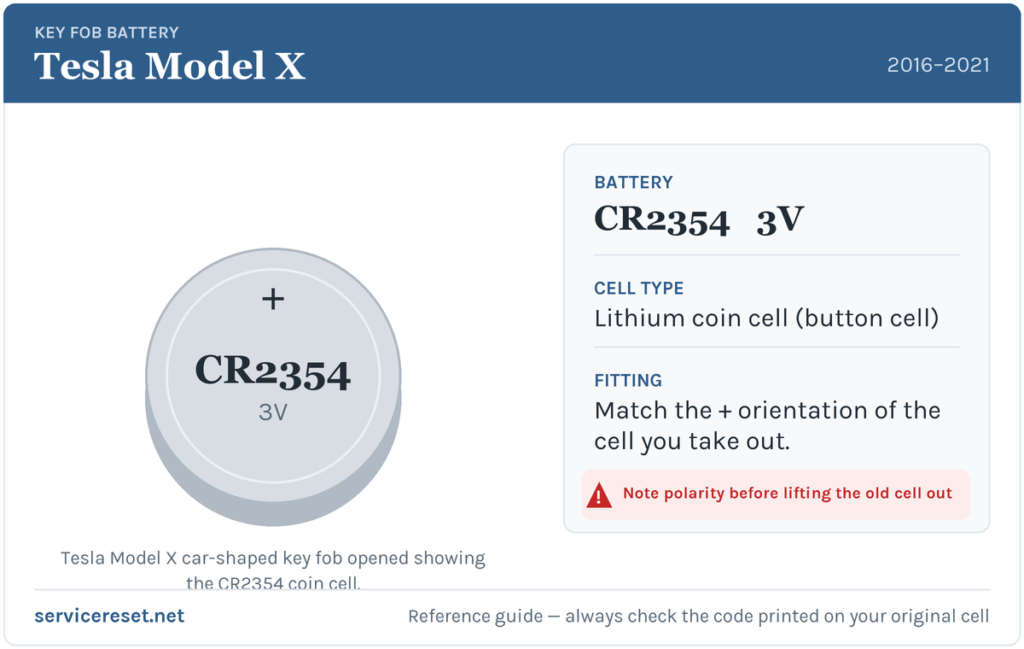
The Model X car-shaped fob uses a single CR2354 3-volt lithium coin cell — Tesla specifies a Panasonic CR2354. This is a larger, thicker cell than the everyday CR2032, and the two are not interchangeable: a CR2032 will rattle loose in the holder and will not make reliable contact. Double-check the code printed on the cell you take out, and buy the CR2354 specifically. Do not substitute the CR2032 that a generic “Tesla key battery” listing might suggest — that cell fits the rectangular Model 3/Y fob, not the shaped Model X fob.
How to Replace the Cell
- Turn the fob so the buttons face down and rest it on a soft cloth or towel so you do not scuff the paint.
- Find the bottom cover — the small panel marked with an “X” at the tail of the shaped fob. There is a shallow indentation at its seam.
- Slip a fingernail or a small flat-bladed tool into that seam and gently lever the cover off. If your fob has a lanyard fitted, you can instead press your thumb against the “X” and pull the lanyard firmly toward you to pop the cover.
- Note how the old cell sits, then ease it out from under the retaining clips, lifting it away at a slight angle.
- Fit the new CR2354 with the positive (+) side facing up. Slide it in at an angle toward the positive contact first, then press the opposite edge down until it seats firmly under the clips.
- Realign the bottom cover at an angle — line up the tabs on its wide side with the slots in the fob body — then press it home until it snaps into place.
⚠️ Keep the flat faces clean. Wipe the new cell before fitting and avoid touching its flat surfaces — skin oils on a coin cell can shorten its life and cause poor contact. Fit it positive (+) up as above; installing a coin cell the wrong way round makes no contact and can drain it, so match the orientation of the one you removed.
Make Sure It Took
Stand a few metres from the Model X and press the fob to lock, then unlock. Full range should return at once, and passive approach unlock should resume as you walk up with the fob in a pocket. If the falcon-wing doors, frunk and rear all respond crisply from a normal distance, the swap is done — no pairing or reset is required after a simple battery change.
If a Fresh Cell Doesn’t Fix It
- Confirm it’s really a CR2354. The single most common mistake is fitting a CR2032 that looks similar but is thinner — it will not sit tightly and gives weak, intermittent range.
- Re-check seating and polarity. The cell must click firmly under its clips with the + face up and the contacts clean; a loose or greasy cell mimics a flat one.
- Try the key card or phone key. If those unlock and start the car normally, the problem is isolated to the fob — useful confirmation before spending on a replacement.
- Wake a sleepy car. A Model X with a deeply discharged 12 V accessory battery can be slow to respond to any key; if the car itself seems half-asleep, that is a vehicle issue, not the fob.
New Key or Spare — How Pairing Works
Changing the coin cell keeps the fob’s existing pairing, so nothing needs reprogramming. Adding a new key is different, but on a Tesla it is not the dealer-only immobiliser job most cars require: you pair a new fob, key card or phone from the car’s touchscreen under the Locks settings, authenticating with a key you already have. Tesla sells the shaped fob as an accessory, and because it uses a rolling-code smart system tied to your car, any spare has to be enrolled to that specific vehicle before it will work. Keep at least one spare method active — a card in your wallet or the phone key set up — and a flat fob is never more than an inconvenience.
Frequently Asked Questions
What battery does a Tesla Model X key fob take?
The car-shaped Model X fob uses a single CR2354 3-volt lithium coin cell (Tesla specifies Panasonic). It is thicker than the common CR2032 and the two do not interchange.
Is it a CR2032 like other Tesla keys?
No. The rectangular fob supplied with the Model 3 and Model Y uses a CR2032, but the shaped Model X fob takes the larger CR2354. Always match the code printed on the cell you remove.
How do I open the Model X fob — is there a hidden blade?
There is no metal emergency blade. Turn the fob buttons-down, and lever off the small “X” cover at the tail using a fingernail or a fine flat tool at the seam. If a lanyard is fitted, pulling it while pressing the “X” pops the cover.
Which way up does the cell go?
Positive (+) side up. Slide it in toward the positive contact at an angle, then press it down under the clips. Fitting a coin cell upside down leaves it making no contact and can flatten it.
Do I need to reprogram the fob after changing the battery?
No. A battery swap does not affect the fob’s pairing, so it works immediately. Only enrolling a brand-new key requires pairing, which you do from the car’s touchscreen.
Can I still get in and drive if the fob is completely dead?
Yes. The Model X is designed to work on a battery-free key card (tap it on the door pillar to unlock, then on the centre console to drive) or the phone key over Bluetooth — so a dead fob cell never leaves you locked out.
If the fob went unresponsive suddenly after work on the car’s 12 V system rather than fading over time, the cause is more likely a sleepy vehicle than the coin cell — check any stored fault code for context on autodtcs.com.
Independent guide — not affiliated with Tesla. Always follow your official service manual and safety precautions. Read our full disclaimer.