These instructions apply to the GWM Steed (2009-2020).
For other models, please choose your vehicle here.
The remote on a GWM Steed (Great Wall Steed / Steed 5, 2009–2020 double-cab pickup) that only locks the truck from arm’s length, works one press in three, or has died altogether is nearly always suffering the same cheap fault: a flat coin cell. The Steed uses a three-button folding “flip” remote — the same family of key shared across the Wingle 5/6/7, Steed X200 and several early Haval and C-series models — where the metal blade swings out of the fob body and the electronics sit behind a small back cover. Swapping the cell is a five-minute driveway job. Here is how to tell a dying battery from a real fault, exactly which cell to buy, and why cutting a brand-new key is the one part you can’t do yourself.
How to Tell the Fob Battery Is Dying
- Shrinking range. You have to stand right at the door — or almost touch the fob to the handle — before it locks or unlocks. This is the first and clearest sign, and it creeps in gradually over a week or two.
- The remote’s LED stops flashing. A healthy Steed fob blinks its little indicator light on every button press. When the cell is too weak to fire the transmitter, that light goes dim or dies — a quick way to confirm the fault is the key, not the truck.
- One press in three. Intermittent response, especially in cold weather, is a near-flat lithium cell whose voltage sags under the brief high current the transmitter draws.
- Both work again up close. If lock and unlock still work with the fob pressed against the door, the radio side is fine and only the battery is weak.
A coin cell in a Steed remote typically lasts two to four years, less if you use the remote dozens of times a day. If yours is older than that and doing any of the above, fit a fresh cell before you suspect the receiver or immobiliser.
The Battery You Need
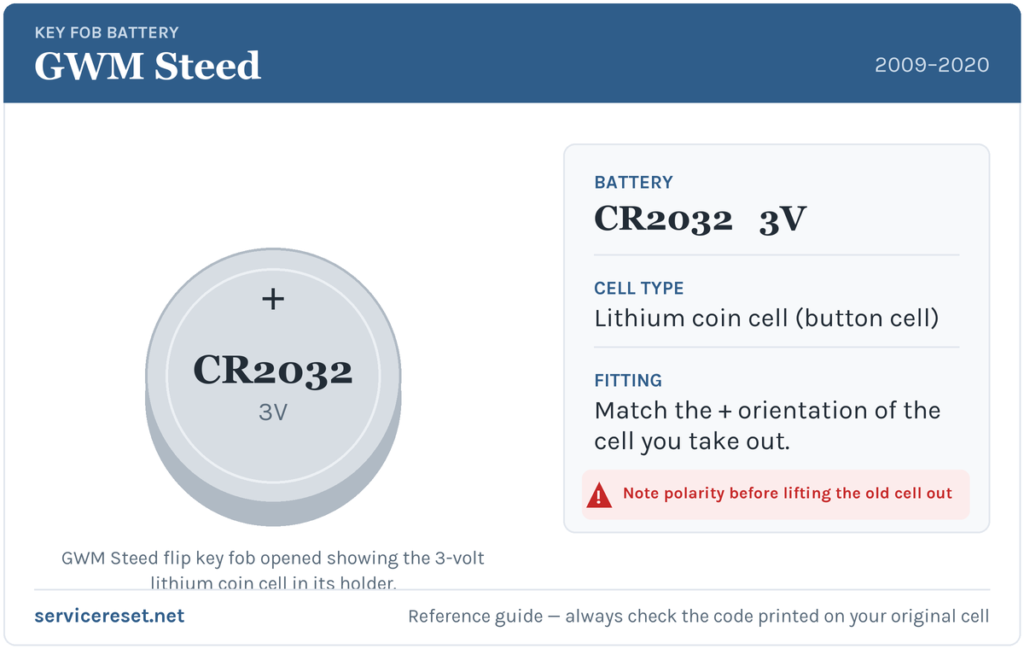
The Steed’s flip remote runs on a single 3-volt lithium coin cell — most commonly a CR2032, the widest-sold fob battery there is, available in any supermarket, hardware shop or petrol station. Great Wall and GWM keys of this era are not perfectly consistent, though: some shells take a slightly smaller CR1632 or a thicker CR2450. Because we can’t guarantee which cell your exact truck left the factory with, the safe rule is simple — open the fob, read the code stamped on the old cell, and buy the identical one. Whatever the number, it will be a 3-volt lithium coin cell, and a good-quality branded one is worth the extra pennies: cheap cells sag under load and can give poor range even when “new”.
How to Change the Battery — Folding Flip Remote
- Fold the metal blade closed so the fob sits flat and is easier to hold.
- Look for a small screw on the back of the fob. If there is one, undo it with a fine cross-head (Phillips) screwdriver and lift off the back cover. If there is no screw, insert a thin flat tool — a small flat-blade screwdriver or a plastic pry tool — into the seam around the edge and gently work the two halves apart. Go slowly; the case is thin plastic.
- With the cover off, you’ll see the round cell sitting in its holder. Note which way up it faces before you touch it — take a quick phone photo if you like — then ease the old cell out from under its retaining clip.
- Read the code printed on the flat face (CR2032, CR1632 or similar) so you fit the matching replacement.
- Drop the new cell in the same orientation as the one you removed — on most Steed remotes the positive (+) face, the side carrying the printing, sits upward against the clip — and press it firmly home so it clicks under the contact.
- Refit the back cover: drive the screw back in snugly (don’t overtighten — it’s plastic), or press the two halves together until they click all the way round. Test every button.
⚠️ Copy the original orientation exactly. A coin cell forced in the wrong way round makes poor contact and can slowly discharge, leaving the key dead again within days. When in doubt, the printed (+) face goes toward the side the old one showed — that’s why noting or photographing the old cell first is worth the extra ten seconds.
Make Sure It Took
Stand back a few metres and lock, then unlock, the Steed. Full range should return instantly and the fob’s LED should flash brightly on each press. If the blade was swung out during the job, click it closed. If the truck was locked or unlocked by hand while the fob was dead, one press of the remote resynchronises it — there is no dealer procedure needed for a simple battery swap.
If a Fresh Cell Doesn’t Fix It
- Re-check polarity and seating. An upside-down or loose cell is the single most common reason a “new” battery does nothing. It must sit flat, printed side matching the original, firmly under its clip.
- Confirm you fitted the right size. A CR1632 rattling in a CR2032 holder (or a CR2450 that won’t let the case close) will make poor contact — match the code you read off the old cell.
- Wipe the contacts. A film of finger grease or a spot of corrosion on the metal terminals is enough to cause dropouts; clean them with a dry cloth or a pencil eraser.
- Rule out the truck. A weak vehicle 12-volt battery can make central locking behave oddly and mimic a key fault. If the Steed itself is slow to wake, cranks lazily, or the dash lights dim, charge or test the main battery before condemning the fob.
- LED still dead with a known-good cell? The transmitter itself may have failed — rare, but it means a replacement remote rather than another battery.
New Key or Spare — Why It’s a Dealer or Locksmith Job
Changing the cell keeps the fob’s existing coding, so nothing needs reprogramming. A new key is a different story. The blade has to be cut to the Steed’s lock, and the remote and transponder have to be paired to the truck’s immobiliser with a diagnostic tool — a fob that isn’t coded will lock and unlock nothing and won’t let the engine start. Because Great Wall dealer coverage is thin in many markets, an experienced auto-locksmith is often the faster route for a Steed; blank flip shells for these keys are widely sold, but they arrive uncut and unprogrammed. The practical takeaway: keep your spare’s battery fresh too, so you’re never down to one working key and a costly call-out.
Frequently Asked Questions
What battery does a GWM Steed key fob take?
A single 3-volt lithium coin cell — most commonly a CR2032, though some of these Great Wall flip keys use a CR1632 or CR2450. The only way to be certain on your truck is to open the fob and read the code stamped on the old cell before buying.
Which way up does the battery go?
Match the cell you removed. On most Steed remotes the printed positive (+) face sits upward against the contact clip, but orientation varies between shells, so note or photograph the old one before lifting it out.
Do I need to reprogram the key after changing the battery?
No. A battery swap doesn’t touch the fob’s coding, so it works the moment you press a button. Only a brand-new or replacement key has to be cut and coded to the truck.
How do I open the Steed flip key?
If there’s a small screw on the back, remove it and lift the cover. If not, prise the seam apart gently with a thin flat tool. Fold the blade closed first so the fob sits flat, and work slowly — the plastic case is thin.
How long should a Steed key battery last?
Usually two to four years. Frequent locking and unlocking, or a fob knocked about in a pocket, shortens that — shrinking range is your early warning to swap it.
Can I still drive the Steed if the fob is completely dead?
Yes. The metal blade folded into the fob unlocks the driver’s door by hand, and the ignition uses that same key, so a flat coin cell won’t strand you — it just means no remote locking until you fit a fresh battery.
If the remote quit suddenly rather than fading — particularly straight after the truck’s main battery was disconnected — the cause is more likely lost pairing or a related electrical fault than the coin cell. If a warning light came on at the same time, look up what the stored fault code means on autodtcs.com before spending money on parts.
Independent guide — not affiliated with GWM. Always follow your official service manual and safety precautions. Read our full disclaimer.