These instructions apply to the Jeep Grand Cherokee Mk5 (WL) 2022-Present.
For other models, please choose your vehicle here.
The Jeep Grand Cherokee (WL, 2022–Present) runs the newer Uconnect 5 system, and it reboots differently from older Jeeps. There is no tuner knob to hold — the old two-knob trick does not apply here and can actually cause problems. To clear a frozen Uconnect 5 screen you hold the volume buttons (or the power button) instead. The soft reboot keeps all your data.
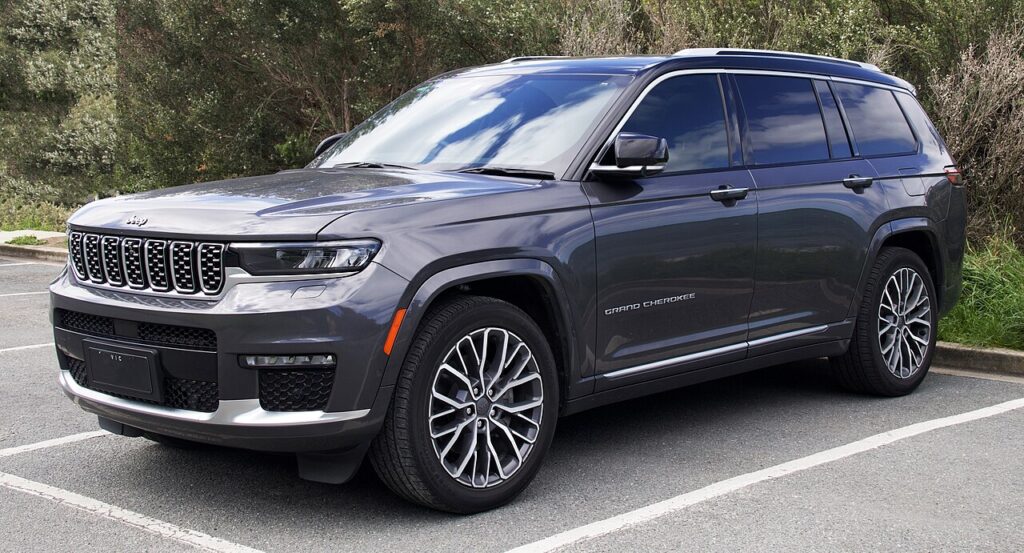
Which Uconnect is in your WL
Every WL Grand Cherokee (including the WL extended-wheelbase L, the 4xe plug-in hybrid, and the SRT/Summit) uses Uconnect 5 — a large 8.4in or 10.1in capacitive glass panel built on an Android core. There is no rotary tuner knob, so the reset is button- or touchscreen-based.
Important: do not try the old “hold both knobs” method here. Uconnect 5 has no equivalent held-knob reboot, and forcing outdated procedures can freeze the panel or interrupt an over-the-air (OTA) update in progress.
Soft reset — volume-button method (keeps all your data)
- Put the Grand Cherokee in Park and turn the ignition to RUN (press Start without the brake on keyless cars).
- Press and hold Volume Up and Volume Down together.
- Hold for about 10 to 12 seconds — do not release early.
- Release when the screen shows “Restarting…” or goes black.
- Let it boot fully — this can take 30–60 seconds. Do not touch the screen until the home view returns.
Soft reset — power-button method
- With the car in Park and ignition in RUN, press and hold the Power / Volume button for about 10 seconds until the display restarts.
- Release and wait for the Jeep logo and home screen to return.
This is safe — no data loss
Both button reboots restart the Uconnect 5 software only. Your phone pairings, profiles, presets, navigation favourites and display settings are all preserved. Nothing is erased by a soft reboot.
If it stays frozen
- Make sure no OTA update is downloading or installing — interrupting one can cause exactly this lockup. If an update is in progress, leave the car in RUN and let it finish.
- Turn the car fully off, open the driver’s door, wait 2–3 minutes so the system sleeps, then restart.
- Check Settings for a pending or stalled software update and let it complete.
- Last resort: disconnect the negative battery terminal for 15 minutes to power-cycle the system. (On the 4xe, observe the usual high-voltage safety steps and use the 12V terminal only.)
- If it still will not boot or sits in a reboot loop, a dealer may need to apply a Uconnect software update — reboot loops on the WL are usually a software, not hardware, fault.
Factory reset (erases your data)
Only use this if a soft reboot will not hold. It wipes pairings, profiles, presets and personal settings.
- On the touchscreen go to Vehicle → Settings → Reset → Factory Reset (also shown as Restore Factory Defaults), then confirm.
- The system reboots and returns to out-of-the-box state — you will need to re-pair phones and re-enter settings.
Frequently Asked Questions
Why doesn’t the two-knob reset work on my WL Grand Cherokee?
Because Uconnect 5 has no tuner knob and no held-knob reboot. Use Volume Up + Volume Down together, or hold the Power button for about 10 seconds instead.
Will the volume-button reboot erase my profiles and pairings?
No. The soft reboot keeps every profile, pairing, preset and setting. Only the Factory Reset in the Settings menu clears them.
My Uconnect 5 is stuck in a reboot loop after an update. What do I do?
Reboot loops on the WL are almost always a failed OTA update. Try a battery power-cycle; if it persists, the dealer can flash the correct Uconnect software. Avoid repeated forced reboots, which can interrupt recovery.
Is it safe to force a reset during an over-the-air update?
No. Interrupting an OTA install is a common cause of a frozen or looping screen. If an update is downloading or installing, leave the car in RUN and let it finish before resetting.
Can I reset Uconnect 5 while driving the Grand Cherokee?
Do it parked. The screen, climate controls and reversing camera all blank during the restart, so it is not something to attempt on the move.
If a dashboard warning light appeared alongside the screen issue, decode the trouble code at autodtcs.com first to rule out an electrical fault before assuming the infotainment is to blame.
Independent guide — not affiliated with Jeep. Always follow your official service manual and safety precautions. Read our full disclaimer.