These instructions apply to the Subaru Forester Mk5 (SK) 2019-Present.
For other models, please choose your vehicle here.
The Subaru Forester (Mk5/SK, 2019–Present) ships with the third-generation Subaru Starlink head unit — a 6.5-inch screen on base trims and the larger 8-inch unit on Premium, Sport, Limited and Touring. It runs the navigation, Apple CarPlay, Android Auto, the reversing camera feed and the climate shortcuts, so when it locks up the cabin loses far more than just the radio. The good news is that the SK Forester answers to a simple knob-hold reboot that touches none of your saved settings.
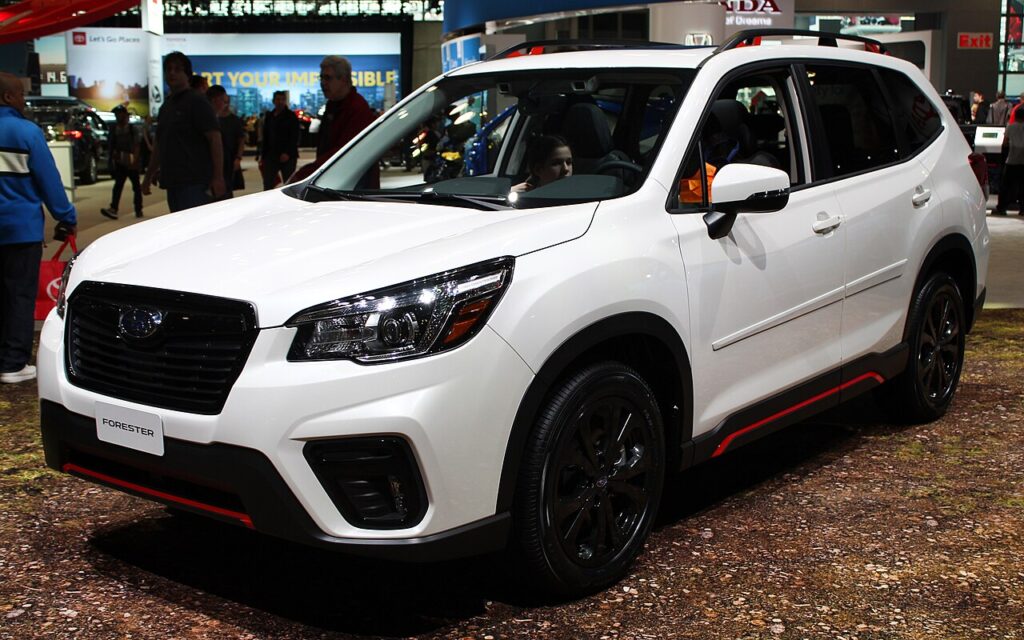
How the Forester SK Starlink system reboots
The combined power and volume knob on the left of the screen is also the reset switch. Holding it forces the head unit’s processor to power-cycle without pulling 12 volt power to the car. On a frozen screen — black display, stuck CarPlay, a touch layer that ignores you, or audio that has dropped out — this is always the first thing to try, and it usually clears the fault in well under a minute.
Soft reset: hold the power/volume knob
- Leave the engine running, or at minimum keep the ignition in the ON/ACC position so the head unit stays powered through the reboot.
- Press and hold the left-hand power/volume knob — the same knob you twist to turn the audio on and off.
- Keep holding for about 10 seconds. Some SK units need closer to 15 seconds before they let go.
- The screen will go dark and the blue SUBARU / Starlink logo will reappear as the unit restarts.
- Release the knob and wait roughly 30 seconds for the home screen, radio and reversing camera to come back fully.
Safe — you will not lose any data
This knob-hold reboot is the equivalent of restarting a phone, not wiping it. Your radio presets, paired Bluetooth phones, saved navigation destinations, the home-screen layout and your Starlink account login all survive. Re-paired CarPlay and Android Auto devices reconnect on their own once you plug the cable back in or the Bluetooth handshake completes. You can do it as often as the screen acts up with no downside.
If the screen stays frozen
- Cycle the ignition fully. Switch the car off, open the door, and let it sit so the system fully powers down before restarting. A genuine key-off (not just ACC) clears faults the knob-hold misses.
- Lock it and walk away for 10 minutes. Subaru dealers themselves recommend turning the car off, locking the doors and leaving it for around 10 minutes; the head unit drops into a deep sleep and reboots clean.
- Unplug the phone. A large share of SK freezes are CarPlay or Android Auto dropouts, not the head unit itself. Pull the USB cable, let the native screen recover, then reconnect — ideally with a known-good Subaru or OEM cable in the data USB port.
- Check for a software update. Subaru issued repeated Starlink firmware updates for 2019–2020 freeze and black-screen complaints (covered by service bulletins for the Harman head unit). Updates are applied at the dealer or via a USB stick downloaded from Subaru’s Starlink update site, and they fix the underlying bug rather than just clearing it.
Factory reset (erases your data)
Only do this if reboots keep failing or you are handing the car on. From the home screen open Settings → General and select Factory Data Reset (some menus label it Clear all). Confirm on the warning prompt and press the green reset button. This wipes presets, paired devices, saved destinations and your account login, then restarts the unit at out-of-the-box defaults. Do it parked, and have your Starlink credentials handy to log back in afterwards.
Frequently Asked Questions
Which knob resets the Forester SK screen? The combined power/volume knob on the lower-left of the display. Press and hold it for about 10–15 seconds until the Subaru logo reappears.
Will rebooting delete my radio presets or paired phone? No. The knob-hold reboot keeps every preset, paired device and saved destination. Only the Factory Data Reset in Settings erases them.
My CarPlay keeps dropping out on my 2019–2021 Forester — is that the same fault? Usually no. CarPlay and Android Auto dropouts are a separate, very common SK gremlin. Unplug and re-plug the phone first, swap to an OEM-quality data cable, and ask your dealer about the latest Starlink update if it recurs weekly.
The knob does nothing — what now? Switch the car off, lock the doors and leave it for 10 minutes. That deep power-down clears freezes the knob-hold cannot. A persistent dead screen points to the Harman head unit itself and is a warranty/dealer item.
Does a reset fix the random volume blasts and lock-ups people report? A reboot clears the symptom for now, but the recurring lock-up bug on early SK units is fixed properly by the Subaru software update, not by repeated resets — book it in if it keeps happening.
If your Forester also threw a dashboard warning light around the same time the screen froze, decode the trouble code first at autodtcs.com to rule out an unrelated electrical fault.
Independent guide — not affiliated with Subaru. Always follow your official service manual and safety precautions. Read our full disclaimer.