These instructions apply to the Cupra Leon Mk1 (KL) 2020-present.
For other models, please choose your vehicle here.
The Cupra Leon (KL, 2020–Present) — the performance hatch and Sportstourer estate built alongside the SEAT Leon Mk4 — comes with KESSY keyless go as standard, so a flat key-fob battery stops the car detecting the key: the doors stay locked to the touch and the start button does nothing. It is not a fault. The fob still holds a battery-free transponder, and Cupra built an emergency start into the car that reads that chip regardless of the dead coin cell. Open the door with the hidden blade, place the fob correctly, and the car starts.
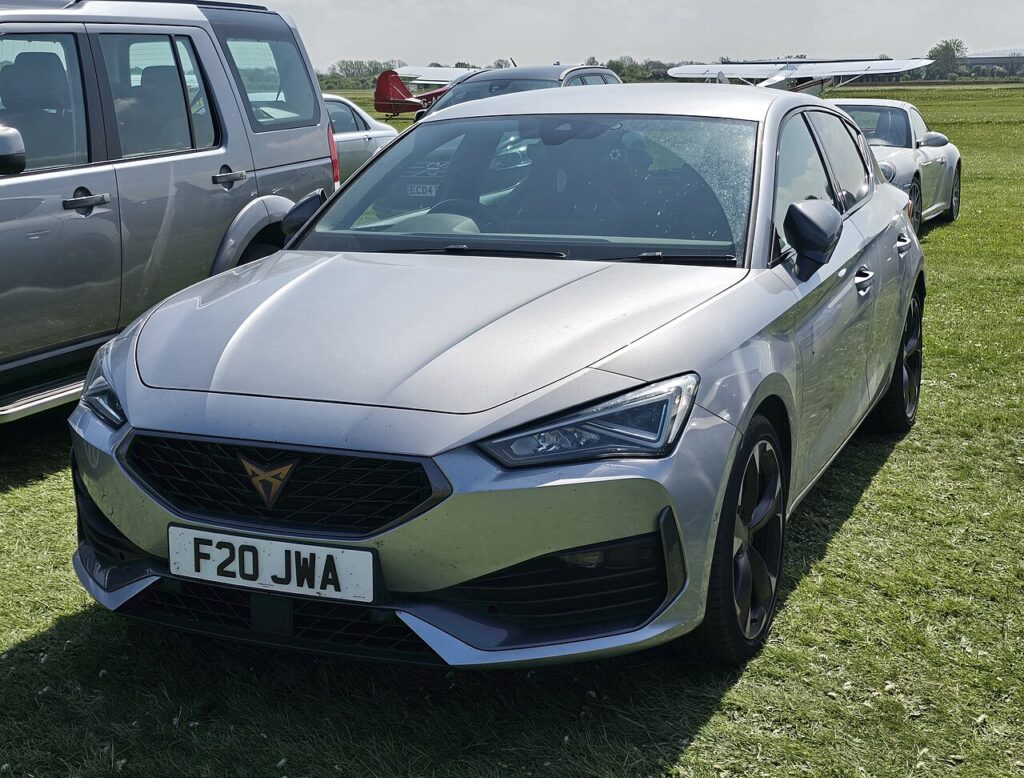
This guide covers the Cupra Leon on the MQB-Evo platform, including the e-Hybrid and VZ models. There is no turn-key variant, so the emergency start below is the procedure every Cupra Leon owner should keep in mind.
Start the keyless Cupra Leon with a dead fob
- Get into the driver’s seat with the fob and close the door so the cabin antenna can search for the key.
- Press and hold the brake pedal — the car will not start without it.
- Press the START/STOP button once. The display warns that no valid key is found and that an emergency start is needed.
- Place the fob in the centre-console drink holder, as close as possible to the KESSY logo moulded nearby. On the MQB-Evo Cupra Leon the emergency antenna sits in the console, not the steering column.
- With the fob resting there and your foot on the brake, press START/STOP again. The immobiliser reads the passive transponder and the engine starts.
Unlock the doors with the emergency key blade
- Press the release on the fob and slide out the metal emergency blade.
- At the driver’s door handle, insert the blade into the slot under the lock cover and lever the cover off upward to reveal the lock cylinder.
- Turn the blade to unlock the door. The alarm may sound — it stops once the emergency start completes.
- Refit the handle cover over the lock.
Why this works — the immobiliser note
A Cupra smart key pairs a battery-powered radio for keyless entry with a passive RFID transponder that the car powers wirelessly. When the coin cell goes flat only the radio stops; the transponder still answers the immobiliser when held near the emergency antenna. On the Cupra Leon that antenna is in the centre console, which is why the drink-holder position powers the chip and lets the engine start while remote unlocking has stopped working.
Replace the fob battery
The Cupra Leon fob takes a single CR2032 3V lithium coin cell. Remove the emergency blade first, then prise the fob open at the seam (a small flat screwdriver helps). Lift out the spent cell, fit the new one with the + face the same way up, and clip the case shut. KESSY fobs are hard on batteries because the car and key poll each other continuously, so expect to change it roughly yearly — a quality branded cell lasts longest.
Frequently Asked Questions
Where do I put the fob to start the Cupra Leon? In the centre-console drink holder by the KESSY logo — not against the steering column. The emergency antenna on this car is in the console.
Is the Cupra Leon start procedure the same as the SEAT Leon Mk4? Not quite. They share the platform, but the Cupra’s manual points the dead-fob position to the console drink holder, whereas SEAT Leon documentation references the steering column. Use the console on the Cupra.
Does the e-Hybrid start any differently? No. All Cupra Leon variants use the same KESSY antenna and emergency-start steps; the hybrid system has no effect on key reading.
Which battery does the fob use? A CR2032 3V lithium coin cell, reached by removing the emergency blade and splitting the fob case.
Why did the alarm sound when I used the blade? That is normal — the mechanical override trips the alarm, which silences as soon as the car recognises the key and starts.
If a warning light or fault code showed up with the key message, you can decode it on our sister site autodtcs.com.
Independent guide — not affiliated with Cupra. Always follow your official service manual and safety precautions. Read our full disclaimer.