These instructions apply to the Cupra Ateca Mk1 (KH) 2020-present.
For other models, please choose your vehicle here.
The Cupra Ateca (5FP, 2018–Present) — Cupra’s first standalone model, a 300PS version of the SEAT Ateca — comes with KESSY keyless go as standard, so a flat key-fob battery leaves the doors unresponsive and the start button dead. It is not a breakdown. The fob keeps a battery-free transponder, and the Ateca’s emergency reader in the steering column lets the immobiliser read that chip anyway. Open the door with the hidden blade, hold the fob to the column, and the SUV starts.
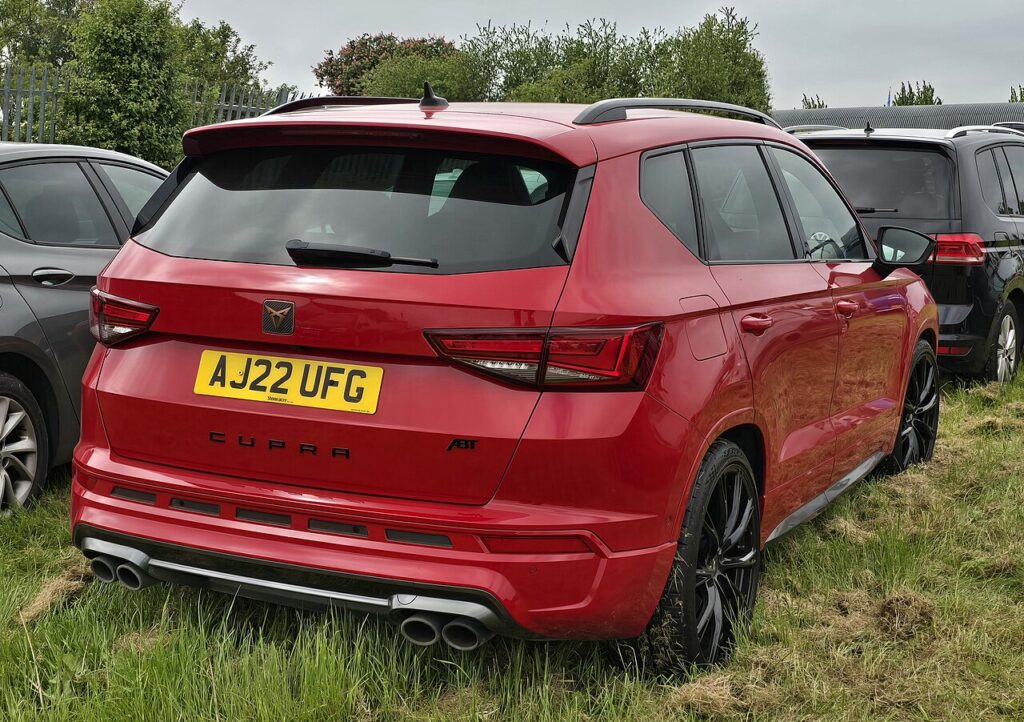
This guide covers the Cupra Ateca on the older MQB platform. Unlike the newer MQB-Evo Cupra Leon and Formentor — which read the dead fob from the centre console — the Cupra Ateca uses the steering-column reader, the same as its SEAT-badged sibling. There is no turn-key variant, so this emergency start is the one to remember.
Start the keyless Cupra Ateca with a dead fob
- Sit in the driver’s seat with the fob and shut the door so the cabin antenna can search for the key.
- Press and hold the brake pedal — the Ateca will not start without it.
- Press the START/STOP button once. The dash shows a “key not detected” warning.
- Hold the fob flat against the right-hand trim of the steering column, against the small Wi-Fi-style KESSY symbol below the wiper stalk. The emergency antenna is behind that point, where a lock cylinder would sit on a non-keyless car.
- Keeping the fob pressed there with your foot on the brake, push START/STOP again. The immobiliser reads the passive transponder and the engine starts.
Unlock the doors with the emergency key blade
- Press the release on the fob and slide out the metal emergency blade.
- Insert the blade into the lower opening of the cover on the driver’s door handle and lever the cover off upward to expose the lock cylinder.
- Turn the blade to unlock the door, ideally within about a minute of pressing the (non-working) unlock button. The alarm may sound — it stops once you start the car.
- Refit the handle cover over the lock.
Why this works — the immobiliser note
The Cupra Ateca’s smart key carries a battery-powered radio for keyless entry and a passive RFID transponder powered wirelessly by the car. A dead coin cell only kills the radio; the transponder still answers the immobiliser when held within a few centimetres of the KESSY reader. Because this car uses the older MQB layout, that reader is in the steering column — so the column position, not the console, is what powers the chip and lets the engine start.
Replace the fob battery
The Cupra Ateca fob uses a CR2025 3V lithium coin cell — the thinner cell, as on the SEAT Ateca, not the CR2032 fitted to the newer MQB-Evo Cupras. Check the printed code before buying. Remove the emergency blade, split the fob at the seam, swap the cell with the + face up and clip it shut. KESSY’s constant polling wears fobs quickly, so carry a spare CR2025 if yours is getting old; a loose CR2032 substitute will not close the case.
Frequently Asked Questions
Where do I hold the fob to start the Cupra Ateca? Against the right side of the steering column by the Wi-Fi-style KESSY icon — not the centre console. The Ateca uses the older steering-column reader.
Why is the Cupra Ateca different from the Cupra Leon and Formentor? The Ateca is on the earlier MQB platform with the reader in the column, while the newer MQB-Evo Cupras read the fob from the console drink holder. Same brand, different antenna location.
Does the Cupra Ateca fob take a CR2032 or CR2025? The thinner CR2025, like the SEAT Ateca. Fitting a CR2032 won’t close the case, so match the original.
How long does the key battery last? Around twenty months is typical, though hard KESSY use can shorten it. Keep a spare cell handy once the fob is a year or two old.
The alarm sounded when I used the blade — is that a fault? No, it is by design when you open with the mechanical blade, and it silences as soon as the car recognises the key and starts.
If a warning light or fault code appeared with the key message, you can decode it on our sister site autodtcs.com.
Independent guide — not affiliated with Cupra. Always follow your official service manual and safety precautions. Read our full disclaimer.