These instructions apply to the Mazda CX-5 Mk2 (KF) 2017-2025.
For other models, please choose your vehicle here.
The Mazda CX-5 (Mk2/KF, 2017–Present) uses an electric parking brake (EPB) that clamps the rear calipers with a motor-driven actuator on each rear caliper. Before you can wind or press the rear pistons back to fit new rear pads, those actuators have to be parked in their fully open position — Mazda calls this maintenance mode. The good news for KF owners is that you do not need a Mazda IDS tester or a generic OBD EPB tool: there is a documented in-car key-sequence that puts the brake into maintenance mode using nothing but the ignition button, the brake and accelerator pedals, and the EPB switch.
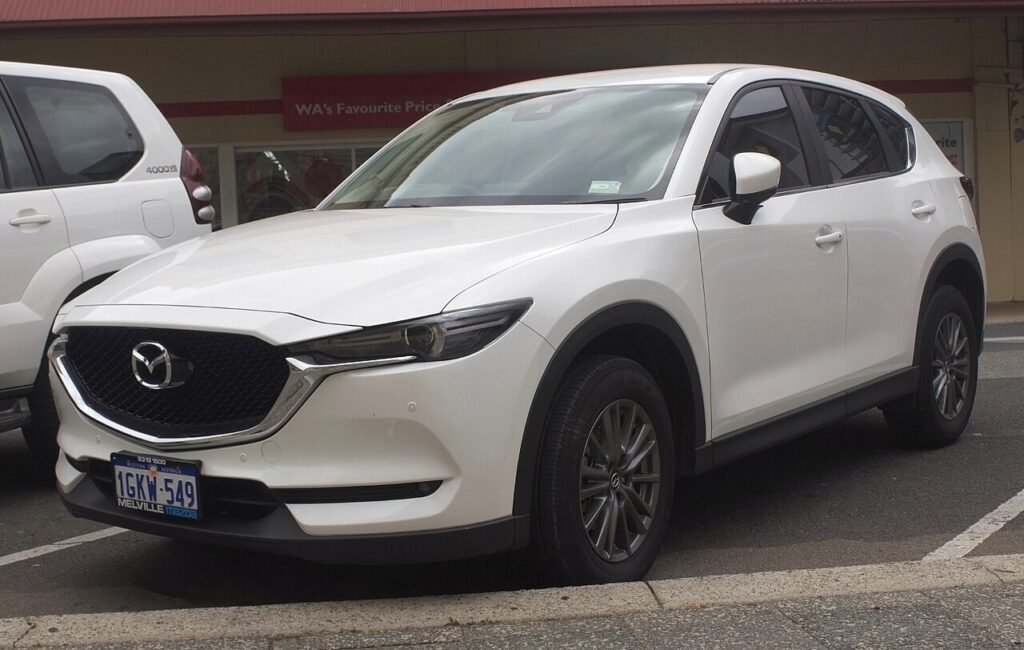
Putting the CX-5 KF parking brake into maintenance mode
The sequence retracts both rear caliper motors so the pistons can be pushed straight back. Work on a cold, level car with the wheels chocked and the wheel(s) removed last — you set the mode first, then strip the caliper.
- Switch the ignition to ON without starting the engine: press the start button twice with your foot off the brake pedal.
- With your foot on the brake pedal, push the EPB switch down to release the parking brake. Confirm the brake-system warning light goes out.
- Take your foot off the brake pedal. Now press the accelerator pedal all the way to the floor and hold it.
- While still holding the accelerator down, press and hold the EPB switch down at the same time.
- Holding both, press the start button to cycle the ignition (OFF then back to IG-ON). The rear motors will wind back with a longer-than-normal whirr.
- Release everything and check the dash: an amber brake-control warning light means maintenance mode is active and the pistons are now free to compress.
Press each rear piston straight back with a piston-spreader or large slip-joint pliers — the KF rear pistons do not screw in, so do not rotate them. After fitting the new pads, line the piston grooves back to their original orientation if your caliper uses keyed pads.
Critical warning: never force the pistons by hand
Do not lever, clamp or hammer the rear pistons back while the EPB is still clamped. The actuator gear train sits behind the piston, and forcing the piston against a parked motor strips the gears or shears the spindle — a new caliper, not a repair. Retract the EPB electronically via maintenance mode first, every time. Keep a battery maintainer on the 12V battery during the job: the EPB needs a stable supply, and a flat battery mid-sequence can leave the brake stuck.
Exiting maintenance mode and bedding in
With the new pads in and the wheels back on, reverse the entry sequence: ignition ON, hold the accelerator to the floor, then pull the EPB switch up and hold it, and cycle the ignition. The amber warning light goes out and the EPB runs its automatic adjustment (again a longer whirr). Then cycle the EPB on and off a couple of times with the car stationary, drive at low speed and apply the brakes gently 10–15 times to seat the pads, and avoid hard stops for the first 150–200 miles.
Frequently Asked Questions
Do I need a Mazda IDS or OBD tool for the CX-5 KF rear pads? No. The KF supports the in-car key-sequence maintenance mode, so a scan tool is optional rather than required for a routine rear pad change.
How do I know maintenance mode actually engaged? You hear the rear motors wind back and the brake-control warning light shows amber. If the light never appears, repeat the sequence within the 5-second window — the pedal and switch timing is strict.
Can I just disconnect the battery instead? No. Pulling the battery does not retract the EPB and removes the stable 12V supply the actuator needs. Use maintenance mode and keep a charger connected.
The rear piston won’t compress even in maintenance mode — why? Either the mode did not take (no amber light), or you are trying to rotate a piston that only presses straight in. Re-enter the mode and push the piston squarely back.
Do I have to re-bed the pads afterward? Yes. After the automatic EPB adjustment, do 10–15 gentle stops and keep braking light for the first ~150 miles so the friction material transfers evenly.
If a brake warning lamp stays on after the job, read the stored fault first — you can look up Mazda EPB and ABS codes on autodtcs.com before assuming the caliper is at fault.
Independent guide — not affiliated with Mazda. Always follow your official service manual and safety precautions. Read our full disclaimer.