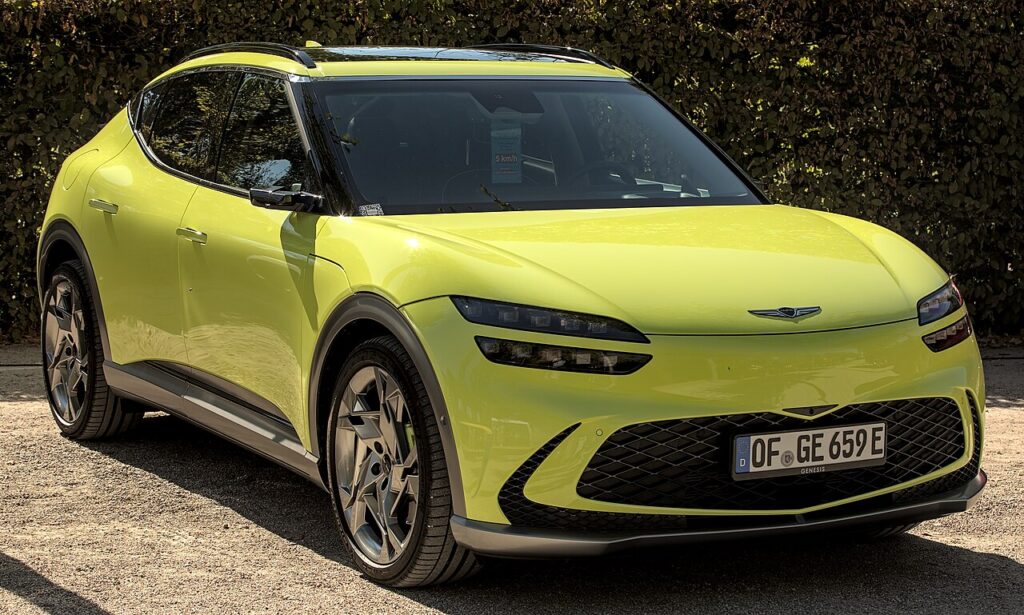
These instructions apply to the Genesis GV60 (JW) 2022-2024.
For other models, please choose your vehicle here.
The Genesis GV60 (JW, 2022–2024) is Genesis’s dedicated E-GMP electric SUV, and it ships with one of the most unusual entry systems in the brand’s line-up: as well as a conventional smart (proximity) key fob, the GV60 offers Face Connect facial recognition, a fingerprint reader and a smartphone Digital Key — all of which let you unlock and drive with no physical key at all. Because of that, plenty of owners barely touch the fob for months, then find it dead just when they need it. In almost every case the fix is a fresh coin cell. Here is how to tell a flat fob from a genuine fault, the exact battery the GV60’s smart key takes, and the step-by-step way to open it without cracking the case.
How to Tell the Fob Battery Is Dying
- Shrinking range. You have to be right beside the GV60 — or hold the fob against the door handle — before it responds. This is the classic first sign of a weak cell.
- A dash “key battery low” warning. The instrument cluster shows a low-key-battery message when the smart key voltage drops. Don’t ignore it; it usually appears weeks before the fob stops working entirely.
- Push-button start hesitates. If the car struggles to detect the key on the seat but starts once you hold the fob against the start button, the cell is nearly flat.
- Cold-weather dropouts. A near-flat lithium cell sags further in the cold, so a fob that works at midday may fail on a frosty morning.
A GV60 smart-key cell typically lasts two to four years. Because so many GV60 owners rely on Face Connect or the Digital Key day to day, the fob can sit unused until its battery quietly ages out — so if yours is a few years old and showing any of the above, change the cell before suspecting the car.
The Battery You Need
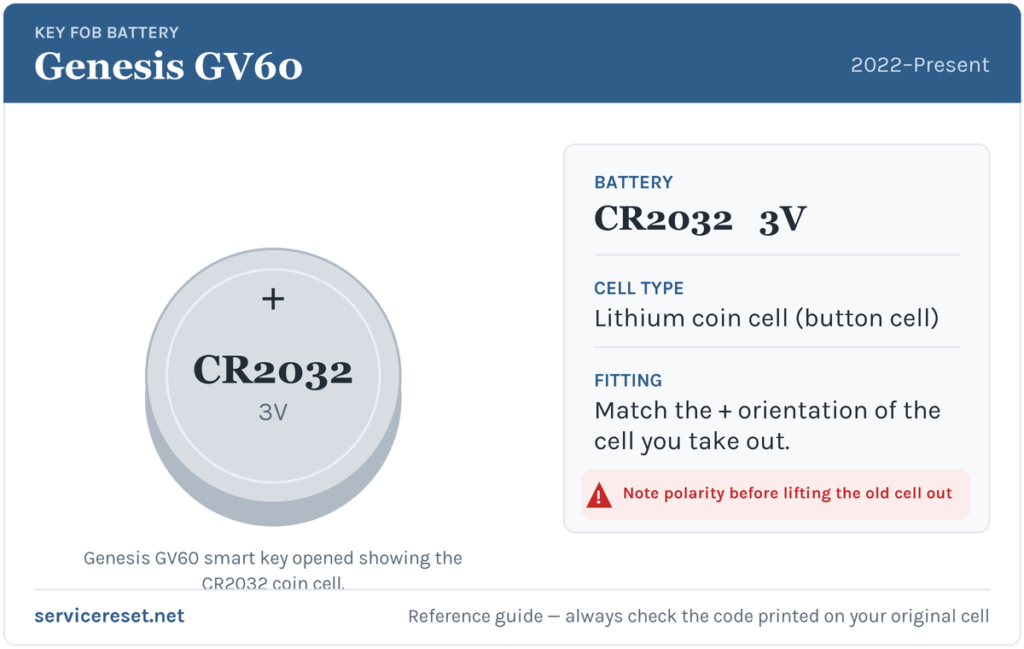
The Genesis GV60 smart key uses a single CR2032 3-volt lithium coin cell — 20 mm across and 3.2 mm thick, the same cell fitted across the Genesis smart-key range (G70, G80, GV70, GV80). It is the most common coin cell there is and sold in any supermarket or hardware shop. Buy a good-quality branded cell; cheap ones sag under the brief high current the transmitter draws and can give poor range even when new. As always, the safest check is to read the code printed on the cell you take out and match it exactly.
How to Change the GV60 Smart Key Battery
- Release the emergency blade. Slide the small latch on the top edge of the fob and pull the mechanical key blade straight out. Behind it you’ll see the slot the blade leaves in the case.
- Open the case. Insert a small flat tool into that slot — a plastic pry tool is ideal, or a coin, or a flat-head screwdriver with a strip of tape over the tip to protect the housing. Gently rotate the tool to pop the two halves of the case apart. Work slowly around the seam rather than forcing one spot, so you don’t break the clips.
- Note how the old cell sits, then lift it out. On most Genesis smart keys the CR2032 sits positive (+) face up, but before you touch it, look at which way the printed side faces so you can copy it exactly.
- Fit the new cell the same way round, handling it by the edges — finger grease on the flat faces shortens its life. Press it fully under the retaining clip so it sits flat against the contacts.
- Reassemble. Line up the two halves and squeeze until they click shut all round, then slide the mechanical blade back in until it latches.
⚠️ Get the polarity right. A coin cell fitted upside down won’t power the transmitter and can slowly discharge against the contacts — always match the orientation of the cell you removed rather than assuming.
Confirm It Worked
Stand back a few metres and lock, then unlock, the GV60. Full range should return at once. The “key battery low” message clears the next time the car reads a healthy fob — sometimes instantly, sometimes after one drive cycle. If you use Face Connect or the Digital Key too, the physical fob should now also start the car normally from the seat without you holding it to the button.
If a Fresh Cell Doesn’t Fix It
- Re-check polarity and seating. A cell in upside down, or not fully under its clip, is by far the most common reason a “new” battery does nothing. Reopen and confirm the printed face matches the old one.
- Wipe the contacts. A little corrosion or finger grease on the terminals is enough to cause dropouts — clean them with a dry cloth before refitting.
- Try the backup start. If the fob still won’t be detected, hold it directly against the engine start/stop button to start the car — the GV60 reads the key by short-range coil even with a flat cell, which also confirms whether the problem is the battery or the fob itself.
- Warning still showing? The low-key alert can take a couple of reads to clear. If a known-good cell still leaves the fob dead and the range never returns, the transmitter may have failed — rare, but it means a replacement or repair rather than another battery.
New Key or Spare — Why It’s a Dealer Job
Swapping the coin cell keeps the fob’s existing coding, so nothing needs reprogramming. Adding a new key is a different matter: a blank GV60 smart key has to be ordered against the car’s VIN and paired to the immobiliser with Genesis diagnostic equipment, and the emergency blade has to be cut to the car. That makes a spare or a lost-key replacement a job for a Genesis dealer or a qualified auto-locksmith. Enrolling Face Connect, a fingerprint or a Digital Key is done through the car and the myGenesis app and does not replace that coding step. Keep your spare fob’s battery fresh too, so you’re never down to a single working key.
Frequently Asked Questions
What battery does a Genesis GV60 key fob take?
A single CR2032 3-volt lithium coin cell — the same 20 mm cell used across the Genesis smart-key range. Check the code on the cell you remove and match it.
Which way up does the cell go?
On most Genesis smart keys the positive (+) face points up, but the only reliable rule is to fit the new cell exactly the way the old one was sitting. A reversed cell won’t work and can slowly drain.
Do I need to reprogram the fob after changing the battery?
No. A battery swap leaves the fob’s coding untouched, so it works straight away. Only a brand-new key needs pairing to the car.
How long should a GV60 key battery last?
Usually two to four years. Because many GV60 owners unlock with Face Connect or the Digital Key, the fob often sits idle and simply ages out rather than wearing down from use.
Can I still drive the GV60 if the fob battery is completely dead?
Yes. Use the emergency blade hidden in the fob to unlock the driver’s door, then hold the fob against the start/stop button to start the car. If you have set up Face Connect, a fingerprint or the Digital Key, you can enter and drive with those instead — a flat fob won’t strand you.
My key still won’t work after a new battery — is the car faulty?
Usually not. Re-check the cell’s polarity and seating first, then clean the contacts. If a known-good CR2032 still leaves the fob unresponsive, the transmitter itself may have failed, which is rare compared with a flat or upside-down cell.
If your GV60 flagged the low-key warning alongside other dashboard messages, or the remote died suddenly rather than fading, it’s worth checking whether a fault code is stored — you can look up what any Genesis code means on autodtcs.com.
Independent guide — not affiliated with Genesis. Always follow your official service manual and safety precautions. Read our full disclaimer.