These instructions apply to the Honda Accord Mk7 (CL/CM) 2003-2008.
For other models, please choose your vehicle here.
The digital clock on the seventh-generation Honda Accord (CL/CM saloon and Tourer, 2003–2008) is set from the audio panel on cars without navigation, or through the nav screen on cars that have it. You will most often need this after a battery disconnect, which wipes the stored time.
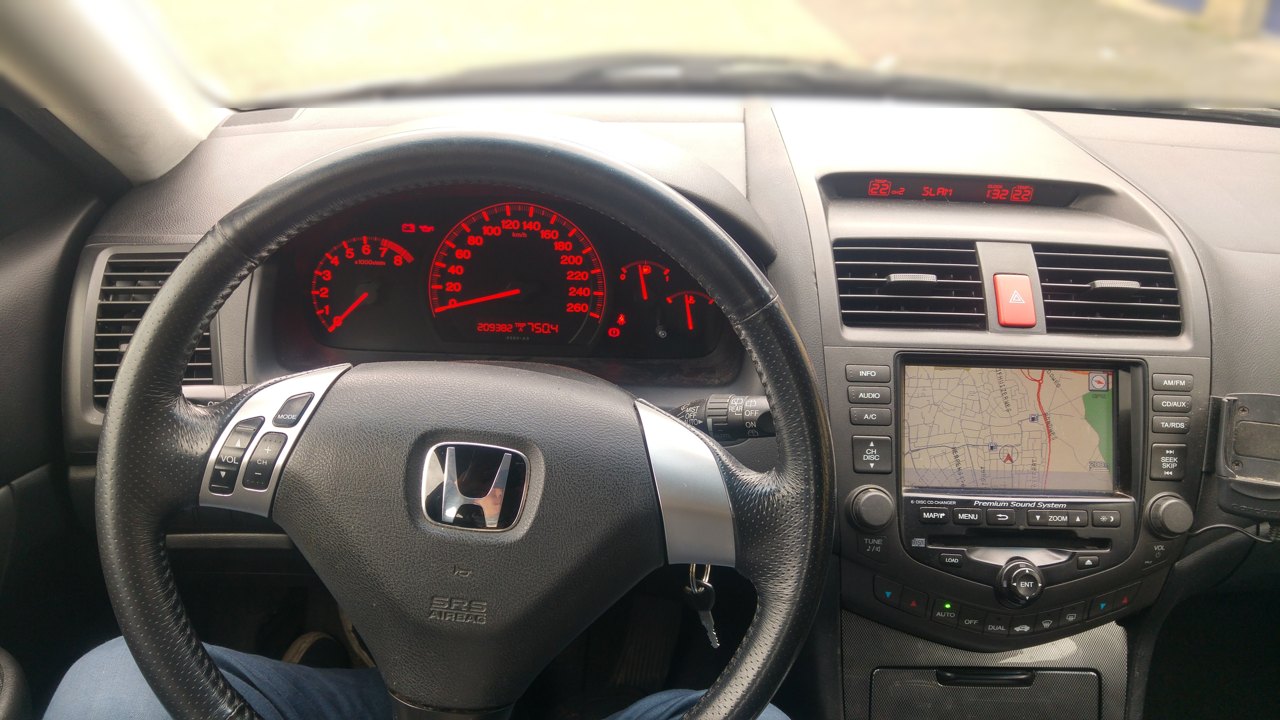
Before you start
- Switch the ignition on and make sure the audio system (or navigation) is powered up.
- Check whether your car has factory navigation — nav cars use a different method (see below), not the audio buttons.
- On the audio panel the clock uses the preset buttons: H is Preset 4 (hours), M is Preset 5 (minutes), and R is Preset 6 (reset to the hour).
Setting the Clock (Audio Panel) — Step by Step
- Press and hold the TUNE/SOUND knob until the audio system beeps and the clock digits begin to flash. The clock is now in setting mode.
- Hold the H button (Preset 4) to advance the hours until the correct hour is shown.
- Hold the M button (Preset 5) to advance the minutes until the correct minute is shown.
- If you want to snap the time to the nearest whole hour, press the R button (Preset 6) together with the TUNE/SOUND knob.
- Press the TUNE/SOUND knob again to finish and store the time. The digits stop flashing and the clock resumes normal display.
Cars With Navigation
If your Accord is fitted with factory navigation, the audio preset buttons do not set the clock. Instead, open the navigation screen’s setup menu and adjust the time there. The clock displayed by the car is controlled through the nav system’s settings on these models.
Frequently Asked Questions
Why did my Accord’s clock reset?
The clock loses its stored time whenever the 12V battery is disconnected or goes flat, so it typically needs resetting after battery replacement or other work that interrupts power. The setting is not held once the supply is broken.
Which buttons are H, M and R?
On cars without navigation they are the radio preset buttons: H is Preset 4 (hours), M is Preset 5 (minutes) and R is Preset 6, which resets the time to the nearest whole hour when pressed with the TUNE/SOUND knob.
My Accord has sat-nav — where is the clock setting?
On navigation-equipped cars the preset-button method does not apply. Set the time from the navigation screen’s setup menu instead; the audio panel does not control the clock on those models.
Does the clock change to and from summer time automatically?
No. The seventh-generation Accord clock does not adjust itself for daylight saving, so you will need to advance or wind back the hours yourself when the clocks change using the method above.
If a warning light appeared alongside the clock reset after battery work, you can look up what the code means on autodtcs.com before deciding whether anything further needs attention.
Independent guide — not affiliated with Honda. Always follow your official service manual and safety precautions. Read our full disclaimer.