These instructions apply to the Citroën Berlingo Berlingo (B9) 2008 - 2018. For other models, please choose your vehicle here.
The service indicator on the Citroën Berlingo reminds you when scheduled maintenance is due. After completing the required service, you can reset the reminder manually using the instrument cluster reset button. This procedure applies to Citroën Berlingo models produced between 2010 and 2018.
Manual Service Indicator Reset Procedure
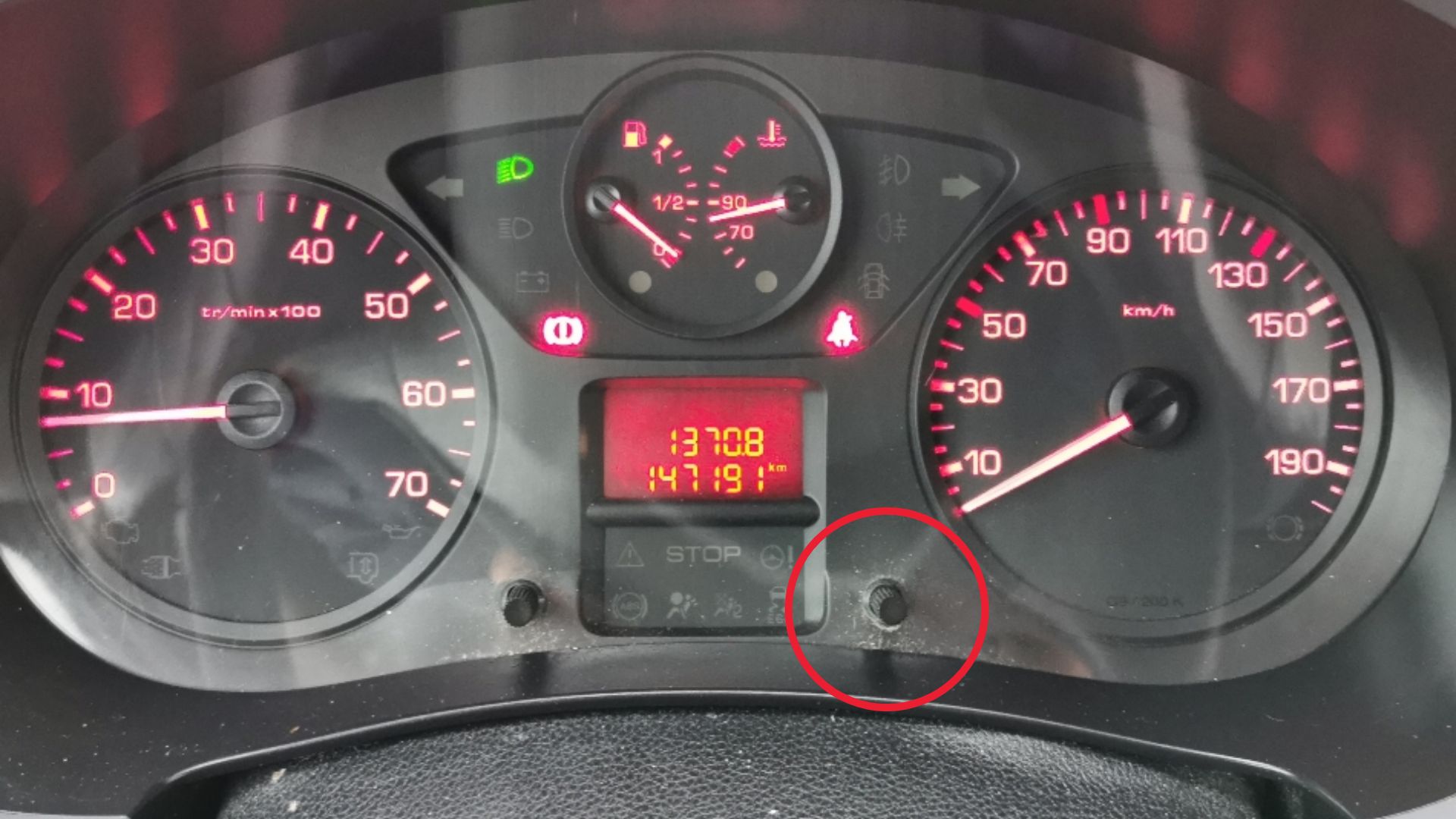
The service reset button is located on the instrument cluster next to the display.
- Switch the ignition OFF.
- Turn the key fully to the LOCK position.
- Press and hold the reset button on the instrument cluster.
- While holding the button, switch the ignition ON (do not start the engine).
- The display will start a countdown.
- Release the button when 0 appears.
- Switch the ignition OFF.
The service indicator is now reset.
Additional Information
- If the reset does not work the first time, repeat the procedure and keep the button pressed until the countdown finishes.
- This reset affects the service reminder only and does not clear diagnostic fault codes.
- This guide applies to Citroën Berlingo models produced between 2008 and 2018.
Disclaimer: The information on this page is provided for general guidance only. Always follow your official service manual and safety precautions when working on your vehicle. We are not responsible for errors, omissions, or any damage resulting from the use of this information.
This website is an independent resource and is not affiliated with, endorsed by, or sponsored by Citroën. All trademarks and brand names belong to their respective owners.