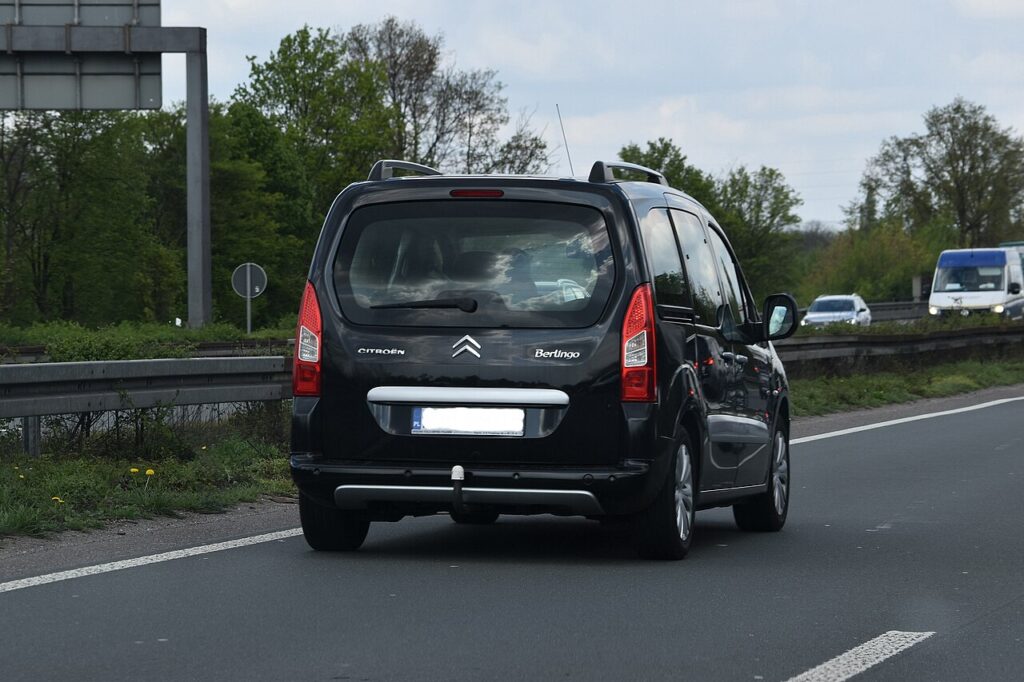
These instructions apply to the Citroën Berlingo Mk2 (B9) 2008-2018.
For other models, please choose your vehicle here.
The second-generation Citroën Berlingo (B9 platform, 2008–2018 — also sold as the Peugeot Partner II, identical underneath) carries a service-indicator system that flashes a spanner icon and an “OIL SERVICE DUE” message on the instrument cluster when scheduled maintenance is due. After completing the work — an engine oil and filter change, a brake fluid replacement, or any other dealer-scheduled task — the indicator needs a manual reset. The Berlingo uses the cluster’s built-in reset button, accessed via the key-off ignition cycle and a specific countdown. No scan tool needed; no dealer trip needed; the procedure takes about a minute.
Before you start
The B9 Berlingo’s service indicator combines elapsed time, mileage and engine-hour readings into a single “remaining service distance” calculation. Resetting zeroes the calculation and starts a fresh interval — typically 20,000 km / 12 months for petrol engines, 12,500 km / 12 months for diesel engines on this generation. There’s no oil-condition sensor; the indicator is interval-based.
- Reset only after the service work is done. Resetting before doesn’t trigger a check — the cluster cannot detect whether oil was actually changed — but it does start the counter, which means you’ll be running on stale data for the next interval.
- This procedure covers all B9 Berlingo trims: the petrol 1.6 VTi 95 (EP6), the diesel 1.6 HDi 75/90/110 (DV6), the larger 2.0 HDi 110/120 (DW10), and the Multispace variants. Cars updated to the late B9 facelift from 2015 onwards use a slightly different cluster but the same reset sequence.
- The Berlingo and Peugeot Partner II are mechanically identical; if you have the Peugeot version, this procedure works exactly the same way.
- Don’t run the procedure with the engine cranking — the cluster only enters reset mode in the ignition-ON state, not in cranking or running. The starter must be off.
Tools required
None.
Reset procedure
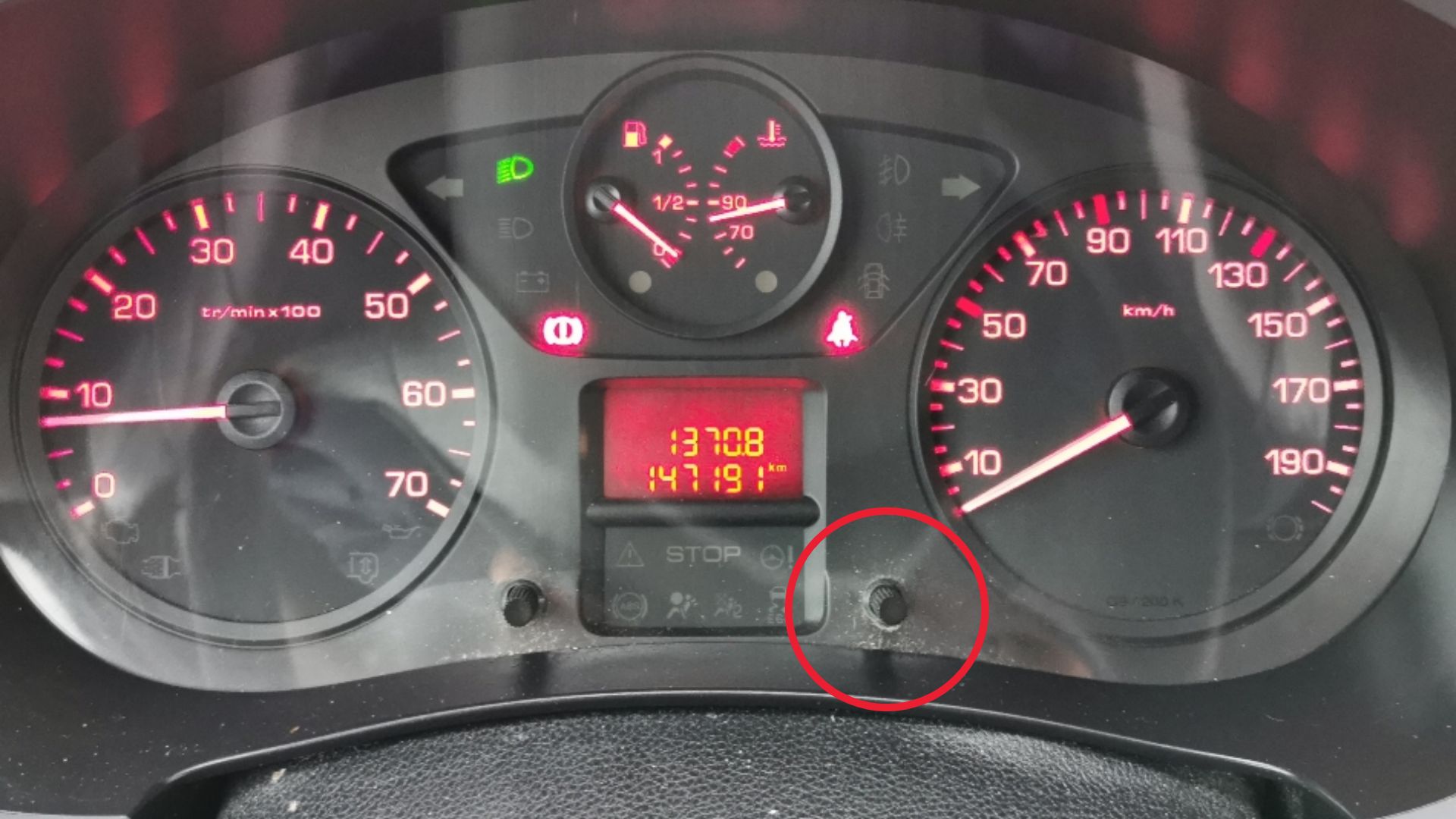
The service reset button sits on the instrument cluster next to the trip/clock display.
- Switch the ignition OFF and remove the key (or, on cars without a removable key, press the power button to fully OFF).
- Turn the key fully to the LOCK position so the cluster goes dark. Wait 5 seconds.
- Press and hold the reset button on the instrument cluster. This is the small button below the trip-meter display, typically labelled with a clock/maintenance icon.
- While still holding the button, switch the ignition ON (key to position II — engine warning lamps illuminate, but do not crank the starter).
- The display will start a countdown from 10 (or sometimes 30, depending on cluster firmware) down to 0. Keep the button pressed the whole time.
- Release the button when 0 appears. The cluster will display “OK” or briefly flash the spanner icon to confirm the reset.
- Switch the ignition OFF. Wait 10 seconds.
- Switch the ignition back ON and check the cluster: the spanner / “OIL SERVICE DUE” message should now be absent, and the trip meter should show the full new service interval.
How to verify it has worked
- The spanner / service icon is no longer illuminated on the cluster.
- No “OIL SERVICE DUE” or “MAINTENANCE OVERDUE” message appears at start-up.
- Scrolling through the trip-meter menu (using the trip-reset stalk on the steering column or, on facelift cars, the cluster button) shows the remaining service distance at its full value: 20,000 km on petrol, 12,500 km on diesel.
- The next engine start is silent — no service-reminder chime.
Troubleshooting
The countdown doesn’t start when the button is pressed. Most common cause: the cluster never went into reset mode because the ignition was already in position I (accessory) rather than fully OFF when the procedure started. Fully remove the key (or fully power-cycle on keyless cars), wait 5 seconds, and try again. Second most common: the reset button itself is faulty — a common Berlingo issue on cars with 100,000+ km. The button can be replaced or the cluster can be reset via a scan tool with Citroën-specific access.
The service indicator clears, then reappears at the next start. The reset wasn’t committed to non-volatile memory. Always wait 10 seconds with ignition off after releasing the button before switching ignition back on. If that doesn’t help, the cluster has a stored fault and needs a battery disconnect for 30 seconds to force a clean state.
The countdown finishes but the spanner is still showing. The procedure ran but the reset signal didn’t reach the BSI (body system interface). Repeat the procedure, but on step 6, keep the button pressed for an additional 3 seconds after the countdown reaches 0. Some clusters need this extra hold to commit the reset.
“OIL DEGRADED” or “OIL LEVEL FAULT” message persists. These are separate warnings from the service indicator. They relate to the oil-level sensor in the sump (diesel engines), not the maintenance counter. If oil-level is correct, the warning is likely a stored fault code that needs scan-tool clearing.
The reset works briefly but the car flags “Service due in 100 km” the next day. This indicates the BSI didn’t receive the full reset confirmation — the cluster stored the new value but the BSI is still running the old countdown. Disconnect the battery for 5 minutes to force the BSI to reload data from the cluster, then check again.
Frequently asked questions
Does this procedure work on the Peugeot Partner II?
Yes — identical car, identical procedure. The button location and countdown behaviour are the same.
What about the third-generation Berlingo (K9, 2018 onwards)?
No — the K9 Berlingo uses a touchscreen-based reset accessed through the infotainment menu, not the cluster button. See the dedicated K9 guide.
What’s the difference between the OIL SERVICE DUE warning and a check-engine light?
OIL SERVICE DUE is a calendar/mileage-based reminder. The check-engine light (orange engine outline) indicates a stored diagnostic fault code in the engine ECU. They’re independent and use separate reset procedures.
Do I need to reset anything else after an oil change on this Berlingo?
On the petrol 1.6 VTi, only the service indicator. On the 1.6 HDi and 2.0 HDi diesels, you may also want to do a DPF regeneration check if the car has been doing short-trip work — the DPF reminder is a separate cluster element and clears on its own once a successful regeneration completes.
What service interval should I follow?
OEM service intervals for the B9 Berlingo are 20,000 km / 12 months for the 1.6 VTi petrol and 12,500 km / 12 months for the 1.6 HDi diesel, whichever comes first. Severe duty (towing, frequent short trips, dusty conditions) halves the interval — that’s a manual decision; the indicator itself uses the OEM long interval.
Can I do this with the door open?
Yes — door state doesn’t affect this procedure. The cluster reads only the ignition position and the button press. Open or closed door makes no difference.
For DTCs related to the cluster, BSI, or service-warning behaviour, see autodtcs.com.
Independent guide — not affiliated with Citroën. Always follow your official service manual and safety precautions. Read our full disclaimer.