These instructions apply to the Jeep Wrangler Mk1 (YJ) 1991-1996.
For other models, please choose your vehicle here.
If you own a Jeep Wrangler YJ (1991–1996) — the square-headlight generation — and you are hunting for the “key fob battery,” here is the honest starting point: the YJ was not sold with a factory keyless-entry remote. Across its whole run the Wrangler used a plain cut metal ignition key and manual door locks, with no immobiliser and no transmitter built into the head of the key. So if you have a remote that locks or unlocks your YJ, it is a dealer-fitted or aftermarket add-on — and the battery it takes depends entirely on which unit somebody installed, not on anything Jeep specified. This guide shows you how to identify the remote you actually have, replace its cell without guessing, and understand what you can and can’t do yourself.
First, Work Out What You’re Holding
Because there is no single “YJ fob,” the cell you need is whatever your particular remote was designed around. There are three broad possibilities on a truck this age:
- A small keychain remote (aftermarket RKE). Most YJs that lock by remote had a cheap universal or brand keyless-entry kit added later. These little transmitters are the most common thing people call the “Wrangler fob.”
- A Chrysler/Mopar dealer-accessory remote. Some 1990s Chrysler-family vehicles could be fitted with a factory-accessory keyless system. If yours carries a Mopar part number or an FCC ID that starts with a Chrysler code, treat it as a Chrysler-style remote.
- A modern replacement key. If someone has retrofitted a newer flip key or fob, it behaves like whatever donor system it came from — not like anything original to the YJ.
The reliable move on all three is the same: open the case and read the code stamped on the cell you take out, then buy that exact size. Never assume a number.
How to Tell the Remote Battery Is Dying
- Shrinking range. You have to stand right next to the door for the locks to respond — the classic first sign of a weak coin or 12 V cell.
- The status LED dims or stops. Most add-on remotes have a little indicator light on the button; if it barely lights or goes dark, the cell is flat.
- Cold-morning dropouts. A near-dead battery struggles in low temperatures and recovers a little as it warms.
- Nothing at all. Because the YJ’s locks and ignition are fully mechanical, a dead remote never strands you — the cut key still opens the doors and starts the engine.
A coin cell in a lightly used remote typically lasts two to four years; the tiny 12 V batteries in some keychain transmitters can go flat faster. If yours is older than that and fading, fit a fresh one before blaming the receiver.
The Battery You Need
There is no factory-specified YJ fob cell to quote, so the only correct answer is the one printed on your battery. That said, the odds fall into two camps:
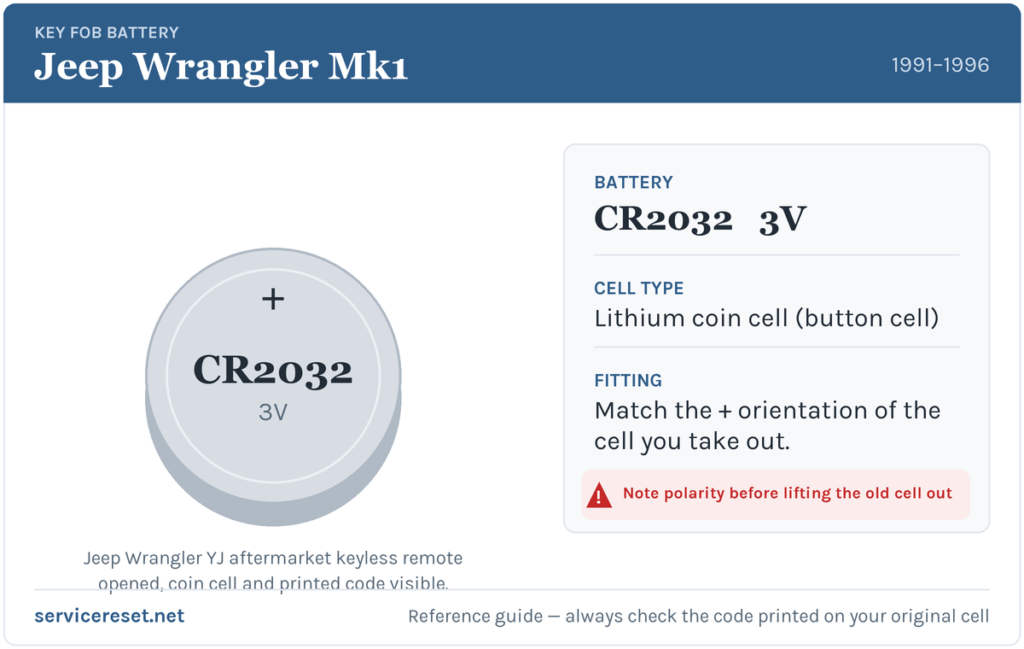
- Chrysler-style remotes of this family very commonly use a CR2032 — a 3-volt lithium coin cell, the most widely stocked fob battery there is. If your unit is a Mopar or Chrysler-coded remote, CR2032 is the likely fit, but confirm against the old cell.
- Cheap keychain RKE kits often use a small 12 V battery such as an A23 (23A / MN21), or a coin cell like a CR2016. These vary wildly by brand, so identification really does matter here.
Buy a good-quality branded battery either way — bargain cells sag under the brief current a transmitter draws and can give short range even when brand new.
Method 1 — Coin-Cell Keychain or Chrysler-Style Remote
- Look around the edge of the case for a small screw or a moulded seam. Undo any screw with a fine cross-head (Phillips) driver.
- If there is no screw, ease a flat plastic tool into the seam and gently twist to pop the two halves apart. Work slowly — old plastic is brittle.
- Before lifting the cell out, note which way up it sits — which face shows the printed code, and which side touches the spring contact.
- Fit the new cell the same way round, matching the size code you just read. For a coin cell the marked (+) face almost always sits upward against the top clip — but copy what you removed rather than assuming.
- Click the halves back together, drive any screw back in snugly (don’t overtighten plastic), and test all the buttons.
Method 2 — 12 V Keychain Transmitter (A23 / 23A type)
- Slide off or unclip the battery hatch on the back of the transmitter — these rarely have a screw.
- Note the + and − markings moulded inside the compartment; the small 12 V cylindrical battery is easy to fit backwards.
- Drop in a fresh battery of the same type (commonly A23 / 23A / MN21), polarity matching the moulded symbols.
- Refit the cover and test. If range is still poor, the transmitter itself may be worn out — these budget units don’t last forever.
⚠️ Match the polarity. A cell fitted the wrong way round won’t power the remote and can discharge or leak — always copy the orientation and the printed code of the battery you removed.
Did It Work?
Stand back a few paces and press lock, then unlock. Full range should return at once and the button LED should light crisply. If the remote drives an added-on lock actuator, you should hear the door latches thunk. Because none of this talks to an immobiliser, there is no warning light to clear and nothing to relearn after a straightforward battery swap.
If a Fresh Battery Doesn’t Fix It
- Re-check size, polarity and seating. The commonest mistake is the wrong code or an upside-down cell; the battery must sit firmly against clean contacts.
- Clean the terminals. Finger grease or light corrosion on the springs is enough to cause dropouts — wipe them with a dry cloth.
- Suspect the transmitter or receiver. On aftermarket kits the little circuit board or the hidden receiver module can fail with age; if a known-good battery still gives nothing, the electronics, not the cell, are the problem.
- Fall back on the metal key. Remember the YJ never needed a remote — the cut key locks, unlocks and starts the Jeep regardless of the fob’s state.
New Key or Remote — What’s Actually Involved
The good news on a YJ is that the ignition key has no chip: with no factory immobiliser, a locksmith can cut a fresh mechanical key from the door or ignition lock without any electronic programming. A remote is different — if it’s an aftermarket kit, you replace like-for-like or fit a new universal system and pair its transmitter to its own receiver per that kit’s instructions. There is no Jeep dealer database of “YJ fobs” to code against, because the factory never issued one.
Frequently Asked Questions
What battery does a Jeep Wrangler YJ key fob take?
There is no factory answer, because the 1991–1996 YJ shipped without a keyless remote. Any fob you have is an add-on: open it and match the code printed on the cell. Chrysler-style remotes often use a CR2032; small keychain units may use a 12 V A23 or a CR2016.
Did the YJ Wrangler come with keyless entry from the factory?
No. It used a plain metal ignition key and manual door locks throughout the 1991–1996 run, with no built-in transmitter or immobiliser.
Which way up does the cell go?
Match the battery you removed. On a coin cell the printed (+) face is usually upward against the top clip; on a 12 V keychain unit, follow the + and − symbols moulded into the compartment.
Do I need to reprogram anything after changing the battery?
No. A battery swap doesn’t affect pairing on these simple remotes, and the YJ has no immobiliser to relearn. The remote should work immediately.
My remote still won’t work with a new battery — what now?
Re-check that you fitted the correct size the right way round and that the contacts are clean. If a known-good battery still gives nothing, the aftermarket transmitter or its receiver has likely failed — and you can always fall back on the mechanical key.
Can I drive the YJ if the remote is completely dead?
Yes, easily. The cut key unlocks the doors and starts the engine directly; the remote only ever operated add-on locks, so a flat fob never prevents you driving.
If your Wrangler is also throwing a dashboard warning or a stored fault while you chase an electrical gremlin, a dead fob isn’t the cause — look up the actual trouble code on autodtcs.com to see what the vehicle is really reporting.
Independent guide — not affiliated with Jeep. Always follow your official service manual and safety precautions. Read our full disclaimer.